Adobe Illustrator (.ai) → SVG
Illustrator documents are already vector. Export directly to SVG from Illustrator, or trace a raster preview with Super Vectorizer Pro when you only have a flattened PNG or JPG.
Convert Adobe Illustrator files and AI-generated artwork from Midjourney, DALL·E, and Adobe Firefly into editable SVG — offline on your Mac or Windows machine.
Whether you mean Adobe Illustrator files or AI-generated art, here is how to get a clean SVG
Illustrator documents are already vector. Export directly to SVG from Illustrator, or trace a raster preview with Super Vectorizer Pro when you only have a flattened PNG or JPG.
Midjourney, DALL·E, and Adobe Firefly export raster PNG or JPG. Drop them into Super Vectorizer Pro to trace smooth, scalable SVG you can edit and cut.
All processing happens locally on your device. Your artwork never leaves the computer — no uploads, no cloud dependencies.
Export to SVG, EPS, PDF, and Adobe Illustrator AI. Vector files stay crisp at any size, from stickers to billboards.
No manual tracing, no cloud uploads — just clean SVG
Save the AI image as PNG or JPG from Midjourney, DALL·E, or Adobe Firefly at the highest resolution available.
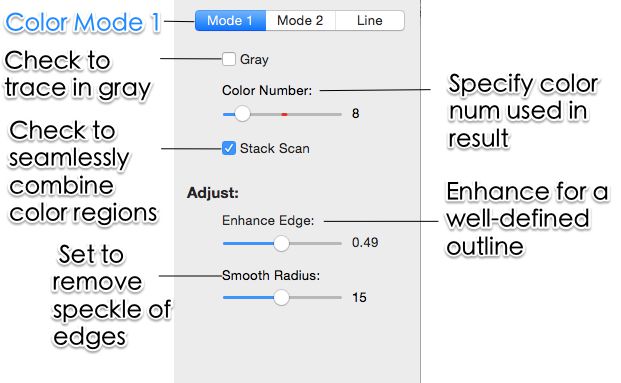
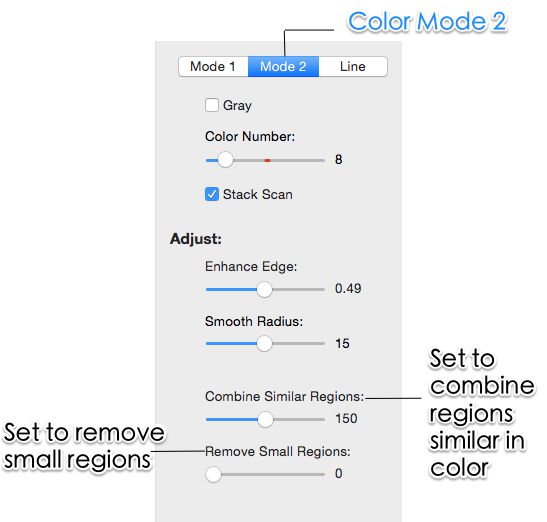
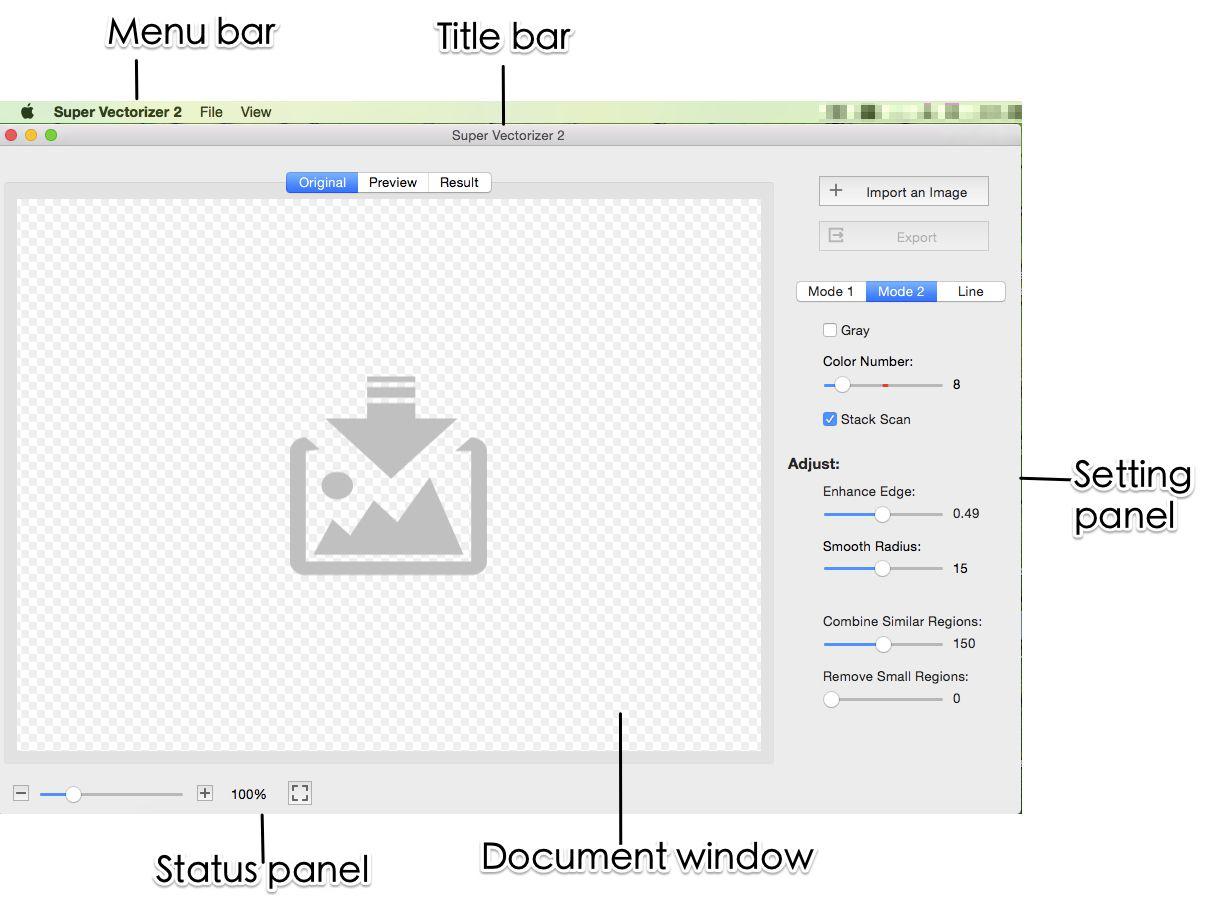
Drop the file in. Adjust color count, edge smoothing, and noise filtering to match the artwork's complexity.
Preview the traced vector, then export SVG, EPS, PDF, or AI for cutting, printing, or further editing.
Ready to vectorize your AI creations? Try Super Vectorizer Pro free trial to preview results on your own renders.
Compatible with macOS 10.10+ (M1/M2/M3) & Windows 7/8/10/11
AI art becomes reusable assets the moment it is traced

Turn generative art into cut-ready SVG for Cricut and Silhouette with simplified paths and clean color separation.

Reduce colors to a thread-friendly palette and export SVG or EPS that embroidery software can read directly.

Use infinitely scalable SVG in websites, social templates, and print layouts without pixelation at any zoom.
Drop in renders from any modern AI image tool — no special export required
Vectorize illustration-style and line-art prompts into scalable SVG for merch and print.
Convert DALL·E renders to clean vectors for web graphics and marketing materials.
Turn Firefly creations into scalable vectors for brand assets and social graphics.
Works with SDXL, SD 1.5, and custom checkpoints like DreamShaper and Realistic Vision.
Convert Leonardo artwork to SVG for Cricut projects and print-on-demand workflows.
Transform text-to-image outputs into clean vector graphics with crisp typography.
Everything you need to know about converting AI to SVG
The phrase covers two related jobs. First, converting an Adobe Illustrator (.ai) document into a web-friendly SVG file. Second, turning AI-generated artwork (PNG or JPG exports from Midjourney, DALL·E, or Adobe Firefly) into editable vector SVG. Super Vectorizer Pro focuses on the second case: it traces raster AI art into clean SVG, EPS, PDF, or AI output on your desktop.
Open the file in Adobe Illustrator and choose File → Export → Export As, then pick SVG. Illustrator files are already vector, so this is a direct export rather than a trace. If you only have a flattened raster preview (PNG/JPG) of the artwork, use Super Vectorizer Pro to re-trace it into SVG instead.
No. Super Vectorizer Pro is a raster-to-vector tracer — it works from PNG, JPG, WebP, BMP, and TIFF sources, not native .ai documents. For an original Illustrator file, export it to SVG from Illustrator. For AI-generated raster renders, drop the PNG/JPG straight into Super Vectorizer Pro.
Yes. Save the render as PNG or JPG, then open it in Super Vectorizer Pro. The tracing engine handles soft gradients and posterized color regions better than generic auto-trace tools, producing editable SVG you can scale and cut without quality loss.
Input: PNG, JPG, JPEG, WebP, BMP, TIFF, GIF, and HEIC. Output: SVG, EPS, PDF, and Adobe Illustrator (AI). That covers everything from a quick Midjourney upscale to a print-ready vector for vinyl or embroidery.
SVG (default, infinitely scalable), EPS (legacy print workflows), PDF (shared proofs), and AI (Adobe Illustrator). Choose the format that matches your downstream tool — most cutting and design apps accept SVG directly.
Yes. Native desktop apps ship for macOS 10.10+ (including Apple Silicon M1/M2/M3) and Windows 7/8/10/11. Both builds include the full feature set and process one image at a time.
All tracing happens locally on your computer. Your images never leave the device, which matters for unreleased client work or private prompts. There is no upload step and no cloud dependency.
A free trial is available for both Mac and Windows. It is preview-only: you can adjust tracing settings and see the resulting vector on screen, but saving and exporting the finished file requires purchasing a license. This lets you verify quality before paying.
Yes. Super Vectorizer exports SVG files that import cleanly into Cricut Design Space and Silhouette Studio. Built-in color reduction and path simplification produce cut-friendly shapes with fewer nodes, which speeds up weeding and improves cut accuracy.
No. The app processes one image at a time. This keeps memory usage low and gives you per-image control over color count and smoothing, which is important when different renders need different settings.
No. Super Vectorizer Pro is a standalone desktop application for raster-to-vector tracing. You only need Illustrator if you want to export a native .ai document to SVG directly; for AI-generated raster art, Super Vectorizer Pro works on its own.
Join 50,000+ designers who trust Super Vectorizer Pro.
30-day money-back guarantee.
Explore other AI-to-vector pipelines built into Super Vectorizer Pro