How to Convert PNG to SVG on Mac — A Step-by-Step Tutorial
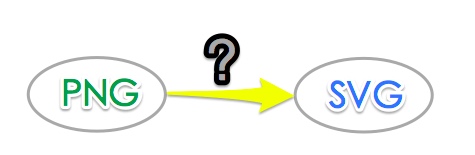
PNG images are great for photos and web graphics, but they lose quality when scaled. If you need a logo, icon, or illustration that stays sharp at any size, converting PNG to SVG is the answer. SVG (Scalable Vector Graphics) uses mathematical paths instead of pixels, so it never gets blurry — no matter how large you make it. In this guide, we'll show you exactly how to convert PNG to SVG on Mac using the fastest and most accurate method available: Super Vectorizer Pro. We'll also cover a free online alternative if you only need occasional conversions.
Why Convert PNG to SVG on Mac?
Mac users work with vector graphics every day — in Cricut Design Space, Adobe Illustrator, Figma, Sketch, and web development. Here are the most common reasons to convert PNG to SVG on your Mac:
- Infinite scaling: SVGs look crisp on retina displays, billboards, and mobile screens alike.
- Smaller file size: Simple logos and icons in SVG format are often much smaller than their PNG counterparts.
- Editable paths: Once vectorized, you can change colors, strokes, and shapes in any design app.
- Web optimization: Search engines can read SVG text content, and you can animate SVGs with CSS.
- Cricut & laser cutting: SVG is the standard format for cutting machines. PNG files must be traced first.
Whether you're a designer, developer, or hobbyist, knowing how to convert PNG to SVG on Mac will save you hours of manual tracing work.
Convert Your Images to SVG Today
Download Super Vectorizer Pro — free trial to preview results. Mac & Windows.
Compatible with macOS 10.10+ (M1/M2/M3) & Windows 7/8/10/11
Method 1: Convert PNG to SVG on Mac with Super Vectorizer Pro
Super Vectorizer Pro is the fastest and most accurate way to convert PNG to SVG on Mac. Unlike online converters that compress and distort your image, this desktop app uses advanced algorithms to trace every edge, curve, and color boundary with precision. The result is a clean, editable SVG file you can open in Illustrator, Inkscape, or any vector editor.
- Download and install. Get Super Vectorizer Pro for Mac and drag it to your Applications folder. Launch the app.
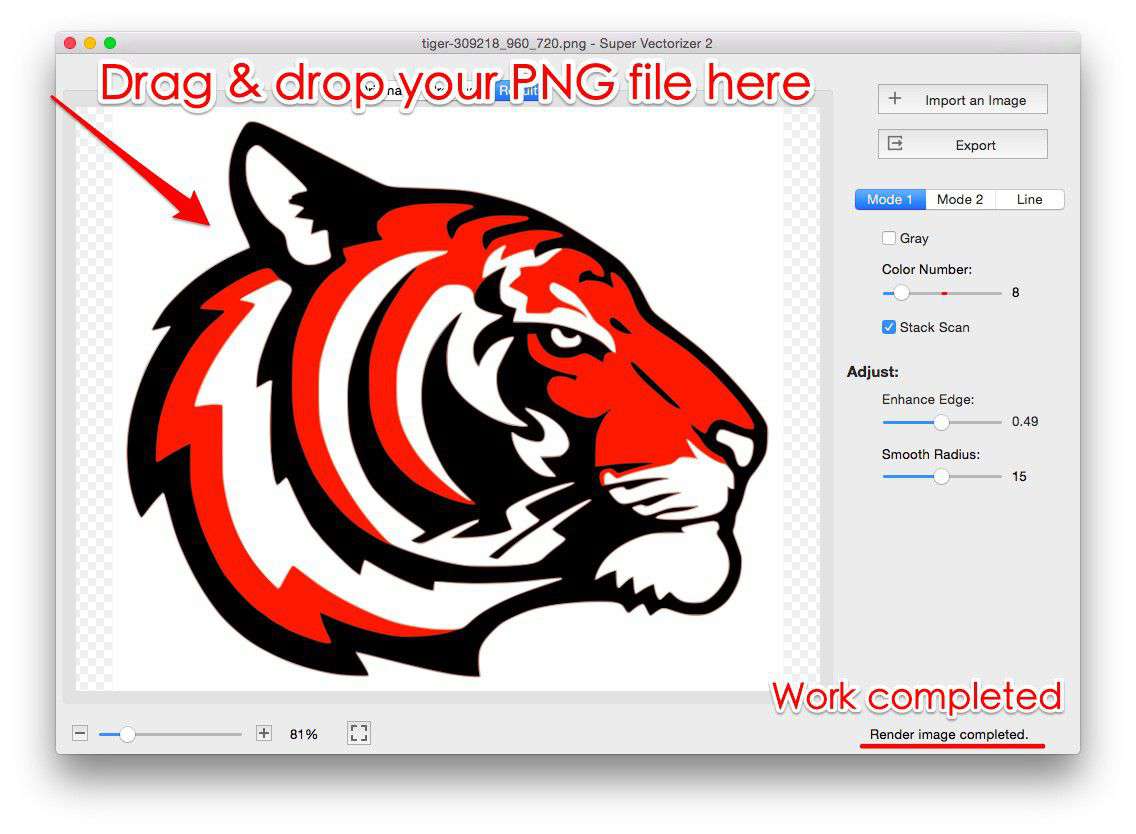
- Import your PNG. Click "Open" or drag your PNG image directly into the app window. Super Vectorizer Pro supports PNG, JPG, BMP, and GIF formats.
- Choose vectorization mode. Select between color mode (preserves multiple colors) or black-and-white mode (for line art and logos). Adjust the detail slider to control how many paths the software creates.
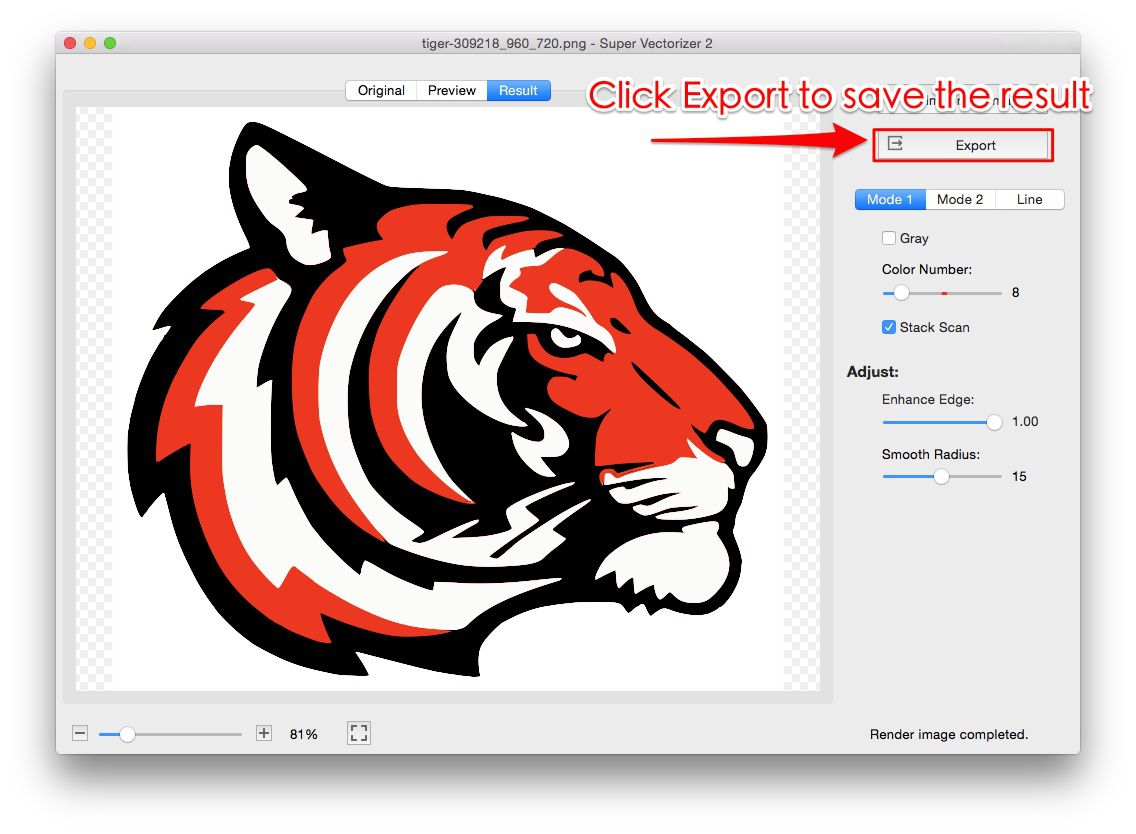
- Export as SVG. Click "Save" and choose SVG as the output format. Your converted file is ready to use in any design or cutting software.
The entire process takes under 30 seconds. For complex images with gradients or photographs, you may want to clean up the result in a vector editor, but for logos, icons, and illustrations, the output is production-ready.
Method 2: Free Online PNG to SVG Converter
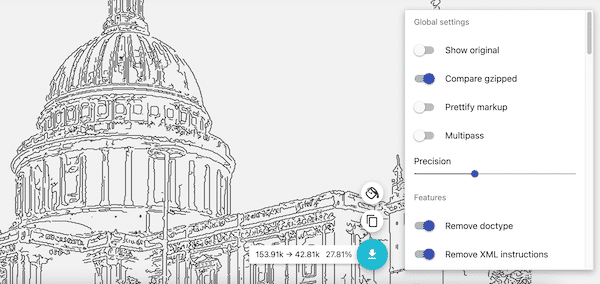
If you only need to convert a PNG to SVG occasionally and don't want to install software, our free online tools are a quick alternative. Simply upload your image, and the tool will generate a downloadable SVG file in seconds. Keep in mind that online converters work best with high-contrast images like logos and line art. Photographs and complex gradients may not vectorize as cleanly as with a dedicated desktop app like Super Vectorizer Pro.
Troubleshooting Common PNG to SVG Issues on Mac
Even with the best tools, you may run into a few challenges. Here's how to solve them:
- Jagged edges: Increase the detail level in Super Vectorizer Pro, or use the "smooth" option if available.
- Too many paths: Lower the detail slider. Fewer paths mean a smaller SVG file and faster rendering.
- Missing colors: Use color mode instead of grayscale. Check that your PNG doesn't have transparency issues.
- Large SVG file: After conversion, use our SVG compressor online to reduce file size without losing quality.
FAQ
Can I convert PNG to SVG on Mac for free?
Yes. You can use free online tools for occasional conversions. For professional work with precise control, Super Vectorizer Pro is worth the investment.
Does converting PNG to SVG reduce quality?
No — in fact, SVG quality improves with scaling. However, the vectorization process is an approximation. Simple images vectorize perfectly; complex photographs may lose some fine detail.
What Mac apps can open SVG files?
Safari, Chrome, and Firefox display SVGs natively. For editing, use Adobe Illustrator, Inkscape (free), Affinity Designer, Figma, or Sketch.
Convert Your PNGs to SVG in Seconds
Download Super Vectorizer Pro — free trial to preview results. Mac & Windows.
Compatible with macOS 10.10+ (M1/M2/M3) & Windows 7/8/10/11
Now you know exactly how to convert PNG to SVG on Mac. Whether you choose the speed and accuracy of Super Vectorizer Pro or our convenient free online tools, turning raster images into scalable vectors has never been easier. Try it today and see the difference a true vector file makes.