Standard tracers quantize an image into thousands of arbitrary colors. For a real brand asset, screen-printing job, or vinyl cut, you need the SVG to use only the colors in your palette — so the output can be sent straight to production.
This page accepts a palette (hex colors) and asks VTracer to map the source image to only those colors when generating paths. The output is a true spot-color vector.
The page starts with a 6-color modern flat palette. You can edit the hex values in the field to use Pantone approximations, your brand book, or any custom palette of 1–12 colors.
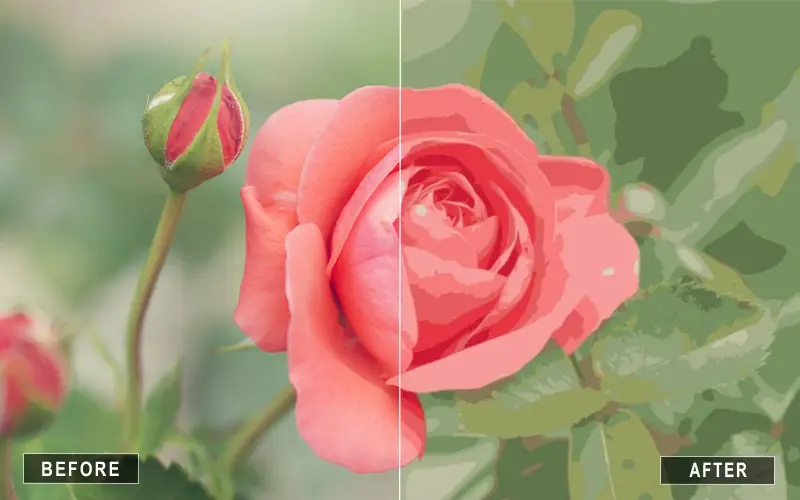
Use the Spot Color converter when the output must use only your chosen inks — brand marks, screen-print jobs, vinyl, or any production run where a fixed palette matters more than photographic accuracy. For open-ended color work, the VTracer Online Color preset is the better starting point.
Spot color SVG uses a fixed, named palette of solid colors instead of thousands of arbitrary shades. Each path is filled with one palette entry, which is exactly what screen-printing and brand production need.
Yes. Enter Pantone hex approximations (most design tools export these) into the palette field. The tracer will map the source image to only those colors.
1 to 12. More than 12 colors usually means the source image has gradients or photos, which are better handled by the color or photo presets.
PNG, JPG, GIF, WebP, BMP. PNG with transparent background works best for logos.
No. Conversion runs in your browser via WebAssembly.
The SVG will only use your palette, but the final print/transfer depends on your output process. Always proof the result before running a production batch.
