How to Vectorize Image Online Free in 2026 — No Signup Required
Need to turn a raster image into a scalable vector but don't want to install software or create yet another account? You are not alone. Thousands of designers, crafters, and small business owners search for ways to vectorize image online free every day. The good news is that modern browser-based tools make raster-to-vector conversion fast, accurate, and completely free. In this article we walk you through the best free online vectorization tools, step-by-step instructions, and practical tips for getting the cleanest SVG output from any image.
What Does It Mean to Vectorize an Image?
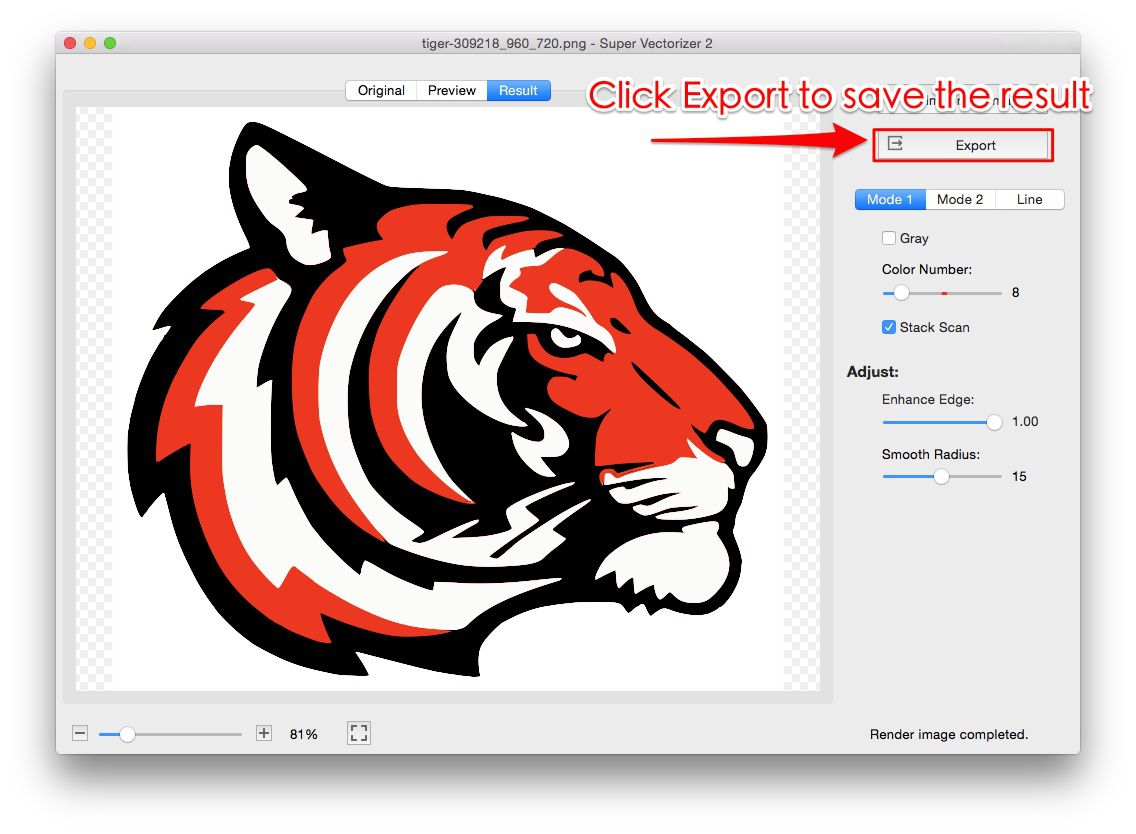
Vectorization (also called raster-to-vector conversion or image tracing) transforms a pixel-based image — like a PNG, JPG, or BMP — into a vector format such as SVG. Vector graphics use mathematical paths instead of pixels, which means they scale infinitely without losing quality. When you vectorize an image online free, the tool analyzes the raster pixels, detects edges and color regions, and generates corresponding vector paths. The result is an SVG file that looks sharp at any size, from a favicon to a billboard.
Convert Your Images to SVG Today
Download Super Vectorizer Pro — free trial to preview results. Mac & Windows.
Compatible with macOS 10.10+ (M1/M2/M3) & Windows 7/8/10/11
Top Free Online Tools to Vectorize Images in 2026
Not all online image vectorizer tools are created equal. Here are the tools that deliver the best balance of quality, speed, and ease of use:
1. SVGVector Free Online Tools — Best Overall Free Option
The SVGVector free online tools offer a straightforward vectorization experience. Upload your image, adjust trace settings like color count and detail level, and download the SVG — all in your browser with no signup. It handles logos, icons, and line art particularly well.
2. SVG Mini Online — Best for SVG Optimization After Vectorization
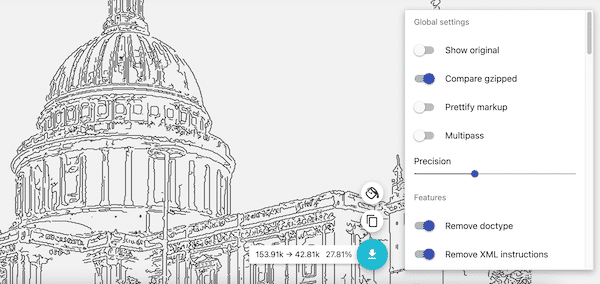
Once you have vectorized your image, SVG Compressor Online compresses the resulting SVG file, often reducing size by 50-90% without visible quality loss. This is essential for web use where every kilobyte counts for page load speed.
3. Inkscape (Free Desktop Alternative)
If your images are complex or you need more control, Inkscape's Trace Bitmap feature gives you detailed parameter adjustments. It is not browser-based, but it is completely free and works on all platforms.
Step-by-Step: Vectorize Image Online Free
- Prepare your image. Start with a clean, high-resolution raster file. Remove background noise and crop to the subject. The cleaner the input, the better the vectorization output.
- Open the free online tool. Go to the SVGVector free online tools page. No account or signup is needed.
- Upload your image. Drag and drop your PNG, JPG, or BMP file into the upload area, or click to browse.
- Adjust vectorization settings. Choose the number of colors, trace detail level, and whether to remove the background. For logos, fewer colors produce cleaner paths. For photographs, increase the color count for smoother gradients.
- Download your SVG. Preview the result, then download the SVG file. Optionally run it through SVG Compressor Online to reduce file size.
Tips for Better Vectorization Results
- Start with high contrast. Images with clear edges and distinct colors vectorize more accurately than low-contrast photos.
- Remove backgrounds first. A white or colored background adds unnecessary paths. Crop or remove it before vectorizing.
- Choose the right color count. Fewer colors mean simpler SVGs with smaller file sizes. Most logos need only 2-8 colors.
- Optimize after vectorization. Use an SVG optimizer to strip metadata, remove redundant nodes, and compress the output.
- For complex images, try desktop software. Super Vectorizer Pro provides advanced algorithms that handle photographs and detailed artwork better than most online tools.
FAQ — Vectorize Image Online Free
Can I vectorize a photograph online for free?
Yes, but results vary. Photographs contain thousands of color transitions, so the resulting SVG may be large and complex. For best results with photos, reduce the color count and use a tool like Super Vectorizer Pro that offers advanced multi-color trace engines.
Is free online vectorization secure?
SVGVector's free tools process images in the browser and do not store your files on a server after conversion. For confidential or commercial artwork, a desktop tool like Super Vectorizer Pro keeps everything local.
What image formats can I vectorize online?
Most online tools accept PNG, JPG, BMP, and GIF. Super Vectorizer Pro supports over 70 input formats including TIFF, PSD, ICO, and even PDF pages.
Convert Your Images to SVG Today
Download Super Vectorizer Pro — free trial to preview results. Mac & Windows.
Compatible with macOS 10.10+ (M1/M2/M3) & Windows 7/8/10/11
Being able to vectorize image online free removes a major barrier for anyone who needs scalable graphics without investing in software. For quick conversions, the SVGVector free online tools deliver clean results in seconds. When you need higher accuracy or offline capability, Super Vectorizer Pro is the professional upgrade that pays for itself in saved time.