
PNG to SVG for T-Shirts
A PNG only has to become an SVG when the shirt is screen printed. Screen printing burns one screen per ink, and every screen is cut from a closed contour, which a pixel grid cannot supply. Direct-to-film, direct-to-garment and sublimation all print raster natively, so a transparent 300 DPI PNG at final print size is already the correct file — tracing it adds work and loses nothing.
Where the conversion does pay for itself is repeatability. One vector master outputs a 10.5-inch adult front, a 7-inch youth front and a 3-inch sleeve hit without re-exporting anything, and all three keep the same edge. A raster needs a fresh export per size, and the person who orders the youth size is the one who finds the soft copy.
Which print method actually needs a vector
The four methods below cover most decorated apparel, and three of them are raster-first. Only screen printing has a hard requirement, which is why the same PNG can be unusable for one shop and perfectly fine for the next.
| Method | What the printer ingests | Vector? | Why |
|---|---|---|---|
| Screen print | One film per spot colour | Yes | Each ink is cut from a closed contour, then burned to a mesh |
| DTF | 300 DPI PNG, transparent background | No | The film is printed from pixels and heat-pressed onto the shirt |
| DTG | 300 DPI PNG, transparent background | No | An inkjet head prints the raster straight into the garment |
| Sublimation | 300 DPI raster, sized to the panel | No | Dye gas transfers from a printed sheet onto polyester |
If you are sending the file to a shop rather than printing yourself, ask which method they are quoting before you convert. A DTG quote against a vectorised file wastes the trace; a screen-print quote against a flattened PNG costs you a separation fee.
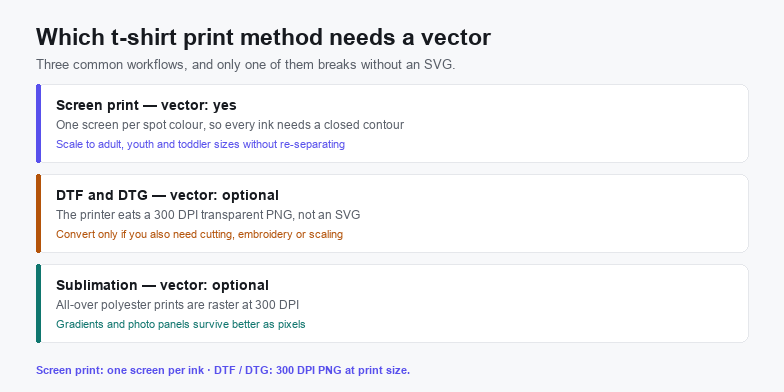
Screen printing is the method that breaks without a vector
A screen printer's job is to turn your artwork into one film per ink. Each film is burned onto a mesh, the mesh is flooded with a single colour, and the colours go down in sequence. That pipeline cannot consume a PNG as it stands: the file has to be separated into flat shapes first, and if the shapes are not already distinct, someone traces them — often roughly, and often without telling you.
Two things follow. A vector you control beats a separation done at the shop, because you decide where the boundary between two inks lands rather than a technician guessing. And the number of inks is a cost line before it is a design decision: one, two and three colour prints are the standard price ladder, and a fourth screen adds a film, a mesh, an ink change and a flash cure to every shirt in the run.
What the source PNG has to be before you trace it
Tracing amplifies whatever is already in the bitmap. A 400 px screenshot becomes a soft vector with a soft edge; a clean 3600 px PNG becomes an edge a printer can actually cut.
- Size for the print, not for the screen. A 12 in × 16 in front at 300 DPI is 3600 × 4800 px. Get as close to that as the source allows, because tracing at half the final resolution bakes the softness into the contours.
- Transparent background. A white box behind the artwork becomes a white contour, and on a dark shirt that contour prints whether you wanted it or not.
- Flat colour, no shadow or glow. Drop shadows and outer glows are gradient fields; a trace turns them into dozens of nested bands that no screen printer will separate by hand.
- One artwork, one file. Spell-check the text before you trace. Retyping after the fact means rebuilding every letter contour by hand, because the words are shapes by then.
Set the trace colour count to the number of screens you will pay for. A photographic trace left at 16 colours produces 16 contours, and the printer then asks which four of them you actually wanted. Decide the ink count first — it is the same number on the quote and in the converter.
Gradients are where vectors stop helping
A spot-colour screen prints one flat tone. A gradient has to become a halftone pattern, and the halftone is a raster decision made at the RIP, not something a path carries into the screen room. An SVG can hold a gradient, but it will not separate into screens on its own, so either keep the gradient in the raster file and print the flat version on fabric, or accept halftone dots and let the shop set the line screen.
The same logic applies to photographs. Skin tone, smoke and soft reflections have no meaningful contour, so a trace flattens them into patches. That is a reasonable look for a poster; on a shirt it reads as a misprint.
Lines and text that vanish on fabric
- Stroke weight around 1 pt (0.35 mm). Below that, ink spreads into the mesh opening and the line fills in. Thin hairlines are the first thing a printer asks you to thicken.
- Text as outlines. A live
<text>element depends on a font the shop may not have installed, and substitution changes every letter's width. Convert to paths once, at final size. - Gaps of at least 1 mm between colours. Registration is mechanical; two colours that abut with a 0.3 mm gap will overlap or leave a white sliver depending on which way the press drifts.
- Counters inside letters. A hole in an “O” narrower than about 1 mm closes up. Open it or drop that ink and let the shirt show through.
Convert the PNG without uploading it
Shirt artwork is usually a client's design or a licensed graphic, so the trace does not need to leave your machine. The browser tools here read the file through the local file API and never post it anywhere.
- Check the PNG's pixel size against the print. Multiply the print width in inches by 300. If the file is far short of that, ask for a larger original before converting — a trace cannot invent detail.
- Open the PNG to SVG converter. It runs in the tab on WebAssembly, which is why a 4000 px file does not stall on upload.
- Trace at your ink count. Flat art separates cleanly at two to four colours. For a photograph, posterise first through the image to SVG route rather than tracing noise.
- Zoom to final print size and inspect the thinnest line. Curves that look smooth at full screen are faceted where the screen mesh actually resolves them.
- Clean up in the SVG editor. Outline the text, delete stacked duplicates, and confirm the
viewBoxand units so the file lands at the intended physical size. - Compress the SVG before sending it. A screen-print master with four contours rarely needs more than a few hundred kilobytes, and a small file survives email and upload forms intact.
When the answer is no
Skip the conversion when the artwork is a photograph and the job is DTG or DTF: the printer wants the 300 DPI PNG you already have, and a trace flattens tone into patches that press badly. Skip it for one-off samples, for all-over sublimation panels, and for designs whose appeal depends on soft shadows or transparency blends — those are raster effects by nature.
Convert when the job is screen print, when the same design ships in three or more sizes, when the art is line work or lettering, and when the buyer will want to edit it later. The full SVG for T-Shirts guide covers the print-ready export end to end; the Etsy page covers selling the file as a product, the Cricut page covers the vinyl-cutting branch of the same decision, and the embroidery page covers the case where contours are the wrong output entirely.
Frequently asked questions
Do you need an SVG to print a t-shirt?
Only for screen printing. Screen print needs a closed contour per ink so it can cut one film per screen. DTF, DTG and sublimation print a raster directly, so a 300 DPI PNG with a transparent background at final print size is the correct file for those methods.
What size should the PNG be before converting it to SVG?
Match the print, not the screen. A 12 in × 16 in print at 300 DPI is 3600 × 4800 px. Vectorising at a lower resolution bakes softness into the contours, and no conversion can add detail the bitmap never contained.
How many colours can a screen-printed t-shirt have?
As many as you are willing to pay for. Every colour needs its own film, screen and ink change, so most shops price one to three colours and treat each extra screen as an add-on. Set the trace colour count to that number instead of tracing every shade and deciding afterwards.
Related SVG Workflows
Printing is one branch of the same artwork. These pages cover the others.
- SVG for T-Shirts — the long guide to print-ready apparel exports, canvas size and DPI.
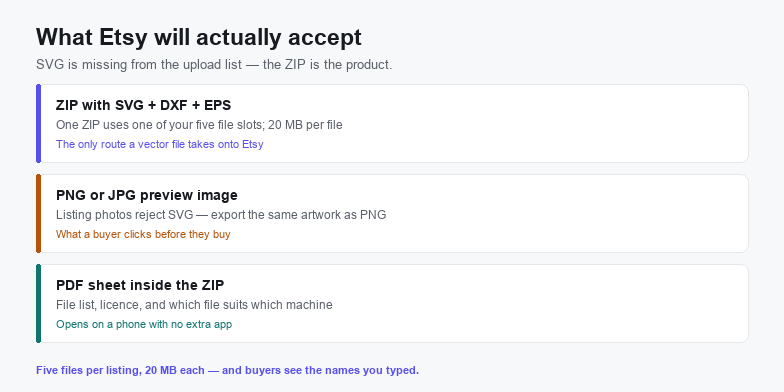
- PNG to SVG for Etsy — when the shirt file is the product rather than the print.
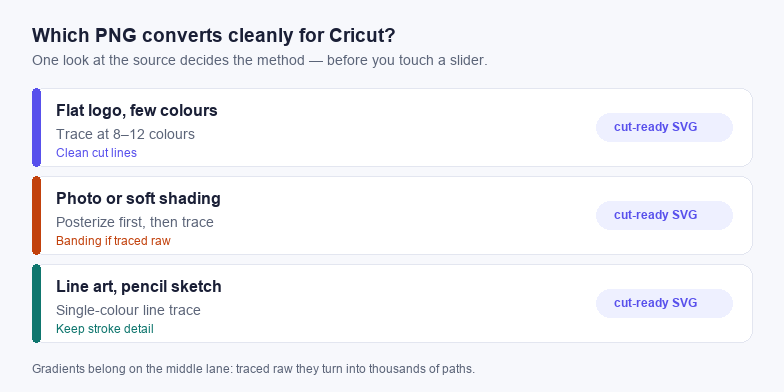
- PNG to SVG for Cricut — the vinyl-cutting route, where contours must be closed and filled.
- SVG for embroidery — why stitch paths need simplifying long before they need tracing.
- Image to SVG — the posterise-then-trace path for photographic artwork.
- VTracer online — finer control over curve fitting when edges matter.
- Vectorize a logo for free — the source-artwork fix when the PNG began as a screenshot.
Trace it in the browser
Free, no upload, no account. Batch conversion and offline tracing with the desktop app.
Try These Free Online Tools
No download required — convert, compress & optimize SVGs right in your browser
PNG to SVG Converter
The trace step on this page, with a colour limit you control.
Open PNG to SVGSVG Compressor
Strip the editor's leftovers so the file survives email limits.
Compress SVGClipart to SVG
Flat clipart with a few colours, ready for a spot separation.
Convert Clipart