
PNG to SVG for Cricut
A PNG cannot be cut by a Cricut. Design Space reads it as a flattened picture and offers print-then-cut instead of a cutting path, because a PNG stores pixels while a blade follows geometry. Converting the file to SVG turns those pixels into paths the machine can trace — and the conversion runs in a browser tab without uploading the image.
What comes out depends on the source: a two-colour logo becomes a clean cut file, a photograph becomes thousands of contours no blade can follow.
Why a PNG will not cut
Design Space accepts SVG, DXF, or PNG, but only the first two carry geometry. Upload a PNG and it offers print-then-cut, so the blade never touches the outline.
| File you upload | What Design Space does with it | Can it cut? |
|---|---|---|
| PNG or JPG | Offers print-then-cut; keeps pixels intact | No |
| SVG with real paths | Imports each contour as a cut line | Yes |
| SVG wrapping a base64 image | Looks like a vector, behaves like a bitmap | No |
The third row is the trap: a file can end in .svg yet hold the original bitmap inside an <image> element. If the import dialog calls it a complex image, search the file for base64. Real vector output has <path> elements.
Which lane is your PNG in?
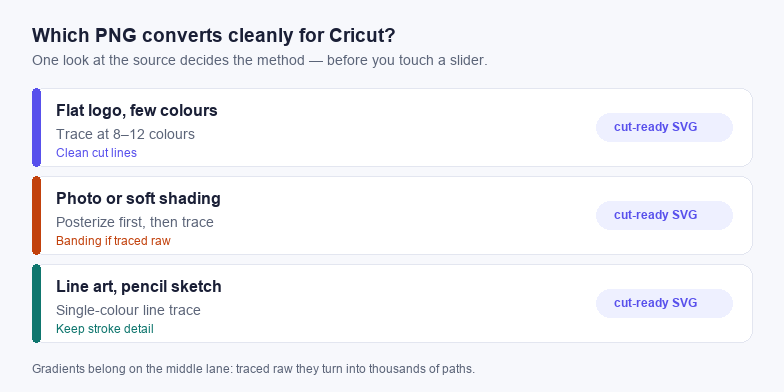
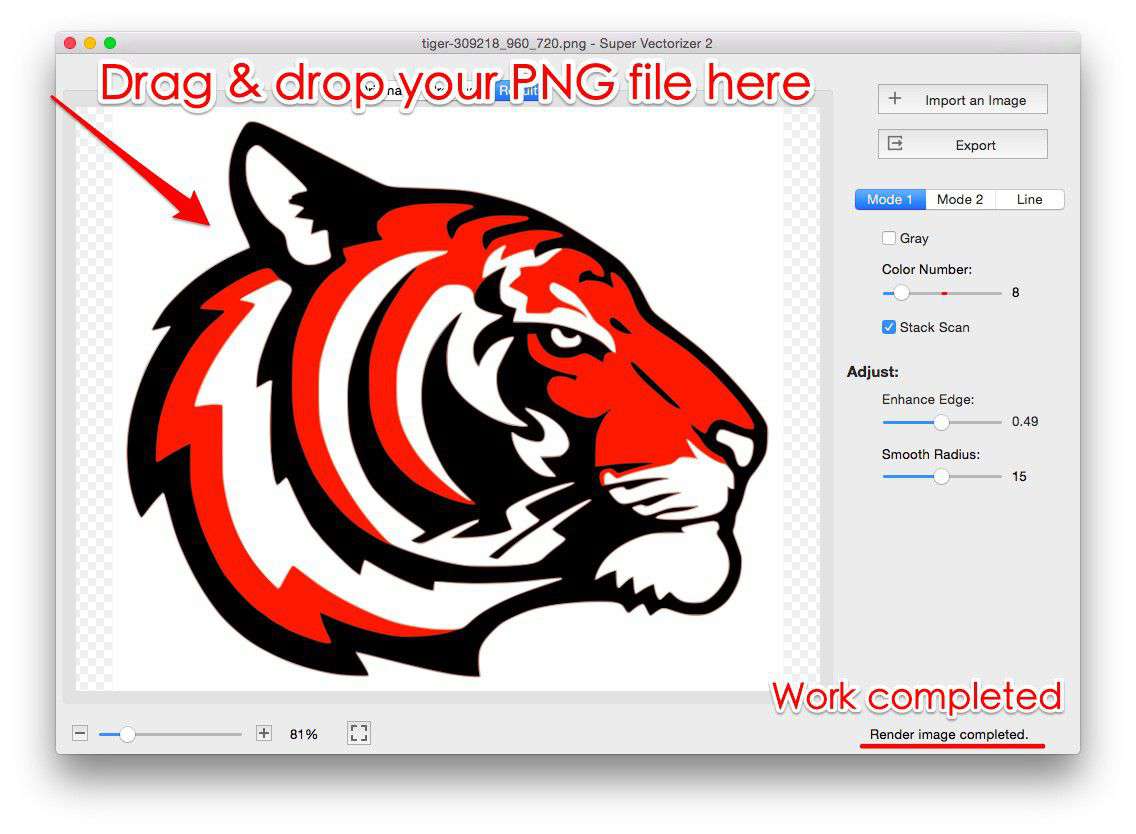
- Flat logo, two to ten solid colours, hard edges. The good case. Trace at a colour count that matches the artwork and you get one path per shape.
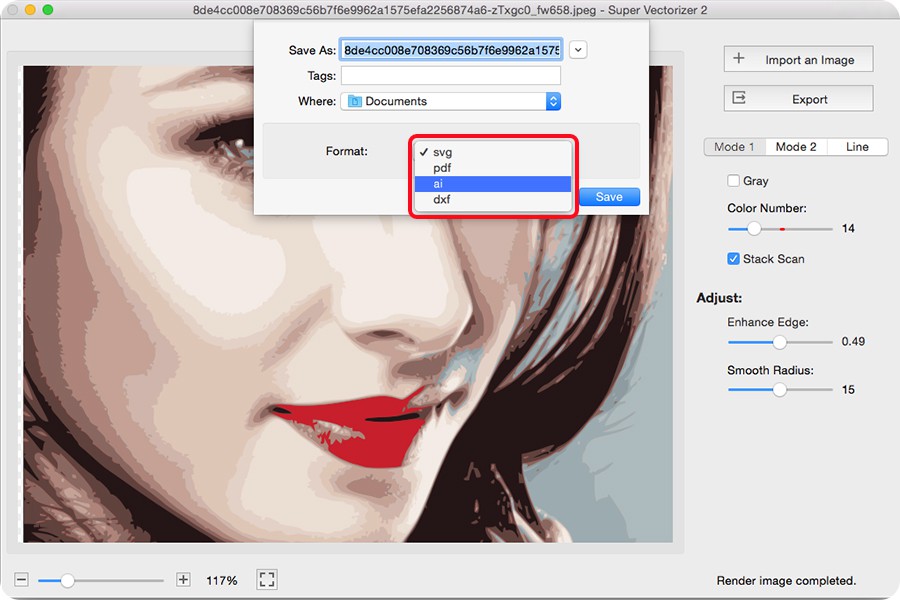
- Photo or soft shading. Tracing raw produces banding and slivers. Posterize to five or six levels first, or redraw the shapes by hand.
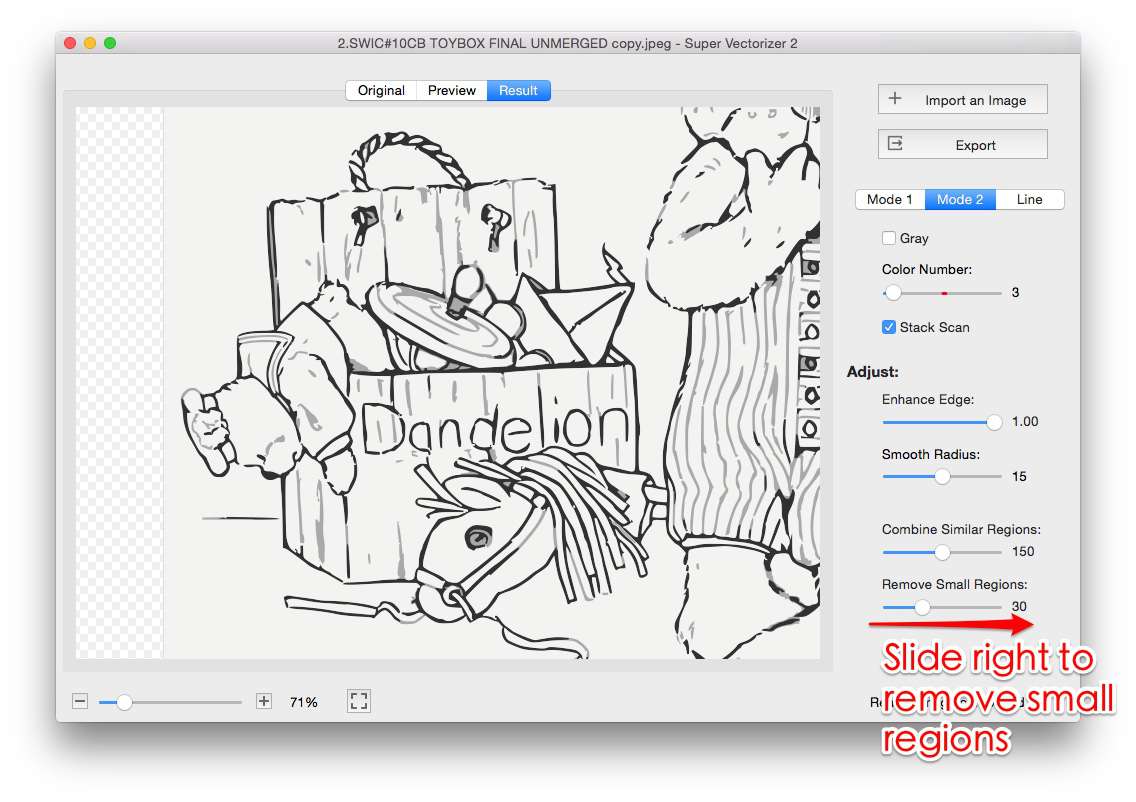
- Line art or pencil sketch. Use a line trace rather than a colour trace, and keep the stroke detail.
Convert it without uploading the file
- Open the PNG to SVG converter. It runs on WebAssembly in the tab; the image is read through the file API and never posted anywhere.
- Match the colour count to the artwork. Two for a monochrome logo, four to eight for a badge. Extra colours become extra cut layers.
- Raise path simplification until corners still hold. Keep one step below the point where curves look faceted.
- Download and count the paths. A logo should land in the tens, not the hundreds. Hundreds means the source was the wrong lane.
What to check before Design Space
- No
<text>elements. Text must be outlined, or the cutter substitutes a font and the lettering shifts. - Holes as subpaths. The letter O should be one path with an inner contour, not two overlapping circles.
- No strokes. A stroked line has no width for the blade; convert strokes to filled outlines.
- A viewBox that matches the coordinates. Without one the file imports at the wrong scale or crops.
If it fails the first check, the SVG editor converts text to paths in place. For layered projects see the colour separation guide.
Frequently asked questions
Can I upload a PNG straight to Cricut Design Space?
You can, but it is treated as a print-then-cut image. Convert to SVG first to cut the outline.
Why does my converted SVG cut in the wrong colours?
Usually the trace produced more colour layers than the design has. Lower the colour count, then assign each layer to a mat.
Does the conversion upload my image to a server?
No. It reads the file locally and builds the SVG in the page, so the original never leaves your computer.
Related SVG Workflows
Once the file cuts, these are the pages that cover the next step.
- Convert a PNG to SVG for Cricut step by step — the full walkthrough with screenshots.
- Convert an image to SVG for Cricut — when the source is a JPG rather than a PNG.
- PNG to SVG with colour for Cricut — separating a multi-colour design into layers and mats.
- SVG requirements for Design Space — what the importer accepts and what it silently rejects.
- Cricut SVG converter guide — tracing presets for vinyl, cardstock, and HTV.
- Line Art to SVG — the tracer to use when the PNG is a drawing rather than a logo.
Trace it in the browser
Free, no upload, no account. Batch conversion and offline tracing with the desktop app.
Related Articles

Try These Free Online Tools
No download required — convert, compress & optimize SVGs right in your browser
PNG to SVG Converter
The trace step on this page, with a colour limit you control.
Open PNG to SVGLine Art to SVG
The right preset for pencil sketches and single-colour art.
Convert Line Art