
The best free image vectorizer according to Reddit in 2026 is almost always a local tool you already own or can install for nothing: Inkscape for a full editor with bitmap tracing, VTracer for scripted command-line work, or SVGcode as a browser PWA. When people ask for the best free image vectorizer reddit recommendation, the top-upvoted answers consistently point to open-source desktop software over cloud converters that bury the real export behind a login. For users who want a private, one-click desktop workflow without an account, Super Vectorizer Pro is the paid offline option the community names as the "no-fuss" pick — its free trial lets you preview results before buying, and it vectorizes one image at a time locally on Mac or Windows.
Want a private workflow with no login and no upload? Super Vectorizer Pro runs locally — preview results free, no account required.
Compatible with macOS 10.10+ (M1/M2/M3) & Windows 7/8/10/11
What the Reddit Threads Agree On
We read through the recurring r/illustrator, r/graphic_design, and r/software discussions about free image vectorizers. The consensus is less "one magic tool" and more "match the tool to the job" — but a few themes repeat in almost every thread.
What Redditors Upvote
- Local tools you fully control (Inkscape, VTracer)
- Zero account, zero upload, zero watermark
- Unlimited use with no daily quota
- Real editing control over nodes and paths
What Redditors Warn About
- "Free" converters that gate the export behind a login
- Uploading client or product art to a random server
- Low-res previews that force a paid plan
- One-click tools that mangle logos or line art
What "Best Free Image Vectorizer" Means on Reddit
Search the phrase and you get two very different crowds. One crowd wants a one-click web tool that converts a PNG or JPG to SVG in the browser without installing anything. The other crowd — usually the more experienced designers — wants a reliable raster-to-vector workflow they can trust with real artwork. The upvotes tend to land with the second crowd, because the first crowd's tools keep disappearing, changing their pricing, or quietly adding watermarks.
On Reddit, "free" almost always means one of three things: open-source software you install once (Inkscape, VTracer), a browser PWA that runs locally after the first load (SVGcode), or a free online preview that only becomes useful after you pay (Vectorizer.AI, several Canva-style suites). The community is quick to flag the difference, and that distinction drives every recommendation below.
The Best Free Image Vectorizer Reddit Recommends: A 2026 Shortlist
These are the tools that surface most often when someone asks the community for a free vectorizer. We list the realistic cost and the Reddit-visible tradeoff for each.
1. Inkscape (Desktop)
The default recommendation. A full open-source vector editor with a built-in Trace Bitmap panel for color, grayscale, and line art. Runs offline on Mac, Windows, Linux.
2. VTracer (CLI / Open Source)
A lightweight Rust-based raster-to-SVG tracer. Favored by developers who want to script conversions. 100% local, no account, no server.
3. SVGcode (Browser PWA)
A progressive web app that runs in your browser via WebAssembly. Install once and vectorize offline. No sign-up; the file never leaves your device.
4. Autotracer.org (Web)
An online vectorizer that processes standard raster formats without an account, but uploads to a remote server for conversion. Fine for throwaway images.
5. Vectorizer.AI (Web)
High-quality AI tracing with a limited free preview. Full-resolution export requires sign-up and a paid plan, so it does not meet the strict "free" bar Redditors insist on.
6. Super Vectorizer Pro (Mac/Win)
A one-time purchase desktop app. Vectorizes one image at a time locally with no account and no upload. Free trial to preview results before buying.
Free vs Paid: Reddit's Shortlist Side by Side
This table compares the same six tools on the factors that come up most in the threads. The batch-support column reflects whether the tool can process many files in one run; Super Vectorizer Pro is intentionally one-at-a-time, so it is marked accordingly.
| Tool | Price | Platform | Login? | Offline? | Batch | Best For |
|---|---|---|---|---|---|---|
| Inkscape | Free (open source) | Mac / Win / Linux | None | Yes (desktop) | Yes (one-by-one or scripted) | Logos, line art, full editing |
| VTracer | Free (open source) | Mac / Win / Linux (CLI) | None | Yes (local) | Yes (scripted) | Developers & batch jobs |
| SVGcode | Free | Any modern browser (PWA) | None | Yes (after first load) | No | Quick offline vectorization |
| Autotracer.org | Free | Web | None | No | No | Casual one-off conversions |
| Vectorizer.AI | Free preview / paid plans | Web | Required for export | No | No | Photo-grade AI color tracing |
| Super Vectorizer Pro | $29.99 one-time | Mac / Win (desktop) | None | Yes (desktop) | No (one at a time) | Privacy-first local vectorization |
Why Redditors Distrust "Free" Cloud Converters
The single most common warning in these threads is about privacy. A free online converter uploads your raster image to a remote server, which is a non-issue for a public meme but a real problem for a client logo, a product photo, or unreleased artwork. Even when a service promises to delete files after a few minutes, you have already handed a third party the original pixels and any metadata they carried.
The second warning is about feature creep. The preview looks free, the tracing looks great, and then the export button asks for an email — or worse, reveals a low-resolution SVG next to a "get full quality" paywall. Redditors have learned to treat "free" on a converter landing page as the opening line of a longer story, not a guarantee.
No login, no upload, no quota — Super Vectorizer Pro vectorizes one image at a time, entirely on your Mac or PC. Free trial to preview results.
Compatible with macOS 10.10+ (M1/M2/M3) & Windows 7/8/10/11
The r/illustrator, r/graphic_design, and r/software Consensus
Across the three biggest relevant communities, the advice converges on a simple principle: use the lightest tool that does the job, and keep sensitive work local. For a quick logo, people point to Inkscape's Trace Bitmap or a desktop tracer. For photos, they acknowledge that AI tools produce nicer color fills but warn that the good ones cost money once you need real output.
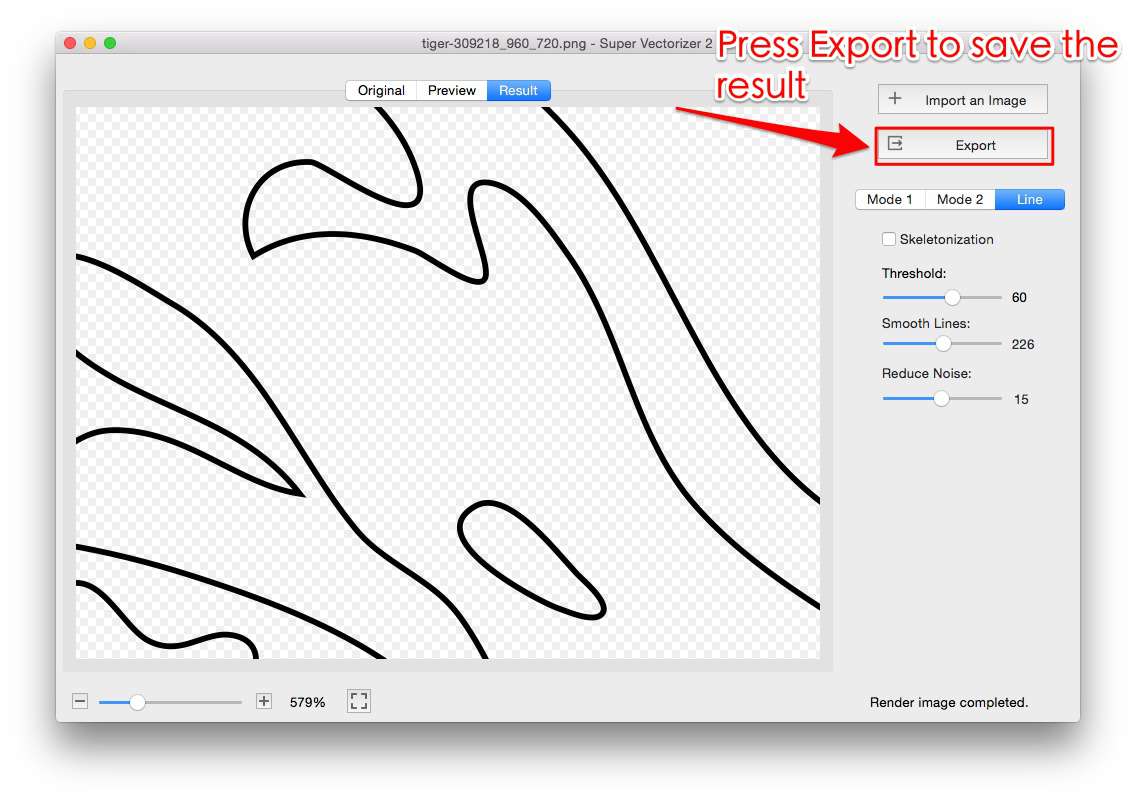
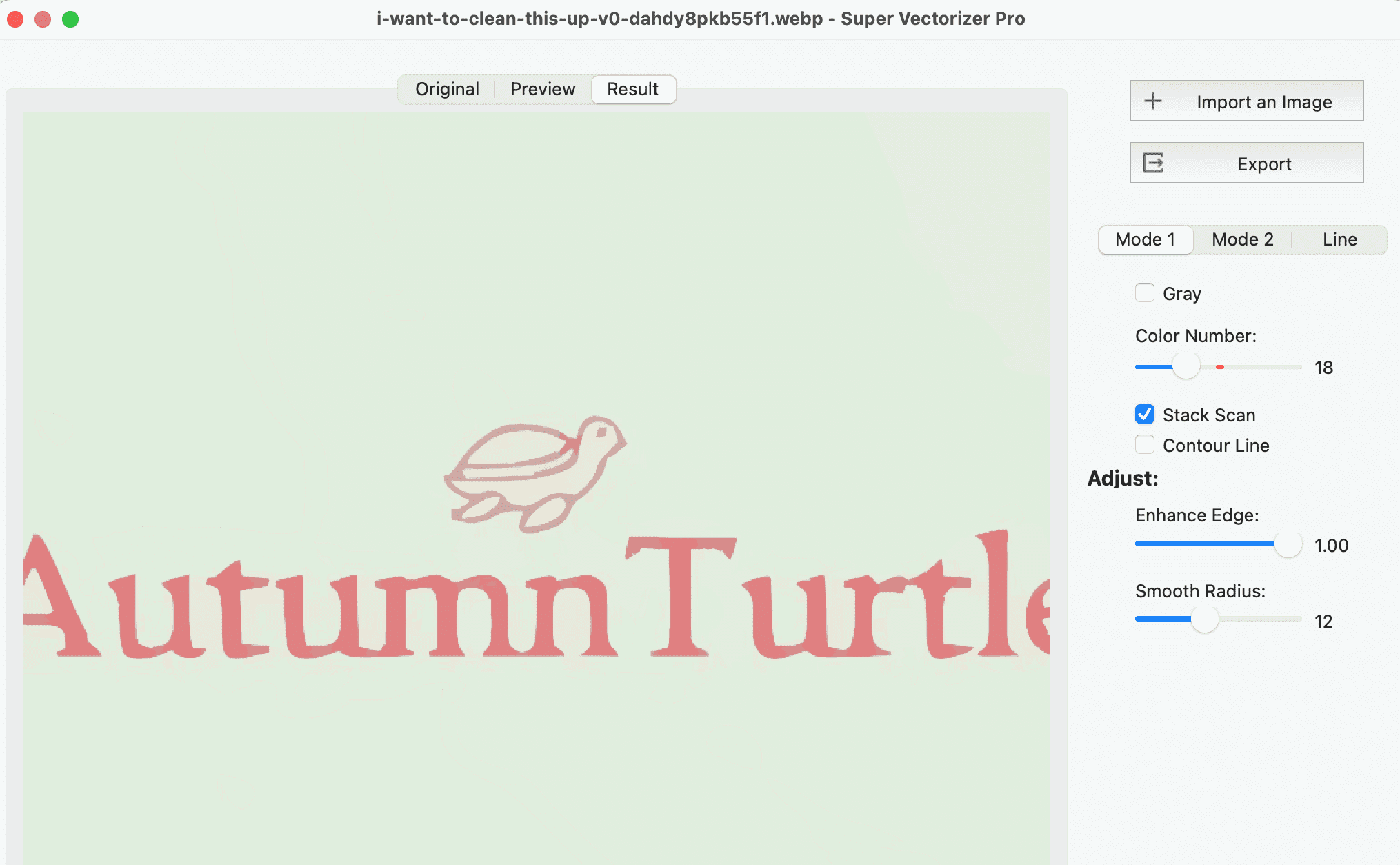
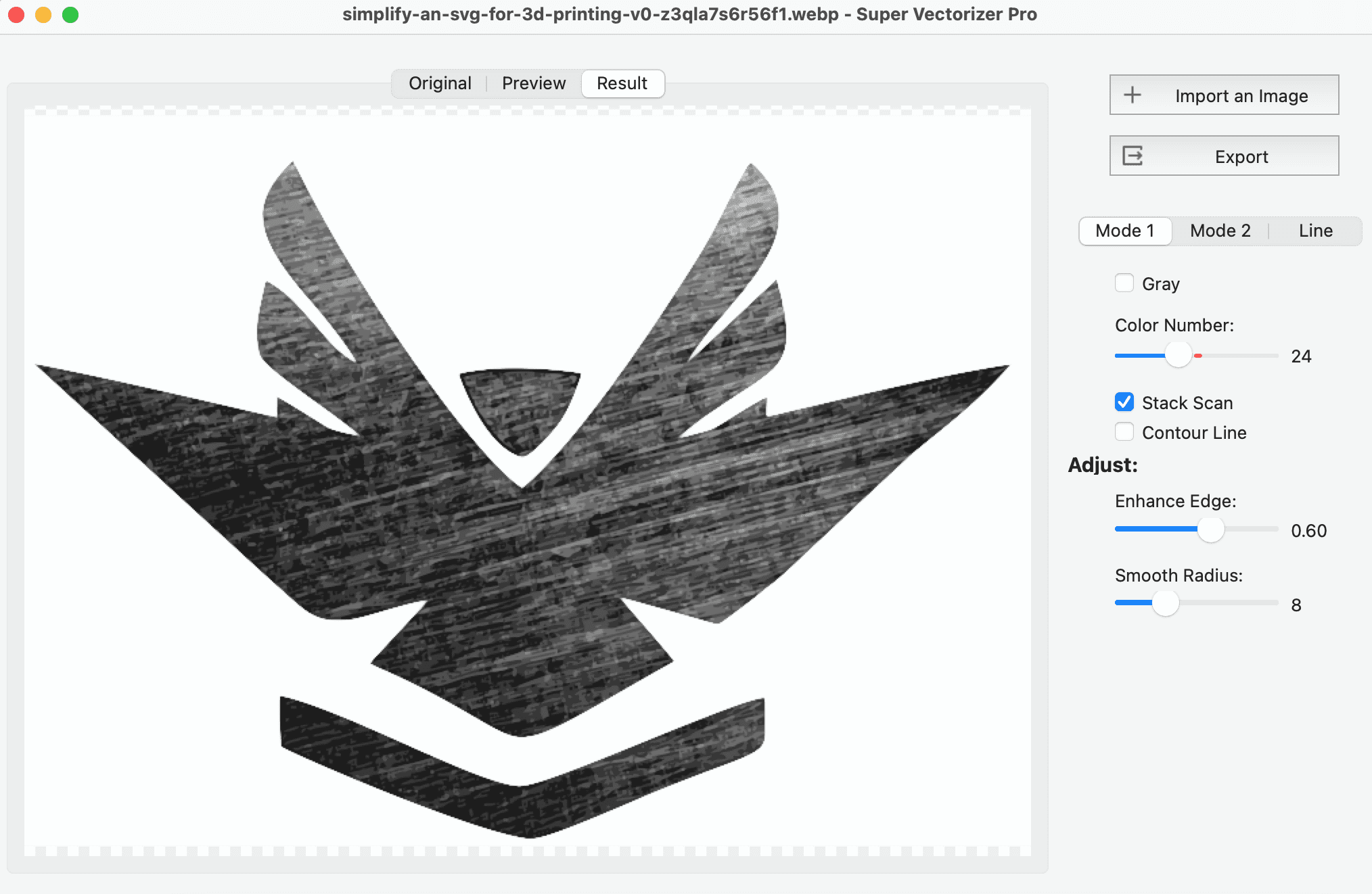
Super Vectorizer Pro shows up in these threads as the "I just want it done" recommendation: install once, drag in a PNG or JPG, pick a mode (color, grayscale, line), and export the SVG. It is not free, but the community frames it as a small one-time cost in exchange for zero account friction, zero uploads, and a free trial to preview results. For repeat or client work, that tradeoff is the part people actually upvote.
How to Pick the Best Free Image Vectorizer (Reddit-Tested)
If you only take one thing from the threads: start by asking whether the image is private. Public, low-stakes images can go to any free web tool. Anything client-facing, unreleased, or personally identifiable should stay on a local desktop app. After that, match the engine to the artwork — line art and logos want a traditional tracer with manual control, while photos benefit from an AI engine that infers shapes.
Finally, test before you commit. Every tool on this list has a free path: Inkscape and VTracer are free outright, SVGcode is free in the browser, and Super Vectorizer Pro offers a free trial to preview results. Run the same source image through two or three and compare the SVG at full zoom — the community's "best" is almost always the one that looked cleanest on your specific file.
How to Vectorize an Image the Way Reddit Recommends
The exact steps vary by tool, but the workflow the communities describe is consistent no matter which free vectorizer you land on.
- Decide if the file is private. Client logos, product shots, and unreleased art belong on a local tool (Inkscape, VTracer, or a desktop app like Super Vectorizer Pro) so nothing is uploaded. Public images can use a quick web converter.
- Pick a tool you can actually run. Install Inkscape or run VTracer from the terminal for free. For zero install, open SVGcode as a browser PWA. Redditors stress using software you already know over learning a new suite under deadline.
- Choose a tracing mode. Color mode suits photos and brand art; grayscale for monotone work; line mode for logos and line art. Adjust the color count or smoothing slider if the tool exposes one.
- Preview and clean the result. Check the SVG at full size. If paths look jagged or noisy, lower the node cleanup or raise the color count and re-trace from a larger source image. Desktop tools let you edit anchor points afterward.
- Export and verify. Save the SVG locally and open it in a viewer or editor to confirm it scales cleanly. Run it through an SVG editor or optimizer if you need further cleanup before shipping.
Related SVG Workflows
Once you have a clean SVG, the next step is usually editing, compressing, or picking the right desktop tool. These guides cover the most common follow-ups.
- Best Image Vectorizer in 2026: 6 Top Tools Tested — a broader roundup that goes deeper on quality and platform fit.
- Image Trace Online Free: 5 Truly Free Tools in 2026 — the privacy-conscious online version of the same task.
- PNG to Vector AI Free 2026: 7 Tools That Actually Cost Nothing — zero-cost AI vectorization tested side by side.
- Best Free Image Vectorizer Tools 2026 — a full list of free vectorizers across every platform.
- PNG to SVG AI Converter — our free online converter plus the desktop alternative.
- Super Vectorizer Pro for Mac & Windows — the offline, one-at-a-time desktop app discussed above.
- PNG to SVG Online
Bottom line: when you search for the best free image vectorizer reddit users actually upvote, the answer is almost never a single cloud tool. It is a local, account-free workflow — Inkscape or VTracer when free is non-negotiable, and a one-time desktop app like Super Vectorizer Pro when you want privacy and a free trial to preview results without the upload-and-login dance.
Frequently Asked Questions
What free image vectorizer does Reddit recommend most?
Across r/illustrator, r/graphic_design, and r/software, the most upvoted answers for a free image vectorizer are open-source desktop tools: Inkscape for a full editor with bitmap tracing, and VTracer for scripted command-line work. Browser PWAs such as SVGcode also come up as a no-install option. Redditors almost always prefer a local tool they control over a cloud service that gates the export behind an account.
Is there a truly free image vectorizer with no login or watermark?
Yes. Inkscape and VTracer are free and open source, run locally, and never add a watermark because they have no account layer to enforce one. Browser PWA SVGcode is also free and works offline after the first load. Cloud converters that advertise as free usually limit the full-resolution export to signed-in users, so they are not fully free in practice.
Why do Redditors warn against free online image vectorizers?
The recurring complaint is privacy and reliability. A free online converter uploads your raster image to a remote server, which is a problem for client logos, product photos, or unreleased artwork. The second complaint is feature creep: the preview is free but the usable SVG is behind a paywall. Local desktop tools avoid both issues because the file never leaves your machine.
Can I vectorize an image on mobile without an app login?
On a phone, the most reliable no-login route is an offline-capable browser PWA such as SVGcode, or transferring the image to a desktop and using Inkscape or Super Vectorizer Pro. Most mobile browsers block uploads without a network connection, so true offline web tools are rare. Super Vectorizer Pro offers a free trial to preview results and runs locally on macOS and Windows.
Does AI vectorization beat a traditional desktop tracer?
For photos and complex color artwork, AI tracers infer shapes and often produce cleaner color fills. For logos, line art, and anything where you need exact node counts, a traditional engine such as Inkscape's Trace Bitmap or Super Vectorizer Pro's manual modes gives more predictable control. Many Redditors use both, picking the engine that matches the artwork.
What is the catch with a paid offline vectorizer like Super Vectorizer Pro?
The tradeoff is price and workflow: it is a one-time purchase rather than free, and it processes one image at a time locally, so there is no built-in batch mode. In return you get a private workflow with no account, no upload, and a free trial to preview results before buying. For sensitive or repeat client work, users on Reddit consider that tradeoff worth it.
The Offline Shortcut Reddit Keeps Naming
Install Super Vectorizer Pro once and skip the login gates. One-time purchase, free trial to preview results, vectorizes one image at a time locally on Mac or Windows.
Compatible with macOS 10.10+ (M1/M2/M3) & Windows 7/8/10/11
Related Articles

Try These Free Online Tools
No download required — convert, compress & optimize SVGs right in your browser
PNG to SVG Converter
Convert PNG, JPG, BMP images to scalable vector graphics instantly
PNG to SVG ConverterSVG Compressor (Mini)
Reduce SVG file size by up to 80% without losing quality
SVG Compressor OnlineSVG Optimizer
Clean up SVG code, remove redundant data and optimize for web
SVG Optimizer OnlineJPG to SVG Converter
Turn JPEG photos into crisp vector artwork in seconds
JPG to SVG ConverterEPS to SVG Converter
Convert EPS vector files to web-friendly SVG format
EPS to SVG ConverterAll Free Tools
Browse our complete collection of free online conversion tools
Browse All Free Tools