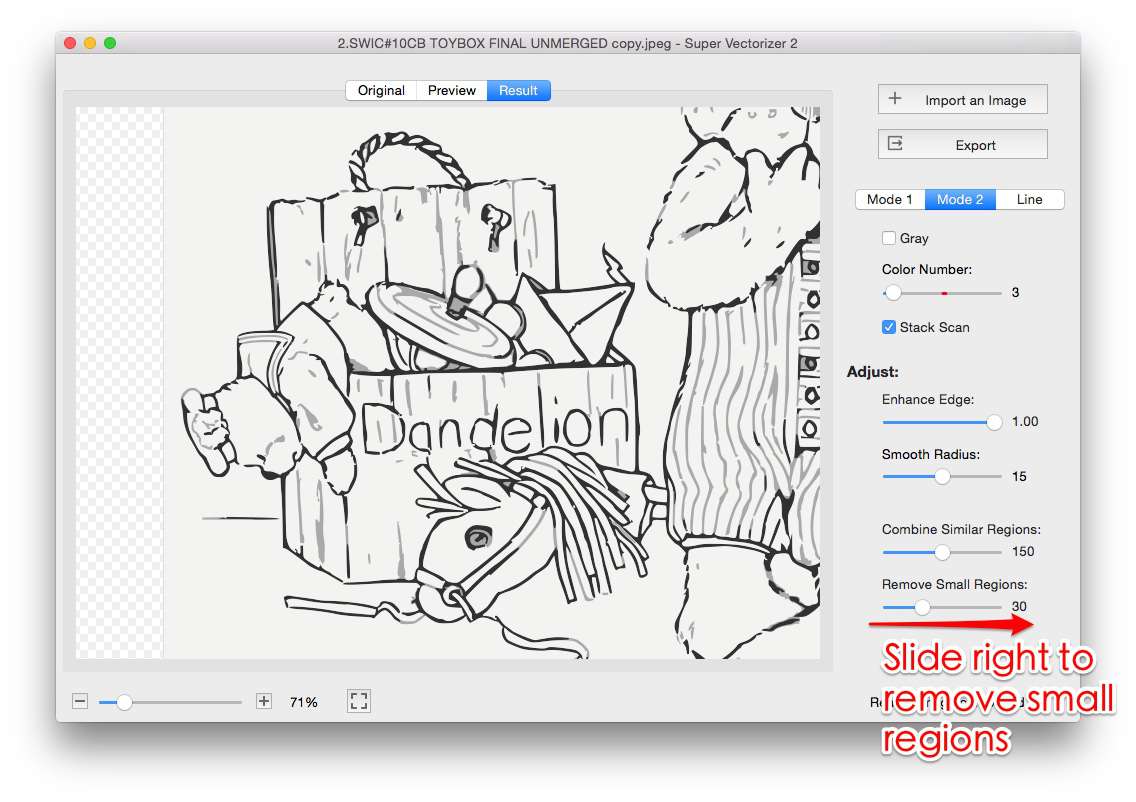
The easiest way to get PNG to SVG with color free in 2026 is to use a tracer that supports a full-color mode: the SVGVector free online converter, Inkscape's Trace Bitmap in "multiple scans: colors" mode, or the browser PWA SVGcode all turn a color PNG into a color SVG at no cost. The catch is fidelity — many one-click "free" converters default to a single-scan trace that flattens or posterizes your hues, so the tool you pick decides whether the color survives. Below are six genuinely free options ranked by how faithfully they preserve color, plus the offline desktop route for private, high-quality raster-to-vector work.
Want faithful color without uploading your file? Super Vectorizer Pro runs locally — free trial to preview results, one image at a time.
Compatible with macOS 10.10+ (M1/M2/M3) & Windows 7/8/10/11
Our Verdict
If keeping color is the priority, match the tool to the artwork. Flat logos and illustrations are perfect for a free online converter or Inkscape; photos with smooth gradients are better served by a desktop color tracer. The free options below are all watermark-free and keep your hues — only the paid desktop app adds AI-assisted gradient smoothing.
Free Tools Win on Cost & Speed
- Zero cost to convert and export
- No account needed for most options
- Instant in-browser preview
- Clean SVG, no watermark
Desktop AI Wins on Photo Color
- Smoother gradients on photos
- Works offline, fully private
- More control over color count
- Paid app, but free trial to preview
What "PNG to SVG with Color Free" Really Means
The phrase combines three promises that free converters do not always deliver together. "PNG to SVG" is the conversion itself — turning a raster bitmap into scalable vector paths. "With color" means the trace keeps the original RGB hues instead of collapsing to black-and-white or a single tone. "Free" means no payment and, ideally, no watermark and no forced sign-up. A genuinely free color converter does all three: you drop a color PNG, it outputs a color SVG, and you save it without paying or logging in.
The reason color is the tricky part is that vectorization is fundamentally a path-drawing process. A tracer must decide how many color regions to carve out of the bitmap. Free tools that expose only a "single scan" or grayscale mode draw one path and throw the rest of the color away. The free tools in this guide all support a color or multiple-scans mode, which is what lets your hues survive the conversion.
The 6 Best Free PNG to SVG Converters That Keep Color in 2026
Each card lists what it costs, how it handles color, and where it shines. Tags mark whether the tool is fully free or a paid desktop app with a free trial.
1. SVGVector Online Converter
Browser-based PNG to SVG converter with automatic color detection. Keeps RGB color, outputs clean SVG with no watermark, no login required for standard use.
Try the free converter2. Inkscape (Desktop)
Full vector editor with Trace Bitmap. Set "multiple scans: colors" to preserve as many hues as you want. Runs offline on Mac, Windows, Linux. Fully free.
3. SVGcode
Progressive web app that runs in your browser via WebAssembly. Color trace mode, install once, then works offline. No sign-up; file never leaves your device.
4. Photopea + Inkscape
Photopea (free online editor) cleans up the PNG, then Inkscape traces it in color mode. A two-step free workflow that gives extra control over messy source art.
5. Vectorizer.AI (Web)
High-quality AI color tracing with a limited free preview. Full-resolution export requires sign-up and a paid plan, so it is not strictly free for production use.
6. Super Vectorizer Pro (Mac/Win)
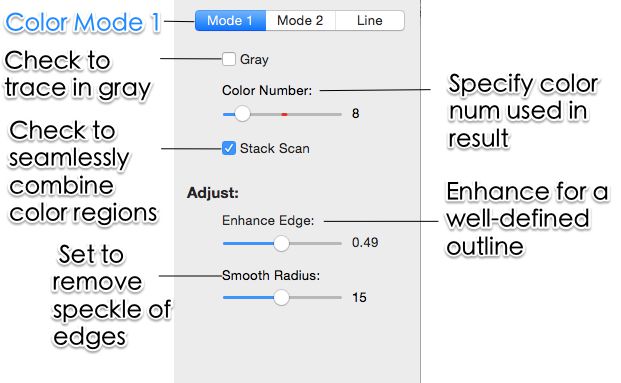
One-time purchase desktop app. Color, grayscale, and line modes; processes one image at a time locally, no account, no server. Free trial to preview results.
PNG to SVG with Color Free: Side-by-Side Comparison
This table compares the same six tools on the factors that matter when color must survive. The batch-support column applies to converting many files in one run; Super Vectorizer Pro is intentionally one-at-a-time, so it is marked accordingly.
| Tool | Price | Platform | Color mode? | Watermark? | Offline? | Batch | Best For |
|---|---|---|---|---|---|---|---|
| SVGVector Online | Free | Web | Yes (auto) | No | No | No | Quick color logos & icons |
| Inkscape | Free (open source) | Mac / Win / Linux | Yes (multiple scans) | No | Yes (desktop) | Yes (scripted) | Full control over color count |
| SVGcode | Free | Any modern browser (PWA) | Yes | No | Yes (after first load) | No | Offline browser tracing |
| Photopea + Inkscape | Free | Web + desktop | Yes | No | Partial | No | Pre-cleaning messy source art |
| Vectorizer.AI | Free preview / paid plans | Web | Yes (AI) | No | No | No | Photo-grade AI color tracing |
| Super Vectorizer Pro | One-time purchase | Mac / Win (desktop) | Yes (color / gray / line) | No | Yes (desktop) | No (one at a time) | Privacy-first local color work |
Why Free Converters Often Flatten or Posterize Color
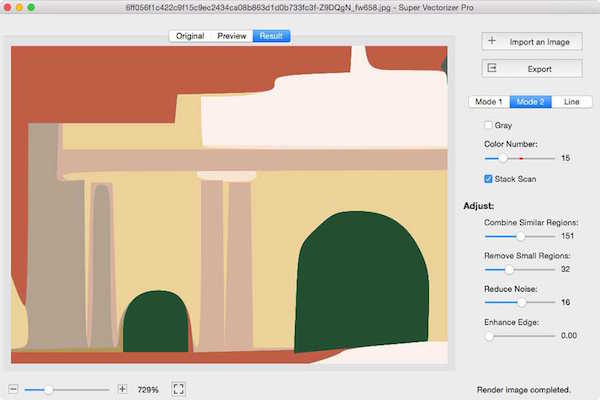
When a free converter returns a black-and-white or washed-out SVG, it is almost always using a single-scan trace. A single scan draws one path per brightness threshold, which works for line art but destroys color. The fix is to switch the tracer to color mode and raise the color or path count. Free tools that expose this setting — Inkscape's "multiple scans: colors" and the SVGVector online converter's automatic color detection — will rebuild your hues as separate filled paths.
Transparency is the other common culprit. A PNG with a transparent background can come back with a white box if the converter does not preserve alpha. Check the output's background before you ship it; most free color tracers keep transparency, but a few fill it by default. If you see a white rectangle, re-trace with "keep transparency" enabled or remove the background in a free editor first.
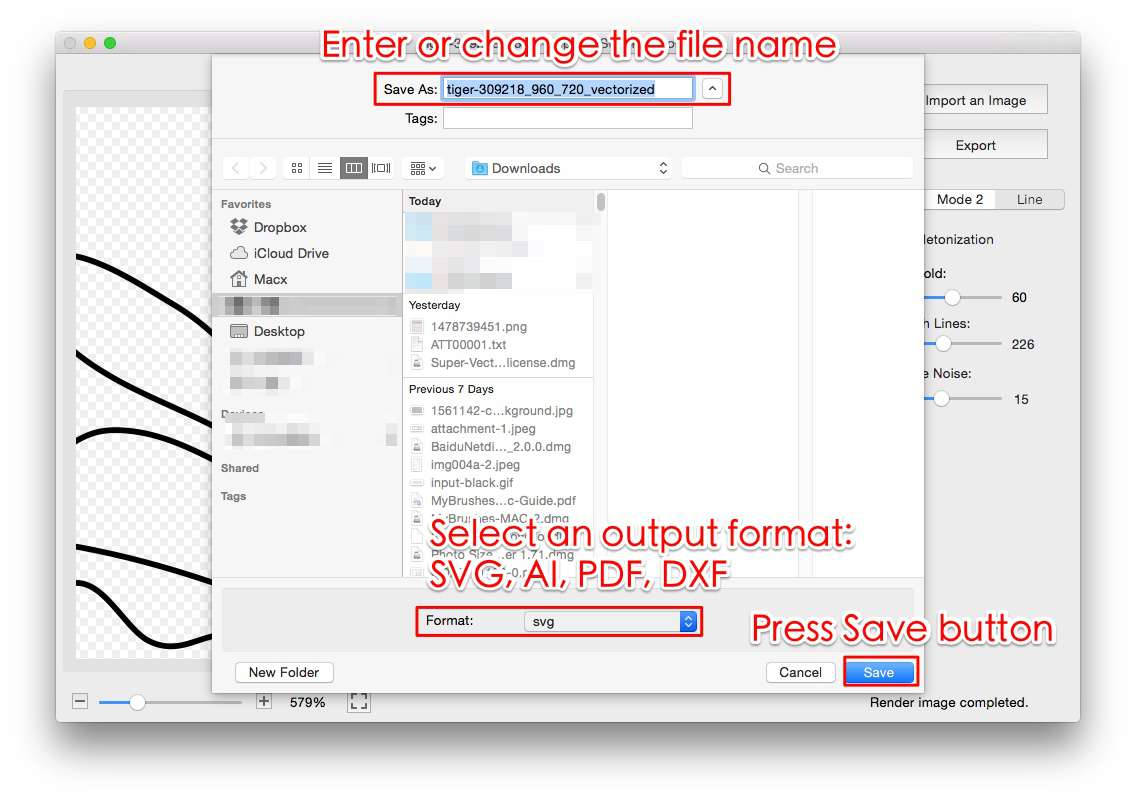
No upload, no server round-trip — Super Vectorizer Pro traces your image locally on your Mac or PC, one image at a time, so your colours never leave your machine. Free trial to preview results.
Compatible with macOS 10.10+ (M1/M2/M3) & Windows 7/8/10/11
How to Convert PNG to SVG with Color for Free
The exact steps differ by tool, but the workflow is the same across every free color-capable converter.
- Pick a free color-capable tracer. Open the SVGVector free online converter, Inkscape, or SVGcode. Avoid tools that only offer single-scan or grayscale mode, because they drop color.
- Import your PNG. Drop the color raster into the tool. If the file has a transparent background, confirm the converter preserves alpha instead of filling it with white.
- Switch to color mode and set the color count. Select the color / multiple-scans option and raise the color or path count until the preview matches your original. More colors means a larger but more faithful SVG.
- Preview and refine. Zoom into busy areas. If color looks flat or banded, increase the color count or lower node cleanup; if the file is huge, dial the count back slightly.
- Export the SVG. Save the SVG locally, then open it in a free SVG editor to tweak paths or compress it before shipping to the web.
Best Free Desktop Option for Private Color Work
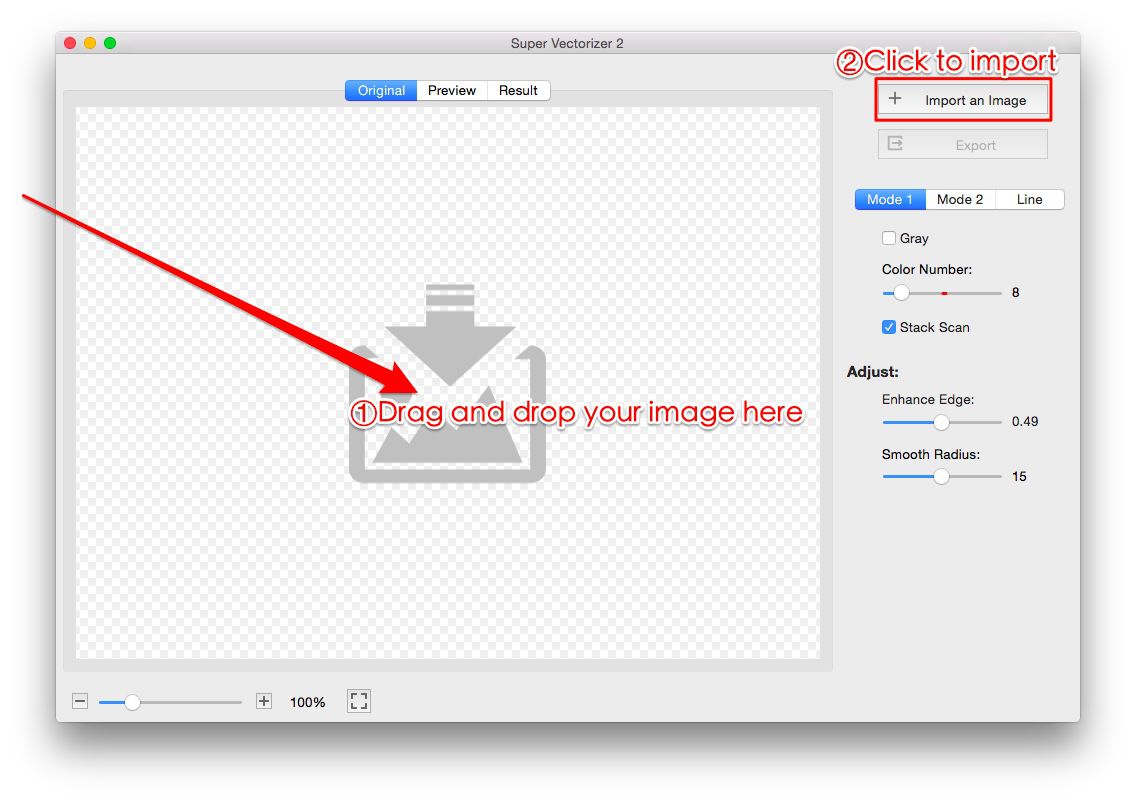
Browser PWAs like SVGcode are free and convenient, but they still depend on a browser cache and a working WebAssembly build. A native desktop app removes every browser dependency: install it once, drag a color PNG onto the window, pick color mode, and export the SVG. Super Vectorizer Pro is a paid desktop app, but its free trial lets you preview the raster-to-vector color result before you buy, and it never uploads your file. For sensitive or client work, that offline, account-free workflow is usually worth more than the price of a one-click web tool.
If you would rather stay 100% free, Inkscape remains the strongest offline desktop choice — it is open-source, runs on Mac and Windows, and its color tracing mode is limited only by your patience with the sliders. The tradeoff is a steeper learning curve than a one-click converter, but the output is fully under your control.

Common Color Problems (and Free Fixes)
- Output is black and white. The tracer used a single scan. Switch to color / multiple-scans mode and re-trace.
- Colors look banded or posterized. Raise the color or path count. Free tools cap the count lower than paid ones, so a photo may need the maximum setting.
- Background turned white. The converter did not keep transparency. Enable "keep alpha" or remove the background in a free editor before tracing.
- File is huge. Too many color regions. Lower the color count slightly, then compress the SVG with a free optimizer before publishing.
- Edges look jagged. Enable node smoothing during tracing; clean color paths also produce smoother outlines than a raw bitmap.
Related SVG Workflows
Once you have a color SVG, the next step is usually editing, compressing, or preparing it for a specific workflow. These guides cover the most common follow-ups.
- PNG to SVG with Color: Keep Color When Converting — the full guide to preserving brand hues in raster-to-vector conversion.
- PNG to SVG High Quality in 2026 — go deeper on color, path detail, and quality settings.
- PNG to SVG with Color for Cricut — keep color layers intact for cutting machines.
- Best Free Image Vectorizer Tools 2026 — a broader roundup of free vectorizers across every platform.
- PNG to SVG Online — the free converter used in this guide.
- SVG Compressor Online — shrink the color SVG output before shipping it.
- Image Trace Online Free: 5 Truly Free Tools 2026 — the privacy-conscious online version of the same task.
- Super Vectorizer Pro for Mac & Windows — the offline desktop tracer with a free trial.
Frequently Asked Questions
Can I convert PNG to SVG with color for free?
Yes. The SVGVector free online converter, Inkscape (free desktop, multiple-scans color mode), and the browser PWA SVGcode all trace a PNG to SVG while preserving RGB color at no cost. The catch is quality: one-click free converters often posterize or flatten color, so pick a tool that supports a full-color tracing mode if your hues matter.
Which free tool keeps the most color when vectorizing a PNG?
Inkscape's Trace Bitmap in "multiple scans: colors" mode gives the most control over how many color layers survive, and the SVGVector free online converter applies automatic color detection that works well for logos and flat illustrations. For photos, a desktop color tracer such as Super Vectorizer Pro (free trial to preview results) produces smoother gradients, but it is a paid app rather than a free one.
Why does my free PNG to SVG conversion come out black and white or flat?
Most free converters default to a single-scan (grayscale or 1-bit) trace, which throws away color. Switch the tracer to color mode and raise the color or path count, or use a tool that exposes a "multiple scans" / "color" setting. If the source PNG has a transparent background, also confirm the converter keeps alpha instead of filling it with white.
Is there a free offline PNG to SVG converter that keeps color?
Yes — Inkscape is free, open-source, and runs fully offline on Mac, Windows, and Linux, with a dedicated color tracing mode. For a simpler one-click desktop experience, Super Vectorizer Pro runs offline and processes one image at a time; it is a paid app but offers a free trial so you can preview the color result before buying.
Do free online PNG to SVG converters add a watermark?
The SVGVector free online converter outputs clean SVG with no watermark, and Inkscape/SVGcode do not add one either. Some third-party sites do stamp a watermark on the exported file or hide full-resolution color behind a login — if you see a mark on the output, switch to one of the tools listed here that export clean files.
Will a free color PNG-to-SVG converter handle a photo?
It can, but photos with smooth gradients are harder than logos or line art. Free color tracers will posterize a photo into a limited number of flat color regions. For a photo with many subtle hues, raise the color count as high as the tool allows, accept a larger file, or use a desktop AI color tracer that infers gradients for a cleaner result.
The Free, Private Way to Keep Color
For PNG to SVG with color free that you can actually trust, install Super Vectorizer Pro and preview your color raster-to-vector result offline. One-time purchase, free trial to preview results, processes one image at a time locally on Mac or Windows.
Compatible with macOS 10.10+ (M1/M2/M3) & Windows 7/8/10/11
Related Articles
Try These Free Online Tools
No download required — convert, compress & optimize SVGs right in your browser
PNG to SVG Converter
Convert PNG, JPG, BMP images to scalable vector graphics instantly
PNG to SVG ConverterSVG Compressor (Mini)
Reduce SVG file size by up to 80% without losing quality
SVG Compressor OnlineSVG Optimizer
Clean up SVG code, remove redundant data and optimize for web
SVG Optimizer OnlineJPG to SVG Converter
Turn JPEG photos into crisp vector artwork in seconds
JPG to SVG ConverterEPS to SVG Converter
Convert EPS vector files to web-friendly SVG format
EPS to SVG ConverterAll Free Tools
Browse our complete collection of free online conversion tools
Browse All Free Tools