Print-Ready PDF
Export an icon as a fixed PDF you can email, upload to a portal, or send to a print shop without compatibility worries.
Turn Apple ICNS and Windows ICO icons into print-ready PDF documents or CAD-ready DXF vector files on Mac and Windows. Batch export offline, with a free trial to preview the trace.
Or convert icons in your browser → Free Online Tools
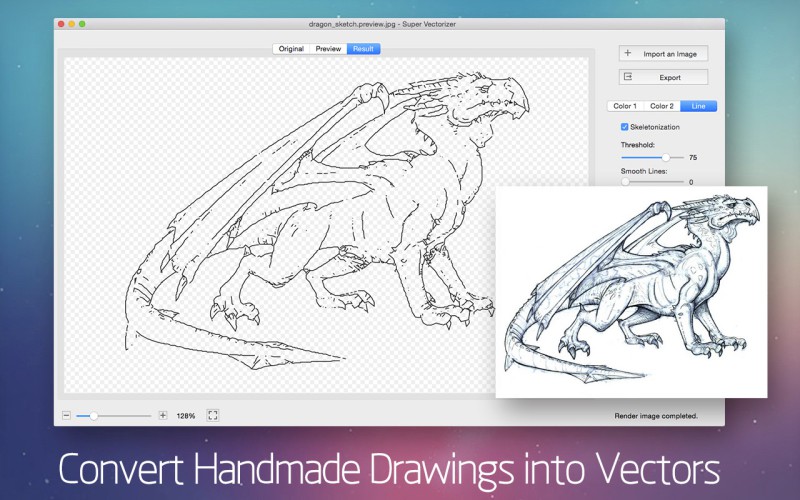
ICNS and ICO are raster icon formats locked to specific sizes. Converting them to PDF or DXF unlocks editing, printing, and fabrication.
Export an icon as a fixed PDF you can email, upload to a portal, or send to a print shop without compatibility worries.
DXF carries real vector paths into laser cutters, CNC routers, and design software for cutting and engraving.
Unlike a fixed-size bitmap, the exported vector stays sharp at any scale, from a favicon to a billboard.
Your icon files are processed on your own computer. Nothing is uploaded, keeping proprietary assets safe.

Pick the right format for your goal — system icon, document, or cut file
| Feature | ICNS | ICO | DXF | |
|---|---|---|---|---|
| Type | macOS icon | Windows icon | Document | CAD vector |
| Scalable | Multi-size bitmap | Multi-size bitmap | Fixed page | True vector |
| Best for | Mac apps | Windows apps | Print & share | Cut/engrave |
| Editable | No | No | Limited | Yes (paths) |
| Cross-platform | macOS only | Windows only | Universal | Universal |
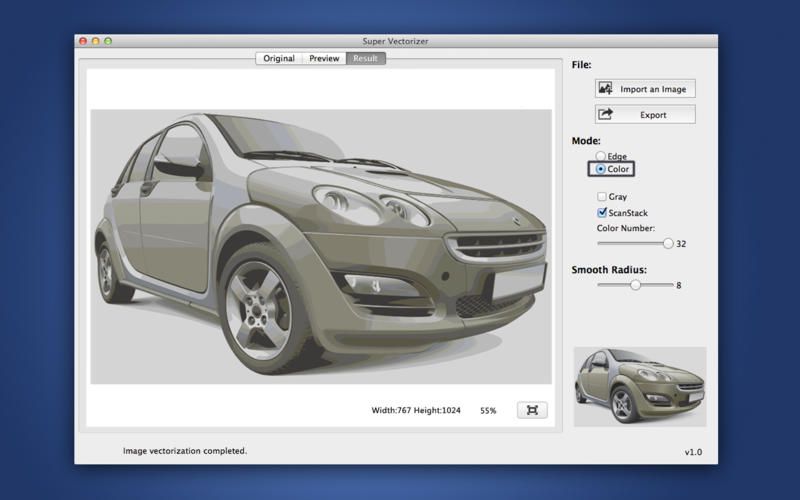
Four steps from icon file to vector document
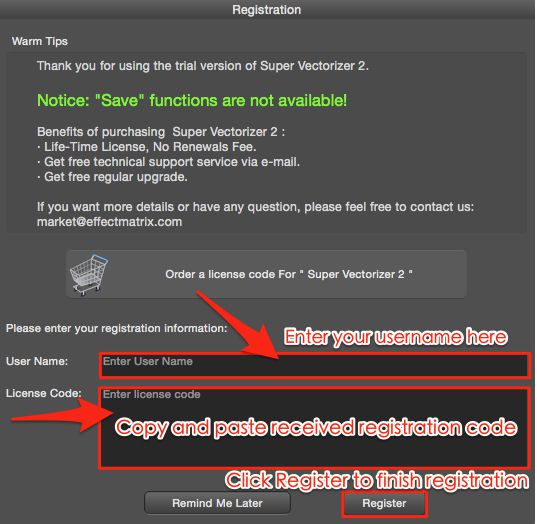
Launch Super Vectorizer Pro and add your .icns or .ico file on Mac or Windows.
The app traces the icon into vector paths. The free trial shows the full result before you export.
Select PDF for a document, or DXF for laser cutting and CAD. Set size and options as needed.
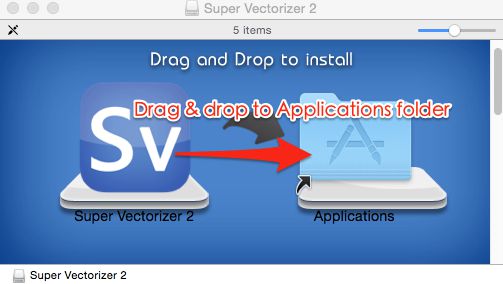
Save your print-ready PDF or CAD-ready DXF and use it anywhere.
Need to turn icons, logos, or photos into editable vectors? Try Super Vectorizer Pro free trial to preview the trace.
Compatible with macOS 10.10+ (M1/M2/M3) & Windows 7/8/10/11
Where a fixed document or vector file beats a raw icon
Hand designers a PDF or DXF of your icon so they can place or cut it without hunting for the original .icns/.ico.
Export DXF to cut or engrave your icon on wood, acrylic, or metal with a CNC or laser machine.
Turn an icon into a print-ready PDF for packaging, stickers, and signage at any size.
Keep a vector version so you can recolor or resize the icon in Illustrator, Inkscape, or CorelDRAW later.
Everything you need to know about converting ICNS and ICO icons
ICNS is Apple's native icon format for macOS. It stores one or more raster images at different sizes inside a single package, so the system can pick the sharpest version for each on-screen scale. ICNS files are common in .app bundles and Mac developer assets.
ICO is the icon format used by Windows. Like ICNS, it can hold several bitmap sizes in one file so an icon stays crisp from a small taskbar glyph to a large desktop shortcut. ICO is the standard format for Windows executables and favicons.
Yes. Open your ICNS or ICO icon in Super Vectorizer Pro on macOS or Windows and export it as a PDF. The PDF preserves the artwork as a fixed, print-ready document you can share, email, or send to a print shop without losing layout.
Yes. Super Vectorizer Pro traces the icon's shapes into clean vector paths and exports DXF, the format used by laser cutters, CNC routers, and CAD software. DXF is ideal when you want to cut or engrave the icon on a machine.
PDF is a document format for viewing, printing, and sharing a fixed layout. DXF is a vector exchange format for CAD and fabrication tools. Use PDF when you need a deliverable someone can open anywhere; use DXF when the icon must be cut, engraved, or edited in design software.
PDF can carry transparency, but most viewers show transparency against white. If you need a transparent result for web or compositing, export SVG or PNG instead, or keep the PDF vector layer and place it over your own background in a design app.
Super Vectorizer Pro processes images in batches on your desktop, so you can queue dozens of ICNS or ICO files and export them to PDF or DXF together. The free online tools handle one file at a time in the browser.
Yes. Super Vectorizer Pro is a native app for macOS 10.10+ (including Apple Silicon M1, M2, and M3) and Windows 7, 8, 10, and 11. Your files are processed offline on your own computer.
No. The desktop app works entirely offline, and the free online converter processes each file locally in your browser. Your icon designs never leave your device, which keeps proprietary or client assets private.
Besides PDF and DXF, Super Vectorizer Pro exports SVG, AI, EPS, and PDF vector formats, plus common raster outputs. One tool covers icon, logo, and line-art conversion on Mac and Windows.
Super Vectorizer Pro is a one-time purchase of $29.99. A free trial previews the full vector trace so you can check quality before buying; only the export is locked in the trial.
Yes. Because the output is real vector paths in PDF, DXF, SVG, AI, or EPS, you can open it in Illustrator, Inkscape, CorelDRAW, or any CAD tool and recolor, resize, or tweak the shapes with no quality loss.
Super Vectorizer Pro turns ICNS, ICO, and other images into clean PDF and DXF on Mac and Windows
One-time purchase $29.99 - Works offline - macOS & Windows