Convert PDF to SVG Vector on Mac and Win
The easiest way to convert a PDF image to SVG on Mac and PC — no Adobe Illustrator required.
PDF files often contain vector artwork, text, or bitmap images that you need to reuse on websites, in print, or for further editing. However, PDF isn't ideal for web use — converting PDF to SVG gives you a scalable vector format that works perfectly in browsers, design software, and CNC/plotter tools. This step-by-step guide shows you how to convert images to SVG on Mac using Super Vectorizer Pro.
The art embedded in PDF files may be a combination of vector graphics, typography, and bitmap images. Unlike raster formats (PNG, JPG), SVG files are resolution-independent: zoom in as much as you want without quality loss. Whether you're converting logos, icons, illustrations, or technical drawings from PDF to SVG, the process takes less than 5 minutes.
Sometimes your source material only exists in PDF format — perhaps it was exported from Illustrator, received from a client, or downloaded from a stock site. Instead of recreating it from scratch, you can convert PDF to SVG on Mac or Windows directly with the right tool.
Tutorials of converting PDF to SVG on Mac and Win:
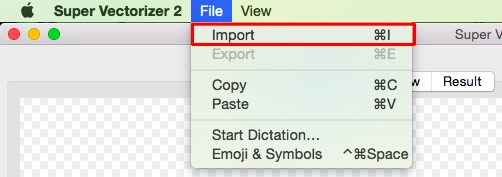
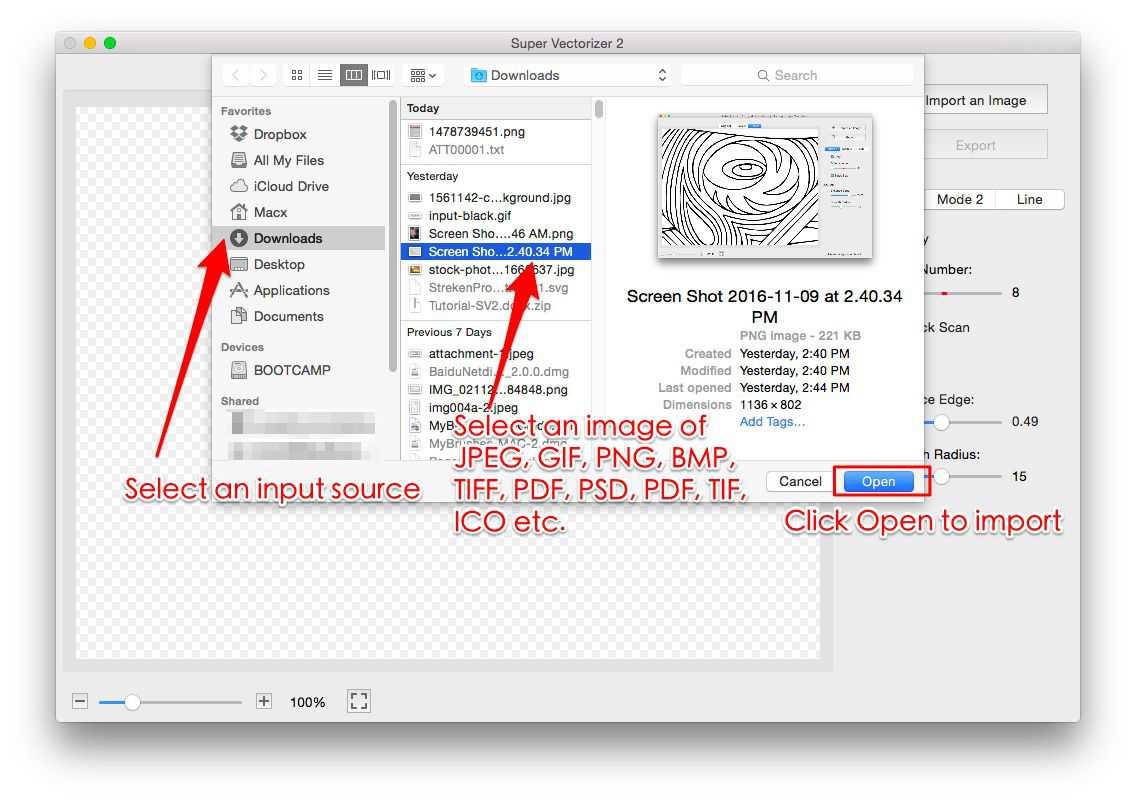
Step 1. Open Super Vectorizer. Drag your PDF image files to the preview pane of Super Vectorizer.
Download Super Vectorizer here if you Haven't installed it yet.
Download Super Vectorizer first if you haven't installed it yet.
System Compatibility: Windows 7, 8, 10, 11 & Mac OSX 10.10+ Silicon M1, M2, M3 Chips.
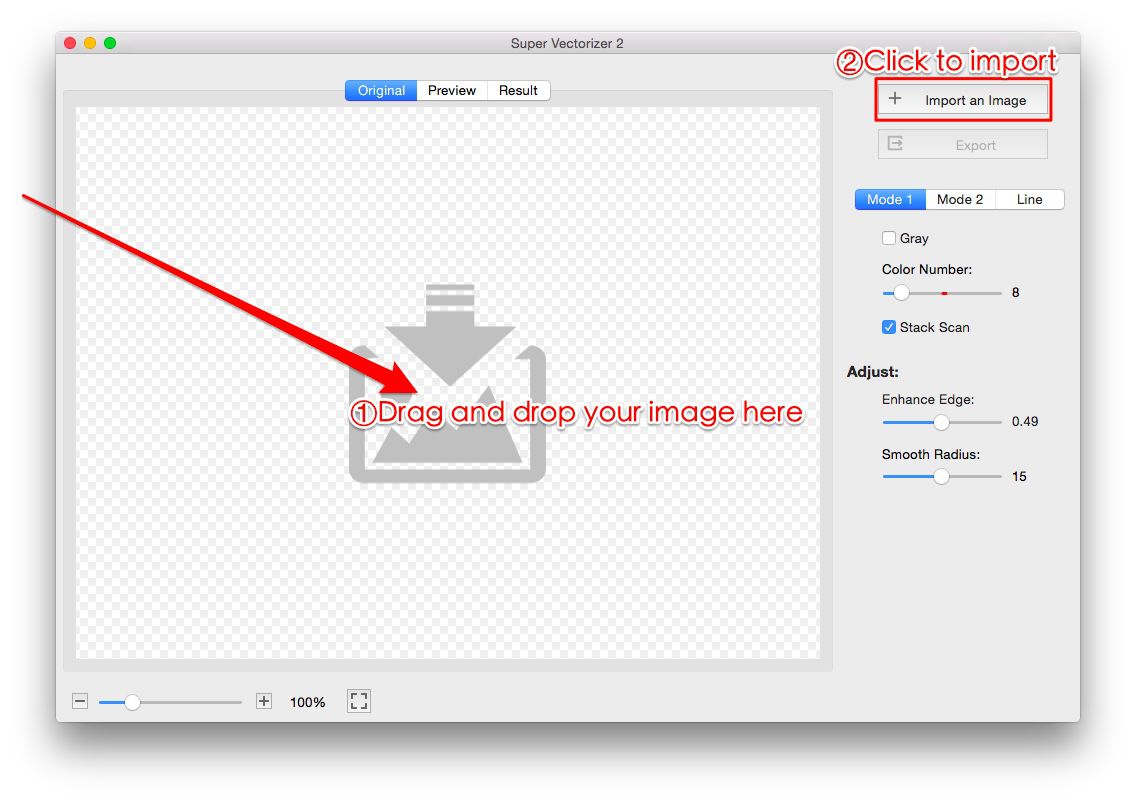
After importing your PDF image, Super Vectorizer Pro automatically converts PDF to SVG on Mac and completes the PDF to SVG conversion in seconds.
Step 2. Check the PDF to SVG converting result on Mac or PC.
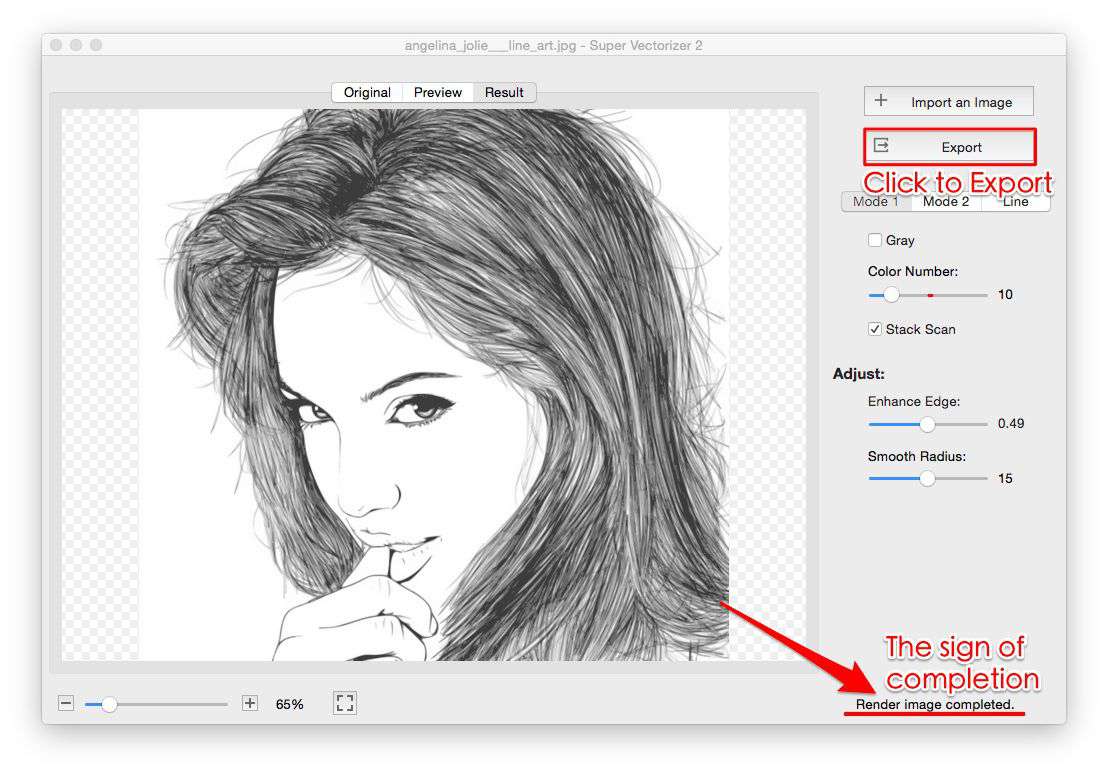
Step 3. You can easily adjust the SVG vector graphic after converting. You can adjust color numbers, enhance image edge and smooth radius.
Step 4. Export the SVG vector image file to your Mac or PC. The SVG vector file could be opened and edited by many graphic design softwares, such as Photoshop, Illustrator etc
Super Vectorizer not only save your PDF image as SVG file, but also save them as AI and DXF vector image. That means you can convert PDF to SVG on Mac or Win and convert PDF to AI, PDF to DXF.

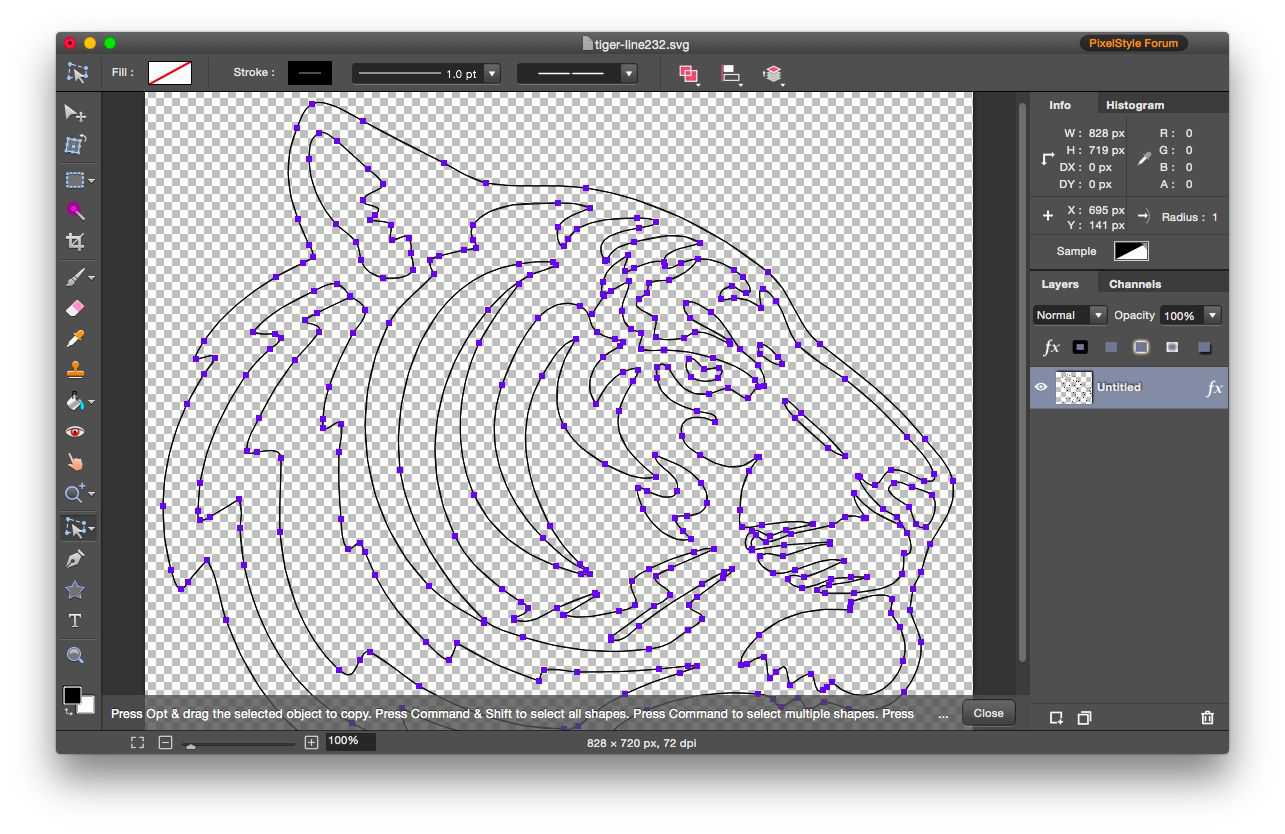
Step 5. Reopen vector image for further editing
Reopen your vector image for further editing in Windows or Mac application such as Adobe Illustration, CAD, Pixelstyle Photo Editor for Mac…
What image formats does Super Vectorizer image converter for Mac and Win support?
You can import images of 70+ formats to the svg vector converter on Mac:
JPG, BMP, PNG, GIF, PSD, PDF, PNT, RGB, ARW, BMPF, CUR, CRW, CR2, DCR, DNG, EPSF, EPSI,
EPI, EPS, EXR, EFX, ERF, FPX, FPIX, FAX, FFF, GIFF, G3, HDR, ICNS, ICO, JP2, JFX, JFAX, JPE, JFIF,
JPF, MPO, MAC, MRW, MOS, NRW, NEF, ORF, PICT, PIC, PCT, PS, PNTG, PNGF, PEF, QTIF, QTI,
RAW, RAF, RW2, RWL, SR2, SRF, SRW, SGI, TRIC, TIFF, TGA, TARGA, TIF, XBM, 3FR, 8BPS
PDF:
PDF: Adobe invented the PDF data file to represent documents in a way that is independent of the software, program, or hardware on which they were written. A PDF file may be any size, including any quantity of fonts and pictures, and is used to create and transmit printer-ready results.
SVG:
SVG: SVG is a vector editing software for 2D graphics that are dependent on XML and supports interaction and animation. In XML text files, SVG pictures and their functionality are described. Because SVG files are simply XML files, they may be modified with any text editor. SVG files are supported by all current web browsers, and their markup may be rendered by them.
Why you need to convert PDF to SVG on Mac?
The greatest reason why people wish to convert PDF to SVG on Mac is for the numerous advantages this file format provides when dealing with graphics. The quality of an SVG image is fixed and adapts to the size of the viewing window. As a result, there are more viewing possibilities. It may interconnect various portions of a picture and supports even the most complicated animation techniques.
Ready to Convert Your PDF Files to SVG?
Download Super Vectorizer Pro — one-time purchase, no subscription. Free trial to preview results.
Compatible with Mac OSX 10.10+ (Apple Silicon M1/M2/M3) & Windows 7/8/10/11