Mac App Store · PixelStyle 4.7

PixelStyle Photo Editorfor Mac

A 97 MB native editor for people who need more than a crop: real layers, 100+ brushes, 50+ filters and AI tools that finish the awkward jobs. Free download, with in-app purchases for the advanced features.
  • Free download
  • Apple Silicon native
  • 97 MB
  • No account to start
PixelStyle photo editor for Mac with colour adjustment dialogs and layers panel open over a landscape

A desktop editor, not another browser tab

Your photo stays on the Mac. Big files, pressure-sensitive brushes and a layer stack are not things a browser tab handles well.

01

Layers and real brushes

Blend modes, per-layer opacity and effects, plus 100+ tips with pressure, hardness and smoothing controls. The brush preset panel is a working tool, not a decoration.

02

Colour and filters

Hue, saturation, value, curves, levels and colour balance. Fifty-plus filters including halftone and distortion, with GMIC plugins for twenty more.

03

AI that finishes the job

One-click portrait background removal, AI 4× super resolution and auto segmentation. They are part of the in-app purchase, and they all run locally.

Four looks at the same editor

Screenshots from the app itself — no mock-ups, no stock UI.
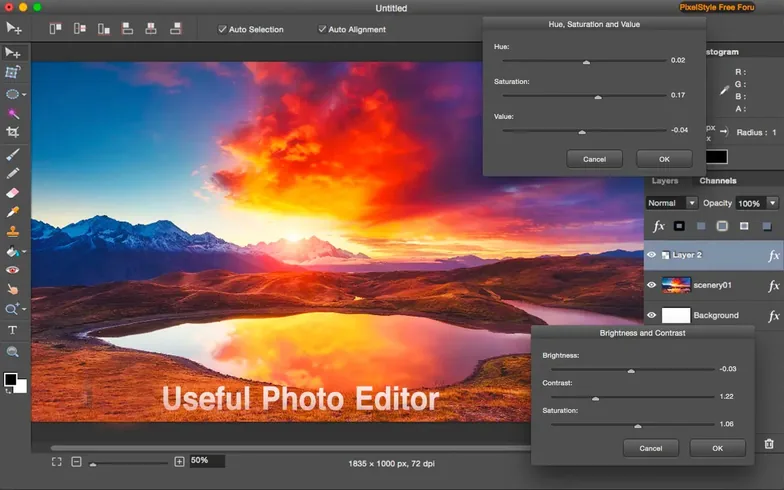
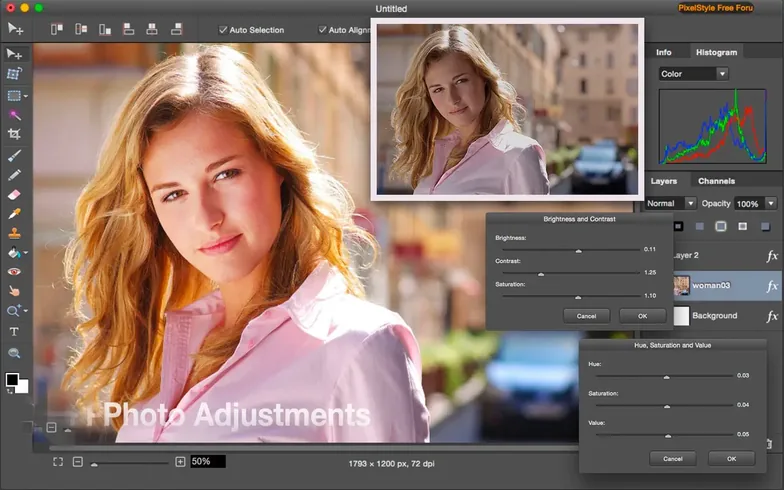
Hue Saturation Value and Brightness Contrast dialogs over a sunset landscape
Adjustments. Two colour dialogs open over the same photo; the canvas updates as you drag.
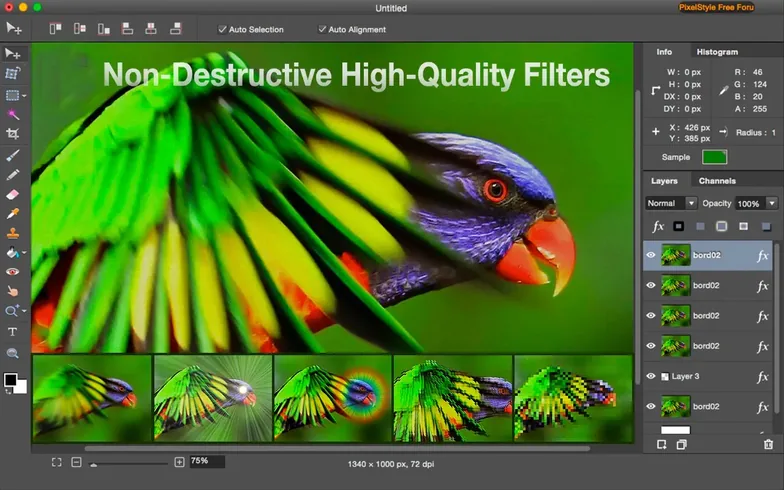
Filter gallery with blur and stylize previews under a parrot photo
Non-destructive filters. Preview a halftone or blur on your own image before applying it to a layer.
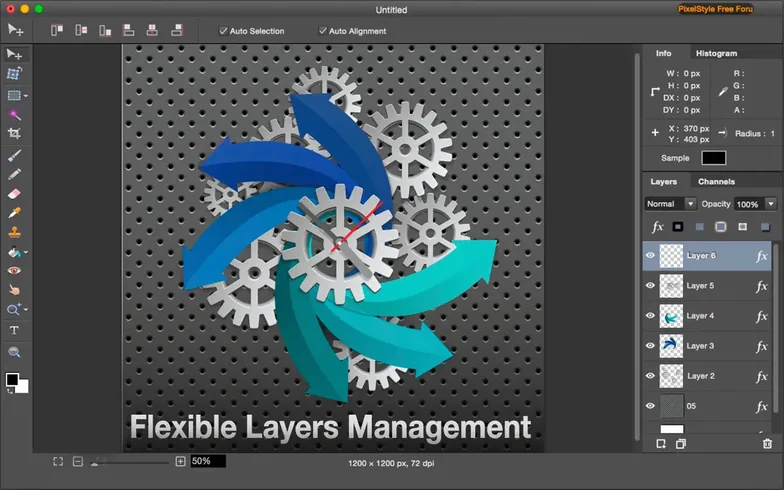
Layer panel with six layers and blend mode controls
Layer management. Six layers, each with blend mode and effects, reordered by drag.
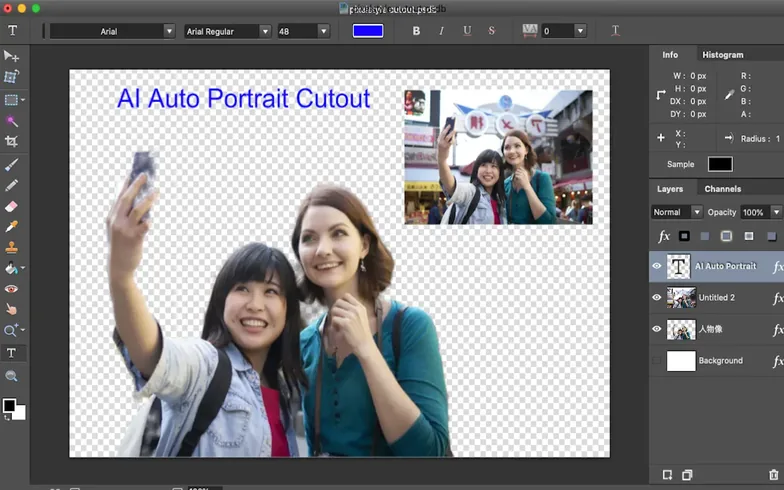
Two people cut out from their background on a transparent checkerboard
AI cutout. Background removed, mask left editable so you can paint it back in.

Ten minutes of real work

The moves that cover most photos, in the order that avoids redoing anything.

  1. Open a HEIC straight from the iPhone — no conversion step first.
  2. Read the histogram before touching saturation.
  3. Crop and straighten before any clone work.
  4. Fix tone with brightness, contrast and curves.
  5. Duplicate a layer, then filter the duplicate.
  6. Heal or clone out the distraction on its own layer.
  7. Add text on a path with custom kerning.
  8. Run AI cutout or 4× upscale when needed.
  9. Save the native document to keep the layers.
  10. Export PNG, JPEG, WebP, TIFF, PDF or SVG at the final size.

Built for Mac, from the file list up

The details that decide whether an editor fits your workflow.

PlatformmacOS only · native Apple Silicon (M1/M2/M3/M4) · runs on Intel Macs
CostFree download on the Mac App Store · advanced and AI features via in-app purchases
Open formatspng, jpg, jpeg, gif, bmp, tiff, heic, pdf, svg, raw, pict
Export formatspng, jpeg, gif, bmp, tiff, webp, svg, pdf, jp2
Editing100+ brushes · 50+ filters · GMIC plugins · layers with blend modes · curves, levels, colour balance · healing and clone · text on path · free transform
AI toolsBackground removal · 4× super resolution · auto segmentation (in-app purchase)
PrivacyProcessing happens locally on the Mac; no account needed to start

Good questions first

Is PixelStyle free on the Mac App Store?
The download is free and the basic editor works without paying. Advanced features, including the AI tools, are unlocked through in-app purchases; the App Store page lists the app as Free with App In-App Purchases.
What can I do with it on a Mac?
Multi-layer editing with blend modes, 100+ brushes, curves and levels, 50+ filters, GMIC plugins, healing and clone tools, text on a path, and three AI tools: background removal, 4x upscaling and auto segmentation.
Which photo formats does it open?
The App Store listing names png, jpg, jpeg, gif, bmp, tiff, heic, pdf, svg, raw and pict as open formats, and png, jpeg, gif, bmp, tiff, webp, svg, pdf and jp2 as export formats.
Does it work on Apple Silicon and Intel?
The listing advertises native Apple Silicon support for M1 through M4. The app also runs on Intel Macs. It is macOS only — there is no Windows or iPad build.

Put it on your Mac

Download PixelStyle from the Mac App Store and work on a real photo. Start with the free editor; add the AI tools through in-app purchases if they earn their place.

Latest PixelStyle guides

Keyword-focused walkthroughs for people comparing a photo editor for Mac.

Looking for a specific task? Browse the SVGVector guides →