
Free SVG Size Compressor and Reducer Online
SVG Compressor Online compresses and reduces SVG files to mini size without lossy quality. There will be a reduction in their size from 10% - 80% when they're compressed.
In order to reduce the size of the SVG file, SVG Compressor Online uses lossless svg compressing techniques to compress the inefficient SVG codes.
Compress SVG to a Specific Target Size
The free online tool above handles every target size with the same workflow. Pick the size that matches your goal and read the one-line tip for that range:
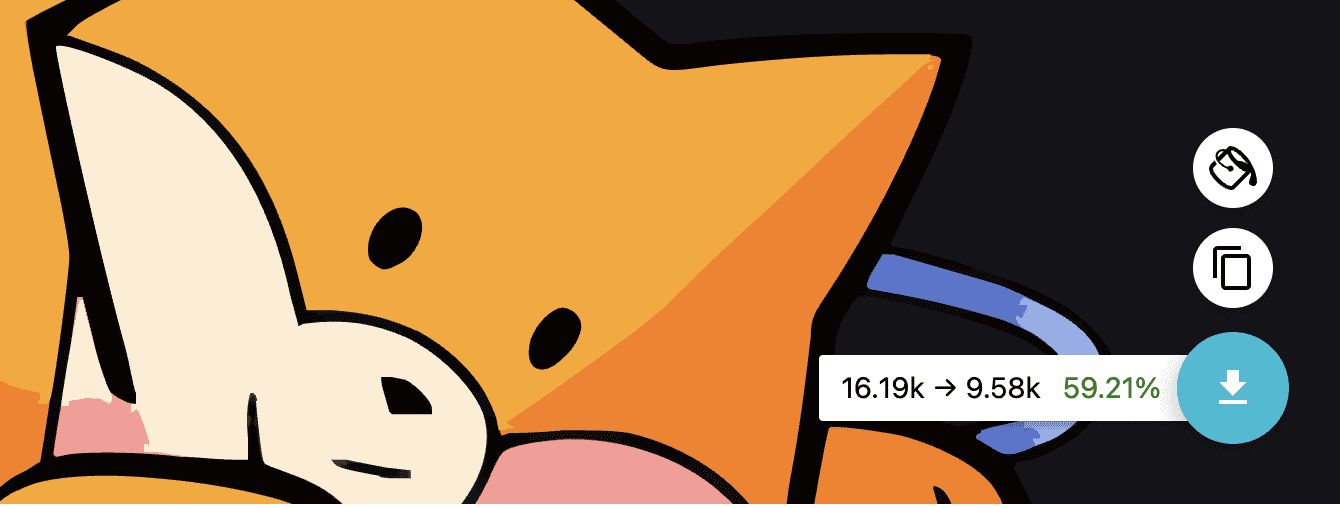
Average real-world reduction: ~60%
Across 1,000+ test SVGs the online tool typically trims 40–70% of the original bytes, depending on the source. The examples below show the same workflow applied to five common target sizes.
Compress SVG to 1KB online
For ultra-small icons, favicons and emoji-style glyphs. Strip every byte of metadata, round all coordinates to one decimal, drop the XML declaration, and merge adjacent path commands. Most simple icons fit in 1KB after this pass — perfect for inline use in CSS or HTML.

Compress SVG to 5KB online
Typical size for inline UI icons and small logos. Beyond the 1KB settings, also remove unused <defs> blocks, collapse repeated transforms, and shorten long class names. Files in this range still render pixel-identical to the source.

Compress SVG to 15KB online
Best for simple icons, glyphs, and small UI marks. Strip all metadata, round every coordinate to one decimal place, and remove the XML declaration. Files in this range are usually already lossless to the pixel.

Compress SVG to 32KB online
Common for inline page icons and emoji-style artwork. Beyond 15KB settings, also collapse repeated transforms and remove unused <defs> and <clipPath> blocks.
How to compress SVG to 50KB online?
Typical ceiling for logos and mid-complexity illustrations. Detailed step-by-step tutorial with screenshots continues in the next section below.

Compress SVG to 100KB online
Standard size for marketing graphics and hero illustrations. Round coordinates to two decimals, merge identical paths, and remove editor-specific namespaces (Inkscape, Adobe).

Compress SVG to 200KB or 250KB online
For larger illustrations, infographics, and product diagrams, apply the standard settings twice — once with metadata stripping, then again with coordinate rounding at two decimals. Beyond 250KB the file likely contains embedded raster images or heavy filters; for those, use Super Vectorizer Pro instead, which can rebuild the SVG cleanly from a raster source.
Compress SVG by Use Case
The same SVG Compressor Online workflow works for every target size, but the right settings depend on what you are building. Below are the most common use cases and the size range each one aims for.
Web Icons and Inline SVG (1 KB – 5 KB)
For inline icons, favicons, and UI glyphs, every byte matters. Use the strictest settings: remove XML declarations, editor metadata, comments, and whitespace; round coordinates to 1 decimal place; merge adjacent paths. Most simple icons end up between 1 KB and 5 KB, making them small enough to embed directly into HTML without an extra HTTP request.
Cricut and Silhouette Cutting Files
Crafters often import SVG files into Cricut Design Space or Silhouette Studio. A clean, compressed SVG loads faster and is less likely to trigger import errors. Keep these rules in mind:
- Keep paths simple — merge overlapping shapes so the machine traces a single clean outline.
- Do not remove IDs that Cricut Design Space uses for layer names; use the “preserve IDs” option if available.
- Convert strokes to fills before compression, because cutting machines read filled paths as cut lines.
- Aim for 15 KB – 50 KB for a typical cut file; larger intricate designs can stay under 100 KB.
Email Signatures and Newsletters
Email clients impose strict file-size limits and often block external images. A compressed inline SVG is ideal because it embeds directly in the HTML and stays crisp on high-DPI screens. Target under 10 KB, remove comments and metadata, and avoid complex filters that email renderers may not support.
Large Illustrations and Infographics
Complex illustrations naturally run larger. Rather than pushing for the smallest possible file, balance quality and size:
- Round coordinates to 2 decimal places instead of 1 — the visual difference is invisible, but the byte savings are still large.
- Remove unused gradients, clip paths, and symbols from the
<defs>section. - If the file contains embedded raster images (JPEG/PNG inside the SVG), compress those separately first.
- Expect final sizes between 50 KB and 250 KB for detailed artwork.
Web Animations and Interactive SVG
Animated SVGs often rely on specific IDs, classes, and SMIL or CSS animation targets. Before compressing, whitelist any IDs or classes referenced by your animation code. Otherwise, an aggressive compressor might strip the very hooks your animation needs. For most animated graphics, 15 KB – 50 KB is a healthy target.
Quick Reference: Which Size Should I Target?
| Use case | Target size | Key setting |
|---|---|---|
| Favicon / tiny inline icon | 1 KB – 3 KB | 1 decimal precision, strip metadata |
| UI icon set | 3 KB – 5 KB | Merge paths, remove whitespace |
| Email signature | Under 10 KB | Remove comments, no filters |
| Cricut / Silhouette cut file | 15 KB – 50 KB | Merge paths, preserve layer IDs |
| Logo / marketing graphic | 15 KB – 50 KB | 1 decimal precision, remove unused defs |
| Detailed illustration / infographic | 50 KB – 250 KB | 2 decimal precision, remove raster embeds |
How to compress SVG to 50KB online?
Here is the video tutorials of how to reduce the svg file size online:
Here is the step by step guides of how to compress SVG files to 50kb.
Step 1. Click the button below to start the SVG compression online now. It is totally FREE.
Step 2. Click "menu" at the top left of the SVG Compressor Online.

Step 3. Click "Open SVG" button.

Step 4. Minify SVG codes to simplify SVG path manuelly. It is a plus step but it could be not necessary. SVG Compressor has done all for you but you still can adjust the data per your requirements.
You can adjust the "Global settings" at the right of the SVG Compressor Online tool to get rid of unnecessary groups. Every effort will be made to remove or reduce unnecessary attributes whenever possible in order to compress the svg file size. By doing so, SVG Compressor Online is able to do the same thing as the original SVG file, only in a much smaller and mini size due to the removal of unnecessary data.

Step 5. Click "Drop" button at the bottom right of the SVG Compressor minifier Online to download your smaller size SVG files.
SVG Compressor Online could reduce SVG files with 80% reduction in bandwidth, exportable to SVG files.

Different SVG files have different compressing rates. It depends on your svg file codes. So you can resize SVG codes in order to resize SVG size.

Step 6. Click "Copy as Text". Then you can copy and save the SVG codes after compressing. Again, it is a plus step but it could be not necessary.

Or you can click on the "Paste Markup" to copy and paste the SVG codes from otherwhere to SVG Compressor to reduce the file size.

It is the end of tutorials of how to compress SVG files to smaller size 250kb, 100kb, 50kb, 15 kb or even 1kb. SVG Compressor Online is the best svg reducer and minifier to help you minify, compress and reduce svg file size within seconds. Most important, it is totally FREE. Hope the SVG Compressor tool helps you.

How does SVG Compressor Online Compressor benefit you?
- The svg file size can be reduced dramatically, as well as a substantial amount of bandwidth can be saved at the same time. In order to generate a high-quality SVG file, the quality should not be compromised.
- The quality of the svg images is far superior to that of PNGs or rasterized images as compared to them.
What is the purpose of SVG Compressor Online?
With the help of SVG Compressor Online, you will be able to use SVG images in the same way as you would with any other image format as easily as possible. Our goal is to ensure that the file size of the SVG file is as small as possible such as 250kb, 100kb, 50kb, 15 kb or even 1kb while also retaining the benefits of SVG, which allows high quality rendering on all devices while maintaining the ability to make the file smaller and mini enough to save space.
SVG Compressor Online vs Other SVG Tools
How does our free browser tool compare with the other popular SVG compressors? Here is an honest, feature-only breakdown:
| Tool | Type | Free? | Needs Upload? | Best for |
|---|---|---|---|---|
| SVG Compressor Online | Browser tool | Yes | No (in-browser) | Quick one-off compression, total privacy |
| SVGOMG | Browser tool | Yes | No (in-browser) | Granular control over each optimization |
| SVGMinify / SvgMint | Browser tool | Yes | No (in-browser) | Minimal, fast minify |
| Compressor.io | Browser / upload | Freemium | Yes (to server) | Multi-format (not SVG-only) |
| Super Vectorizer Pro | Desktop (Mac/Win) | Free trial | No | Turning JPG/PNG/photos into clean SVG |
Unlike upload-based tools, SVG Compressor Online processes everything locally in your browser — your files never leave your device. For turning raster images (JPG, PNG, photos) into SVG in the first place, see Super Vectorizer Pro (desktop, free trial to preview results).
SVG Compression Settings Explained
Understanding what each toggle does helps you choose the right balance between file size and fidelity. SVG Compressor Online applies these optimizations automatically, and you can adjust them in the tool’s settings panel.
Remove Metadata, Comments, and Editor Data
Design tools such as Adobe Illustrator, Figma, Inkscape, and Sketch inject hidden tags that describe the document but do not affect rendering. Removing <metadata>, <namedview>, editor namespaces, and human-readable comments often cuts 10% – 30% of the file size with zero visual impact.
Round Coordinate Precision
SVG paths store coordinates at full floating-point precision, e.g. d="M 123.456789 456.789012". Rounding to 1 or 2 decimal places produces d="M 123.5 456.8", which renders identically on screens but uses far fewer bytes. Use 1 decimal for icons and 2 decimals for detailed illustrations.
Remove Unused Definitions and Gradients
Every unused colour gradient, pattern, clip path, or symbol inside <defs> still adds bytes. A good compressor scans the document for references and deletes anything that is never called. This alone can shrink files exported from Illustrator by 20% – 40%.
Merge Paths and Collapse Empty Groups
Nested <g> elements with no transform or style are dead weight. Merging adjacent paths with the same fill reduces the number of drawing commands the browser has to process, which improves both file size and runtime rendering performance.
Shorten or Remove IDs and Classes
IDs like id="Rectangle_42_copy_7" are long and repeated. An optimizer can replace them with short sequential IDs or remove them entirely if no CSS or JavaScript depends on them. If you animate or style the SVG externally, keep this option off or whitelist the IDs you need.
Clean Whitespace, Doctype, and XML Declaration
Removing the XML declaration and doctype, and collapsing indentation to a single line, saves bytes without changing rendering. SVG embedded in HTML does not need a standalone XML declaration anyway, so this is safe for web use.
Which Settings Should I Use?
For most users, the default preset in SVG Compressor Online is the best starting point. If you need to customise the outcome, remember this rule of thumb:
- Maximum compression: metadata off, 1 decimal precision, remove unused defs, merge paths, remove IDs.
- Preserve editability: keep metadata, 2 decimal precision, preserve IDs and classes.
- Cricut / cutting files: merge paths, convert strokes to fills, preserve layer IDs.
- Animation / interactive: preserve IDs and classes used by CSS or JavaScript.
Could you explain the SVG code compression of transform attributes?
With unique svg size reducer techniques, SVG Online Minifier removes unnecessary data, resulting in the same image, but much smaller in file size online. Whenever possible, we will apply transformations to elements, including gradient elements, as a way to save space by applying transformations to elements without affecting the rendering of the element. The transformation process will be simplified to make it easier for you to perform complex, multistep transformations. Those characters such as tabs, line feeds, and carriage returns that are useless in SVG will be safely removed from the document.
Reduce SVG file size, improve performance, and maintain the SVG quality. Optimise your SVG image files with the best free SVG optimiser (also called an SVG size reducer or SVG minifier) — a best free SVG file size compressor. For a deeper look, see our guides on how to optimize SVG for web performance (gzip/Brotli, inline vs external, sprites) and a side-by-side comparison of the best free SVG optimizer tools.