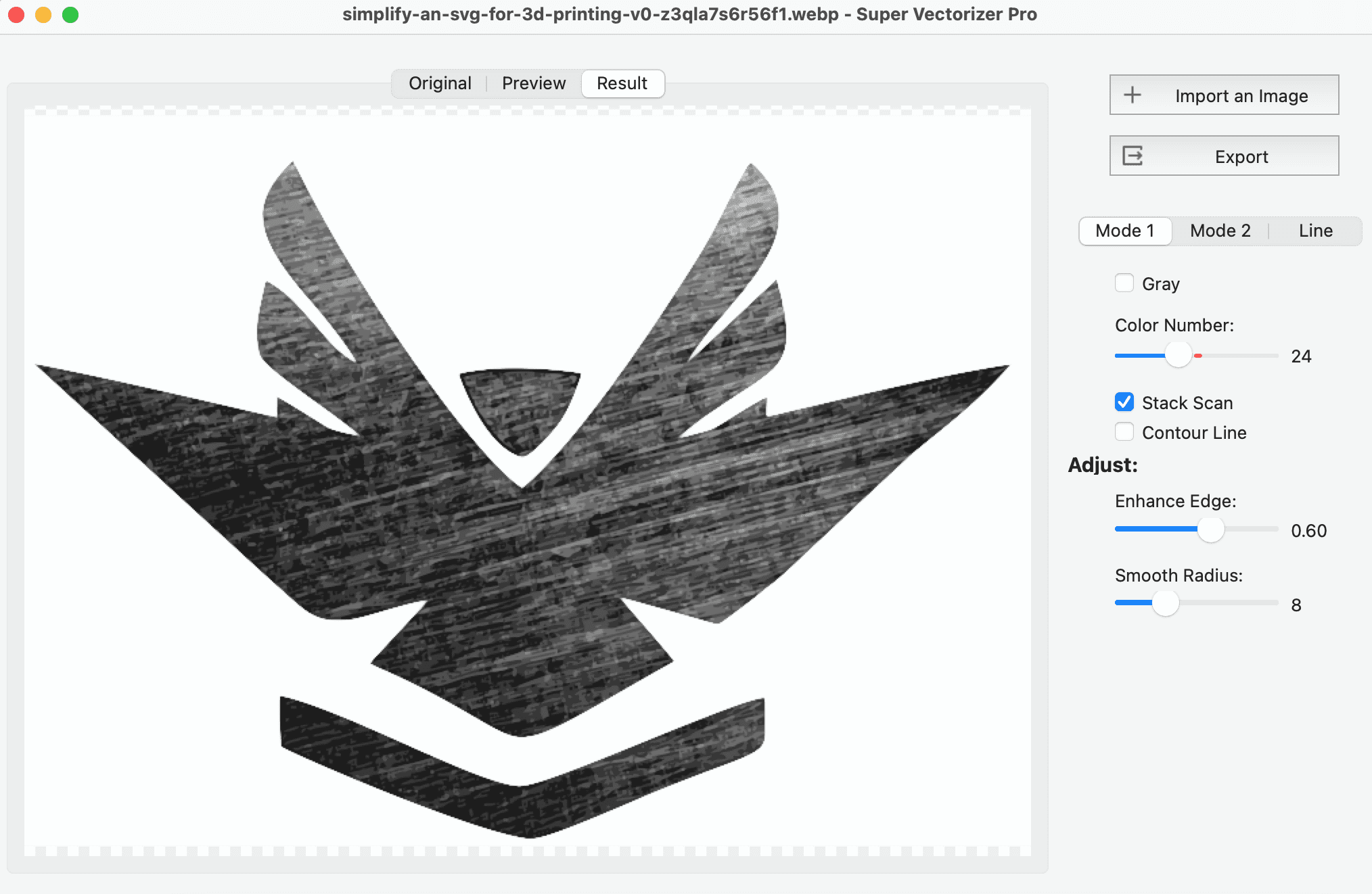
The fastest way to image trace online free for both PDF and PNG sources in 2026 is to use a browser-based vectorizer for PNG files and a quick extract-and-rasterize step for PDFs, then convert the result to SVG. A PNG is a raster (bitmap) image that any free online tracing tool can vectorize directly, while a PDF is a container that usually needs its embedded image pulled out or the page flattened to PNG first. If you want unlimited, login-free tracing without uploading files to a server, a local desktop app such as Super Vectorizer Pro is the stronger long-term choice — it processes one image at a time offline and offers a free trial to preview results.
Want to trace PNG and PDF artwork with no login and no upload? Super Vectorizer Pro runs locally — your files never leave your Mac or PC.
Compatible with macOS 10.10+ (M1/M2/M3) & Windows 7/8/10/11
Our Verdict
Use a free online tracer for a quick one-off PNG, but reach for a local desktop app when the file is large, private, or a PDF. Online tools are fast to try; desktop tools win on privacy, file size, and repeatable quality.
Free Online Tracers — Best for Quick Wins
- No install, works in any browser
- Great for a single small PNG
- Instant preview in seconds
- PDF usually needs auto-rasterization
Local Desktop (SVP) — Best for Volume & Privacy
- No upload, no server, no account
- Handles large, high-res rasters
- Repeatable, tunable tracing
- Processes one image at a time
What "Image Trace Online Free" Means for PNG and PDF
Searching for image trace online free pdf png usually mixes two different jobs. A PNG, JPG, or BMP is a bitmap: a grid of pixels. Vector tracing analyzes those pixels and rebuilds the artwork as smooth SVG paths made of Bézier curves. That is exactly what every online tracer is built to do, so a PNG is the easy case.
A PDF is different. It is a document container that can hold vector content, text, or an embedded raster image — sometimes all three on one page. You cannot "trace" a PDF the way you trace a PNG, because there may be nothing raster inside it to trace. The right move depends on what the PDF actually contains:
- PDF is already vector (exported from Illustrator, Figma, or InDesign) → convert it straight to SVG, no tracing needed.
- PDF holds a scanned photo or raster logo → extract or rasterize the page to PNG, then run that PNG through a tracer.
- PDF holds text → export to SVG as text, or rasterize first if you want it as artwork rather than editable type.
This distinction matters because many "free PDF to SVG" tools quietly embed the page as a flat image instead of producing real vector paths. Always inspect the output: a genuine vector tracing stays crisp when you zoom in, while an embedded image gets blurry.
The 6 Best Free & Freemium Image-Tracing Tools in 2026
Each card below lists the tool, what it costs, and how it handles PNG versus PDF. Tags show whether the tool is genuinely free, has caveats, or is a paid offline option.
1. SVGcode (Browser PWA)
Runs entirely in your browser via WebAssembly, so it traces PNG locally with no login. Install once, then use it offline. PDF must be rasterized to PNG first.
2. Inkscape (Desktop)
Open-source editor with a built-in Trace Bitmap panel. Handles PNG, JPG, and BMP offline on Mac, Windows, and Linux. No login, no quota.
3. Vectorizer.AI (Web)
High-quality AI tracer with a limited free preview. Full-resolution export and PDF handling require sign-up and a paid plan, so it is not strictly no-login.
4. Autotracer (Web)
Online tracer that processes standard raster formats without an account, but uploads to a remote server for conversion. Read the privacy note before uploading.
5. PDF-to-SVG Web Apps
Several sites accept a PDF upload and rasterize the page for you, then trace it. Convenient for one-offs, but verify the output is a real vector, not an embedded image.
6. Super Vectorizer Pro (Mac/Win)
One-time purchase desktop app. Imports PNG, JPG, BMP and other rasters, converts to SVG locally with no account, and processes one image at a time. Free trial to preview results.
Free vs Freemium vs Offline: Side-by-Side Comparison
This table compares the same six tools on the factors that matter when "free" and "online" are the brief. The batch-support column applies to converting many files in one run; Super Vectorizer Pro is intentionally one-at-a-time, so it is marked accordingly.
| Tool | Price | Platform | PNG | Login? | Offline? | Batch | Best For | |
|---|---|---|---|---|---|---|---|---|
| SVGcode | Free | Any modern browser (PWA) | Yes | Rasterize first | None | Yes (after first load) | No | Quick offline vectorization |
| Inkscape | Free (open source) | Mac / Win / Linux | Yes | Rasterize first | None | Yes (desktop) | One-by-one or scripted | Logos, line art, full editing |
| Vectorizer.AI | Free preview / paid plans | Web | Yes | Yes (upload) | Required for export | No | No | Photo-grade AI color tracing |
| Autotracer | Free | Web | Yes | No | None | No | No | Casual one-off conversions |
| PDF-to-SVG web apps | Free tier | Web | Yes | Yes (auto-rasterize) | Varies | No | No | Fast PDF page to SVG |
| Super Vectorizer Pro | One-time purchase | Mac / Win (desktop) | Yes | Rasterize first | None | Yes (desktop) | No (one at a time) | Privacy-first local vectorization |

How to Image Trace a PNG Online for Free
The exact steps differ by tool, but the workflow is the same across every free online tracer that handles a PNG.
- Pick a free online tracer that fits your privacy needs. Choose a browser PWA such as SVGcode for maximum privacy, or a server-based free tracer for a quick one-off. Avoid tools that ask for an email before the first export if you need a truly no-login workflow.
- Upload or drop in your PNG. Open the tracer and drag your PNG onto the window, or browse to the file. Larger, higher-contrast source images almost always produce cleaner vector tracing results.
- Choose a tracing mode and adjust settings. Color mode works best for photos and brand art; grayscale for monotone work; line mode for logos and line art. Lower the color count and raise smoothing if the preview looks noisy.
- Preview the SVG at full size. Check the traced paths at 100% zoom. If edges look jagged or colors are off, adjust the settings and re-trace rather than accepting the first pass.
- Download or export the SVG. Save the SVG to your computer. For further cleanup, open it in a free SVG editor or a desktop app like Super Vectorizer Pro that lets you preview and refine results with a free trial.
How to Image Trace a PDF (Extract or Rasterize First)
A PDF is not a bitmap, so the first step is to decide what is inside it. If the PDF is already vector, convert it directly to SVG with any free PDF-to-SVG converter — no tracing required. If it holds a scanned image or raster logo, you need to get that image out first.
Two reliable approaches:
- Rasterize the page. Open the PDF and export the page (or just the artwork crop) as a high-resolution PNG. Then trace that PNG with any free online tool. This is the most predictable path and keeps full control over quality.
- Extract the embedded image. If the PDF embeds the source photo, pull it out and save it as PNG, then trace. This avoids re-compressing an already-compressed image and usually yields a cleaner vector tracing.
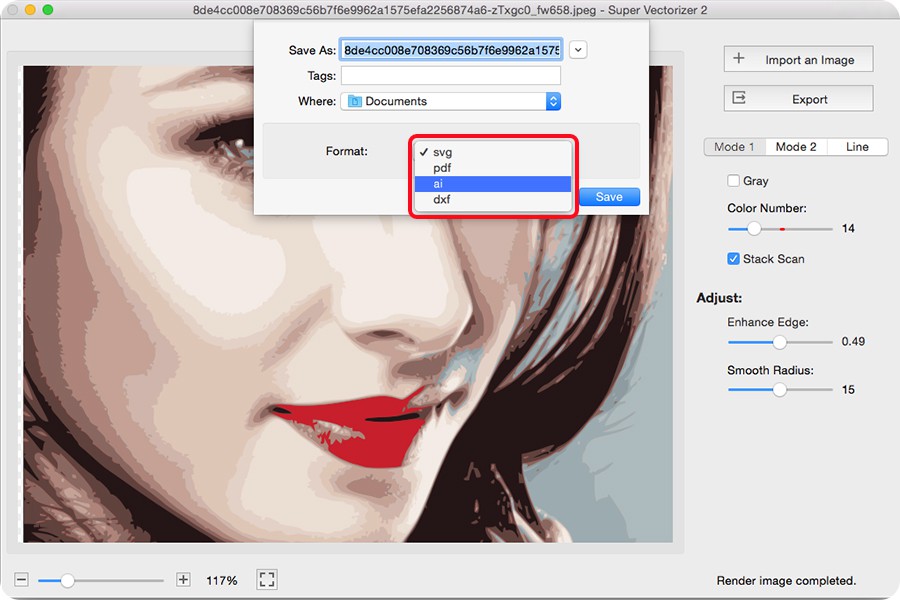
No login, no upload, no quota — Super Vectorizer Pro processes one image at a time, entirely on your Mac or PC.
Compatible with macOS 10.10+ (M1/M2/M3) & Windows 7/8/10/11
Tracing Modes: Color, Grayscale, and Line
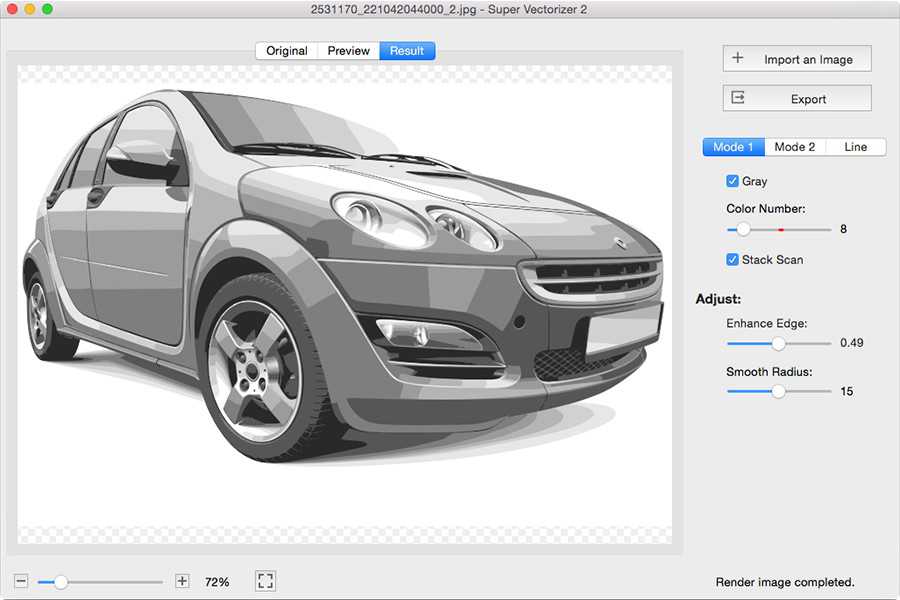
Most tracers — free online and desktop alike — offer the same three modes, and picking the right one is the single biggest quality lever when you image trace online free for PNG or PDF artwork.
- Color mode keeps brand hues and photo detail. Use it for logos with spot colors, illustrations, and photographs. Keep the color count as low as looks good to avoid muddy paths.
- Grayscale mode is ideal for monotone sketches, technical drawings, and stamps where color adds noise.
- Line mode (or "single color") traces just the outlines. It is the cleanest option for line art, icons, and engraving or cutting workflows.
The Precision Problem: Anchor Points and Clean Edges
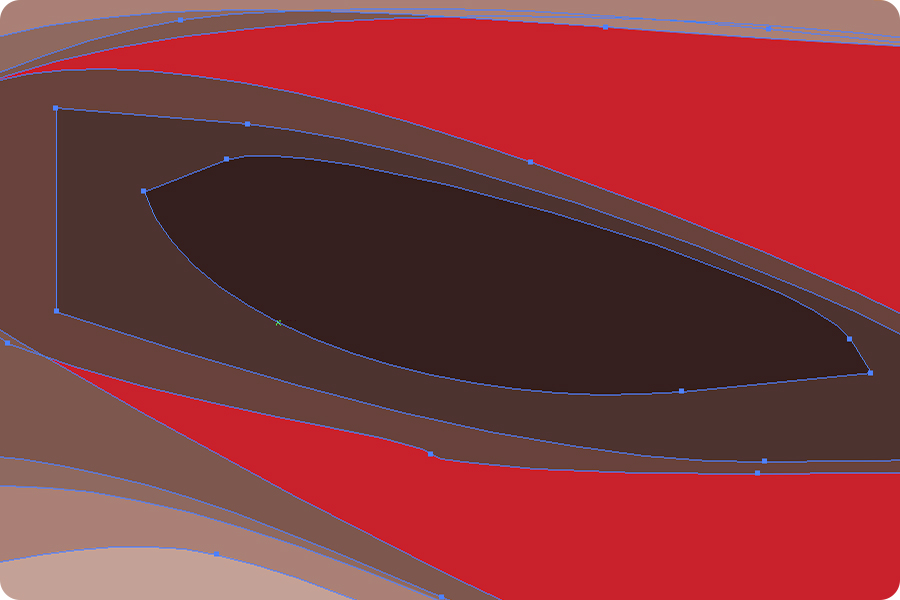
A free online trace often looks "almost right" but has too many tiny anchor points, wobbly curves, or stray specks. That is normal — automatic vector tracing trades precision for speed. The fix is in the settings, not the tool:
- Raise node cleanup / smoothing to merge nearby points and calm jittery edges.
- Lower the color count so the engine does not invent paths for compression artifacts.
- Crop to the subject before tracing so background noise does not become vectors.
- Start from the largest source — a 2000px PNG traces far cleaner than a 400px thumbnail pulled from a PDF.
Privacy and Limits of Free Online Tracing
Every cloud tracer processes your file on a remote server. The stronger privacy policies say uploads are deleted within minutes and are not used for training, but you are still sending the original bitmap — and any metadata it carries — to a third party. For a public icon that is harmless; for an unreleased product shot, a client logo, or anything confidential it is a real consideration.
This is why privacy-focused users lean toward a local desktop app. A tool that runs WebAssembly in your browser, or native code on your machine, cannot leak the file because the bytes never leave your device. For sensitive work, treat "offline" and "no login" as the same requirement.
Why a Desktop App Is the Better Long-Term Option
Browser PWAs are great for a single quick trace, but they depend on a browser cache and a working WebAssembly build, and they rarely handle large or many files well. A native desktop app like Super Vectorizer Pro removes every browser dependency: install it once, drag a PNG (or a PNG you extracted from a PDF) onto the window, pick a tracing mode, and export the SVG to a folder of your choice. The free trial lets you preview raster-to-vector results before you buy.
For users who process sensitive or client work, or who simply want repeatable quality without an email gate, a paid desktop app is usually worth it. It eliminates account friction, server uploads, and usage caps, and it processes one image at a time with full local control over color, smoothing, and anchor points. When you need to image trace online free pdf png at scale or in private, a local desktop workflow is the most dependable route.
Related SVG Workflows
Once you have a clean SVG, the next step is usually editing, compressing, or preparing it for a specific use. These guides cover the most common follow-ups.
- Image Trace Online Free: 5 Truly Free Tools in 2026 — the broader privacy-conscious take on the same task.
- PNG to SVG High Quality in 2026 — go deeper on resolution, color count, and path detail.
- PNG to SVG with Color: Keep Color When Converting — preserve brand hues when tracing flattens them.
- Best Free Image Vectorizer Tools 2026 — a wider roundup across every platform.
- SVG Compressor Online — shrink the SVG output before shipping it.
- SVG Editor Online Free: Edit & Modify SVG Files — fine-tune paths after conversion.
- PNG to SVG Converter (Mac & Win) — the desktop and online entry point.
- PNG to SVG Online — a quick in-browser converter for one-off jobs.
Frequently Asked Questions
Can I image trace a PDF online for free?
Yes, but a PDF is a container, not a raster image, so the path is different from a PNG. If the PDF is already vector (made in Illustrator or exported from a design app) you can convert it straight to SVG. If it holds a scanned photo or raster artwork, you must first extract or rasterize the page to a PNG, then run that PNG through a free online image tracer. Some online tools accept PDF upload and rasterize it for you automatically, but always check whether the output is a real vector trace or just an embedded image.
Is there a truly free way to image trace a PNG online without login?
Yes. Browser-based PWAs such as SVGcode run entirely on your device through WebAssembly and need no account. Open-source desktop software like Inkscape also traces PNG locally at no cost. Commercial AI tracers usually let you preview one image free but hide full-resolution export behind a sign-up, so they are not strictly no-login. For unlimited login-free tracing, a local desktop app like Super Vectorizer Pro is the most reliable option and offers a free trial to preview results.
Why does my PNG vector trace look jagged or noisy?
Jagged or noisy traces almost always come from a low-resolution source or from too many traced colors. Start from the largest PNG you have, reduce the color count, and raise the smoothing or node-cleanup setting. A bitmap with heavy JPEG artifacts or a busy background also produces messy paths, so cropping to the subject first usually gives a far cleaner vector tracing result.
Do free online image tracers keep or delete my files?
Most free web tracers process your upload on a remote server and state in their privacy policy that files are deleted after a few minutes. That is a delayed-deletion model, not a no-upload model — the original bitmap still leaves your machine. For sensitive client work, product photos, or anything private, a local desktop tool that never sends the file anywhere is the safer choice.
Can a desktop app trace both PDF and PNG offline?
Yes. A local desktop vectorizer such as Super Vectorizer Pro imports PNG, JPG, BMP and other rasters and converts them to SVG on your Mac or PC with no internet connection. It processes one image at a time and does not require an account, so it works fully offline. You still need to extract or rasterize a PDF page to a raster first, but the tracing step itself never touches a server.
What is the difference between raster to vector and vector tracing?
They describe the same conversion from opposite angles. Raster to vector means taking a bitmap (PNG, JPG, BMP) made of pixels and producing scalable vector paths in SVG format. Vector tracing is the technique that does it — analyzing edges and colors to rebuild the artwork as Bézier curves. Image trace is simply the common name for the vector tracing feature found in most converters and editors.
The Offline Shortcut to PDF & PNG Tracing
Install Super Vectorizer Pro once and skip the email gates and uploads. One-time purchase, free trial to preview results, processes one image at a time locally on Mac or Windows.
Compatible with macOS 10.10+ (M1/M2/M3) & Windows 7/8/10/11
Related Articles
Try These Free Online Tools
No download required — convert, compress & optimize SVGs right in your browser
PNG to SVG Converter
Convert PNG, JPG, BMP images to scalable vector graphics instantly
PNG to SVG ConverterSVG Compressor (Mini)
Reduce SVG file size by up to 80% without losing quality
SVG Compressor OnlineSVG Optimizer
Clean up SVG code, remove redundant data and optimize for web
SVG Optimizer OnlineJPG to SVG Converter
Turn JPEG photos into crisp vector artwork in seconds
JPG to SVG ConverterEPS to SVG Converter
Convert EPS vector files to web-friendly SVG format
EPS to SVG ConverterAll Free Tools
Browse our complete collection of free online conversion tools
Browse All Free Tools