
If you're a Mac user looking to convert raster images to scalable vector graphics, choosing the right vector tracing software for Mac can make or break your workflow. Whether you're a graphic designer preparing logos for print, a hobbyist creating SVG files for Cricut, or a professional preparing artwork for laser cutting, having reliable vectorization software is essential.
In this comprehensive guide, we've tested and reviewed the best vector tracing software available for macOS in 2026. We'll compare desktop applications, online tools, and free alternatives — covering everything from accuracy and ease of use to pricing and export options. By the end, you'll know exactly which tool fits your specific needs.
Ready to try professional vector tracing on your Mac? Download Super Vectorizer Pro free trial to preview vectorization results.
Compatible with macOS 10.10+ (M1/M2/M3) & Windows 7/8/10/11
Our Verdict: Best Vector Tracing Software for Mac
After extensive testing, Super Vectorizer.AI alternative Pro stands out as the best overall vector tracing software for Mac users who need professional-quality results with an intuitive workflow. For users on a budget, SVG Mini Online offers surprisingly capable free vectorization right in your browser. Adobe Illustrator remains the most powerful option for Creative Cloud subscribers, while Vector Magic delivers excellent results for one-time projects.
Super Vectorizer Pro Advantages
- Native macOS app with M1/M2/M3 optimization
- Intuitive drag-and-drop workflow
- Supports 70+ input and output formats
- Real-time preview of vectorization results
- Excellent value for professional features
Online Tools Advantages
- No download or installation required
- Works on any operating system
- Free options available (SVG Mini)
- Quick for simple, one-off conversions
What Is Vector Tracing Software and Why Do Mac Users Need It?
Vector tracing (also called raster-to-vector conversion or image vectorization) is the process of converting bitmap images — such as PNG, JPG, BMP, or GIF files — into scalable vector graphics (SVG, AI, EPS, PDF). Unlike raster images that become pixelated when enlarged, vector graphics use mathematical paths and can be scaled to any size without quality loss.
Mac users specifically need reliable vector tracing software for several common scenarios:
- Logo design and branding: Client logos often arrive as low-resolution PNG or JPG files. Converting them to vector format is essential for professional printing and scalable usage.
- Cricut and cutting machines: SVG files are required for Cricut Design Space. Converting downloaded images to SVG is a daily task for many crafters.
- Laser cutting and CNC: Vector paths are required for laser cutters. Raster images must be traced to create cut lines.
- Web optimization: SVGs load faster and look sharper on high-DPI displays compared to raster formats.
- Print production: Professional printing requires vector formats for crisp, scalable output at any size.
Top 6 Vector Tracing Software for Mac (2026 Edition)
1. Super Vectorizer Pro for Mac — Best Overall
Super Vectorizer Pro is our top recommendation for Mac users who need professional vector tracing capabilities. This native macOS application is designed specifically for the Mac ecosystem and takes full advantage of Apple's technologies.
Key Features:
- 70+ input formats: PNG, JPG, JPEG, BMP, GIF, TIF, TGA, PSD, and more
- 70+ output formats: SVG, PDF, EPS, AI, DXF, EMF, and many more
- Advanced tracing algorithms: Automatically detects lines, curves, and shapes for accurate vectorization
- Real-time preview: See vectorization results instantly and adjust parameters
- Color quantization: Intelligent color reduction for clean vector output
- Per-image tuning: Adjust settings for each file
- M1/M2/M3 native support: Optimized for Apple Silicon Macs
Pros: Intuitive interface, excellent value, no subscription required, supports an impressive range of formats, regular updates.
Cons: Trial version allows previewing results but not exporting (purchase required for full export functionality).
Best for: Professional designers, small businesses, and serious hobbyists who need reliable, high-quality vectorization on Mac.
2. Adobe Illustrator — Best for Creative Cloud Subscribers
Adobe Illustrator is the industry-standard vector graphics editor, and its Image Trace feature is a powerful vector tracing tool. If you already have a Creative Cloud subscription, Illustrator is a natural choice.
Key Features:
- Image Trace with preset options (3-color, 6-color, high fidelity photo, etc.)
- Full vector editing capabilities after tracing
- Advanced color management and gradient support
- Integration with other Adobe Creative Cloud apps
Pros: Unmatched editing capabilities, industry standard, excellent for complex projects.
Cons: Requires expensive monthly/annual subscription, steep learning curve for beginners, overkill for simple tracing tasks.
Best for: Professional designers already using Adobe Creative Cloud.
3. Vector Magic — Best Standalone Alternative
Vector Magic alternative for Mac is a dedicated vectorization tool available as both desktop software and an online service. It's known for producing high-quality vector traces with minimal user intervention.
Key Features:
- Easy-to-use wizard interface
- Automatic background removal
- Desktop and online versions available
- Supports AI, EPS, PDF, SVG, and DXF output
Pros: Produces excellent results with minimal effort, good for beginners.
Cons: Desktop version is expensive for occasional use, online version has file size limits, fewer export formats than Super Vectorizer Pro.
Best for: Users who need high-quality results with minimal configuration.
4. Inkscape — Best Free Open Source Option
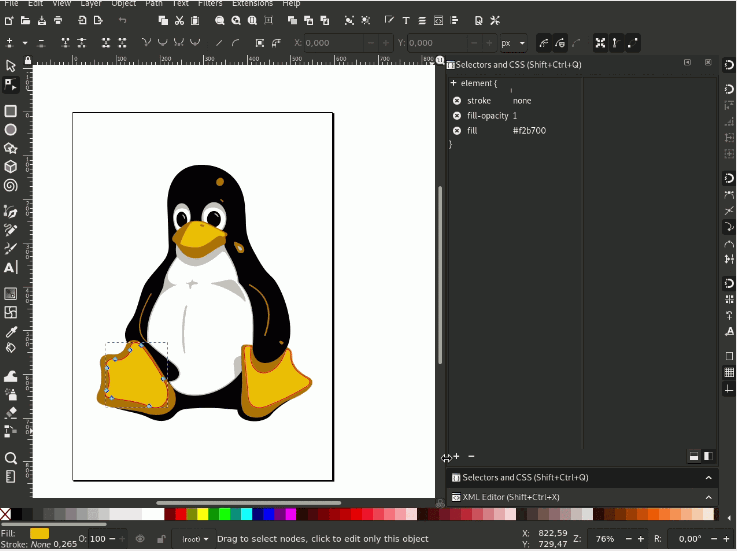
Inkscape is a free, open-source vector graphics editor that runs on Mac, Windows, and Linux. Its "Trace Bitmap" feature uses Potrace to convert raster images to vectors.
Key Features:
- Completely free and open source
- Full vector editing capabilities
- Supports multiple tracing algorithms (Brightness cutoff, Edge detection, Color quantization)
- Active community and regular updates
Pros: Free, powerful, no watermarks or limitations.
Cons: User interface feels dated, can be slow with complex traces, steep learning curve.
Best for: Budget-conscious users willing to invest time in learning the software.
5. SVG Mini Online — Best Free Online Tool
SVG Compressor Online is a free browser-based tool that converts images to SVG format. It's a convenient option when you don't want to download software.
Key Features:
- Completely free to use
- No registration required
- Supports PNG, JPG, BMP, GIF, and TIF input
- SVG output with code optimization
- Works on any operating system with a modern browser
Pros: Free, no installation, convenient for quick conversions.
Cons: Limited to SVG output, less accurate than desktop software for complex images, requires internet connection.
Best for: Quick, simple conversions and users who can't or don't want to install software.
6. CorelDRAW — Best for Windows-First Designers Using Mac
CorelDRAW is a long-standing competitor to Adobe Illustrator, and it now offers a Mac version. Its PowerTRACE feature is a capable vector tracing tool.
Key Features:
- PowerTRACE with detail slider for fine-tuning
- Integrated vector editing
- One-time purchase option (no subscription required)
Pros: One-time purchase available, powerful tracing engine.
Cons: Mac version is newer and may have occasional bugs, higher learning curve.
Best for: Designers who prefer CorelDRAW's workflow or want a non-subscription option.
Detailed Comparison: Vector Tracing Software for Mac
| Feature | Super Vectorizer Pro | Adobe Illustrator | Vector Magic | Winner |
|---|---|---|---|---|
| Price | One-time purchase | Subscription only | One-time or credit-based | Super Vectorizer Pro |
| Input Formats | 70+ | Limited | Common formats | Super Vectorizer Pro |
| Output Formats | 70+ | AI, SVG, EPS, PDF | AI, EPS, SVG, PDF, DXF | Super Vectorizer Pro |
| Ease of Use | Very Easy | Moderate | Easy | Super Vectorizer Pro |
| M1/M2/M3 Support | Native | Native (Rosetta initially) | Desktop: Yes / Online: N/A | Super Vectorizer Pro |
| Free Trial | Yes (preview only) | 7-day trial | Yes (limited) | Super Vectorizer Pro |
How to Choose the Right Vector Tracing Software for Your Mac
With so many options available, here's a decision framework to help you choose:
Choose Super Vectorizer Pro if:
- You're a Mac user who wants native performance
- You need to convert many different file formats
- You want excellent value (one-time purchase, no subscription)
- You want per-image control over trace settings
- You want a simple, intuitive workflow
Choose Adobe Illustrator if:
- You already have a Creative Cloud subscription
- You need advanced vector editing after tracing
- You're working in a team that uses Adobe tools
Choose SVG Mini Online if:
- You only need occasional, simple conversions
- You don't want to install any software
- Your images are relatively simple (logos, icons, etc.)
Choose Inkscape if:
- You have zero budget for software
- You're comfortable with open-source software
- You need full vector editing capabilities for free
Step-by-Step: How to Trace an Image on Mac Using Super Vectorizer Pro
Here's how to convert a raster image to vector format using Super Vectorizer Pro:
- Download and install: Get the free trial from the SVGVector website and install it on your Mac.
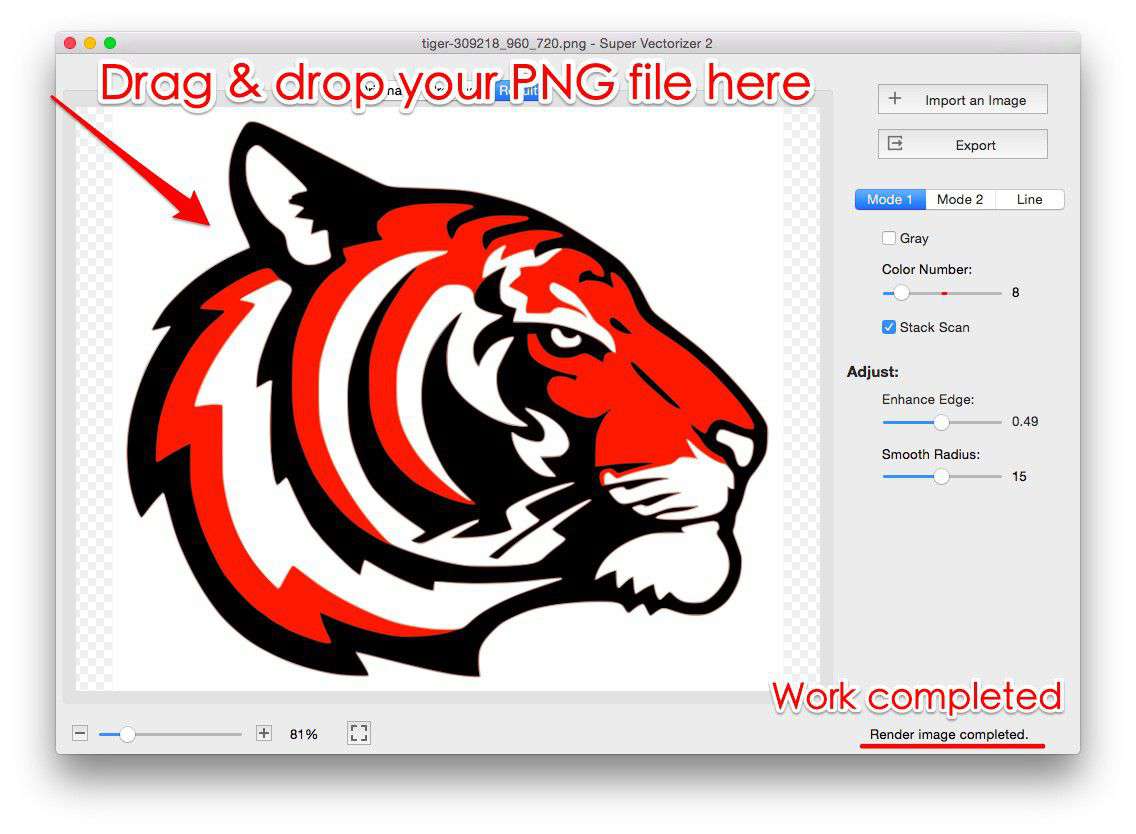
- Launch the app and drag in your image: Simply drag your PNG, JPG, or other raster file into the app window.
- Preview the vectorization result: The software automatically traces your image and displays the vector result in real-time.
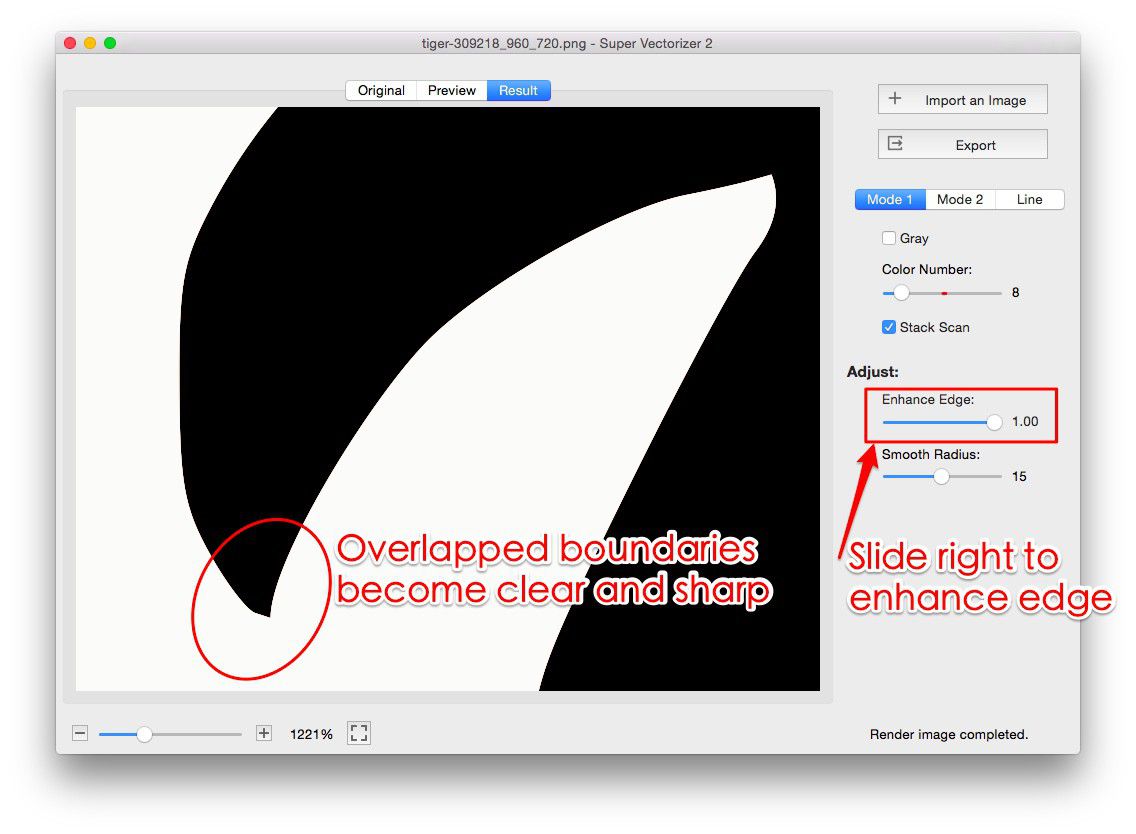
- Adjust parameters (optional): Use the sliders and options to fine-tune the tracing — adjust color count, detail level, and noise removal.
- Choose output format: Select from 70+ output formats including SVG, PDF, EPS, AI, and DXF.
- Export: The trial version allows you to preview results. To export the final vector file, you'll need to purchase the full version.
The entire process takes less than a minute for most images, making it one of the most efficient workflows available for Mac users.
Frequently Asked Questions
Is there a completely free vector tracing software for Mac?
Yes, Inkscape is a free open-source option, and SVG Mini Online offers free browser-based conversion. However, free tools often have limitations in accuracy, supported formats, or advanced features. For professional results, a paid tool like Super Vectorizer Pro is usually worth the investment.
Can I try Super Vectorizer Pro before buying?
Yes, a free trial is available for both Mac and Windows. The trial allows you to preview vectorization results in real-time, so you can evaluate the quality before purchasing. Note that the trial version does not export files — you'll need to purchase the full version to save your vector output.
What's the difference between vector tracing and image tracing?
These terms are often used interchangeably. "Vector tracing" and "image tracing" both refer to the process of converting a raster (bitmap) image into a vector format. Some software also uses terms like "raster-to-vector conversion" or "bitmap tracing" for the same process.
Which file formats can Super Vectorizer Pro output?
Super Vectorizer Pro supports over 70 output formats including SVG, PDF, EPS, AI (Adobe Illustrator), DXF, EMF, and many more. This makes it extremely versatile for different use cases — from web graphics (SVG) to print preparation (PDF/EPS) to CAD work (DXF).
Does vector tracing work well for photographs?
Vector tracing works best for images with clear edges and distinct colors — such as logos, icons, illustrations, and line art. Photographs with complex gradients and fine details don't trace well because vectors use solid colors and mathematical paths. For photos, it's better to keep them as raster images or use a simplified color-palette approach.
Ready to Transform Your Images into Scalable Vectors?
Try Super Vectorizer Pro free trial to preview professional-quality vectorization results on your Mac. Purchase the full version to unlock all export formats.
Compatible with macOS 10.10+ (M1/M2/M3) & Windows 7/8/10/11
Related Articles
Try These Free Online Tools
No download required — convert, compress & optimize SVGs right in your browser
PNG to SVG Converter
Convert PNG, JPG, BMP images to scalable vector graphics instantly
PNG to SVG ConverterSVG Compressor (Mini)
Reduce SVG file size by up to 80% without losing quality
SVG Compressor OnlineSVG Optimizer
Clean up SVG code, remove redundant data and optimize for web
SVG Optimizer OnlineJPG to SVG Converter
Turn JPEG photos into crisp vector artwork in seconds
JPG to SVG ConverterEPS to SVG Converter
Convert EPS vector files to web-friendly SVG format
EPS to SVG ConverterAll Free Tools
Browse our complete collection of free online conversion tools
Browse All Free Tools