
Finding the best free AI vectorizer in 2026 comes down to one trade-off: convenience versus control. If you want the fastest result, an online AI tracer like Vectorizer.AI produces clean paths from a browser with limited free credits. If you want privacy and tunable quality without a subscription, a desktop app such as Super Vectorizer Pro (free trial to preview) or the open-source Inkscape is the better fit. In this roundup we tested the leading tools on logos, line art, and color illustrations, then compared them on price, quality, offline privacy, and batch support so you can pick the right one for your workflow.
Want private, offline AI tracing? Try Super Vectorizer Pro free trial to preview vectorization results on your own machine.
Compatible with macOS 10.10+ (M1/M2/M3) & Windows 7/8/10/11
What Makes an AI Vectorizer "Free"?
"Free" means different things across tools, and the fine print matters:
- Free credits: Online AI tools (e.g., Vectorizer.AI) let you convert a handful of images before asking for payment.
- Free trial: Desktop apps such as Super Vectorizer Pro let you preview AI tracing at full quality but do not export the final file until licensed.
- Free and open source: Inkscape is completely free forever, though its tracing is traditional (potrace-based) rather than AI-driven, so output quality depends on your settings.
- Freemium suites: Canva and Adobe Express include basic tracing inside a larger free plan, but advanced vector control is limited.
When you see "free," check whether you can actually keep the SVG. A preview-only trial is honest about that limit; a credit-limited tool silently stops after a few images.
The Best Free AI Vectorizers in 2026 (Roundup)
1. Vectorizer.AI — Best Free Online Quality
Vectorizer.AI is the benchmark for cloud AI tracing. It handles color logos and photos with impressive path cleanliness and offers limited free credits. The catch: your image is uploaded to its servers, and you hit a paywall after the free allowance.
2. Super Vectorizer Pro — Best for Private Offline Tracing
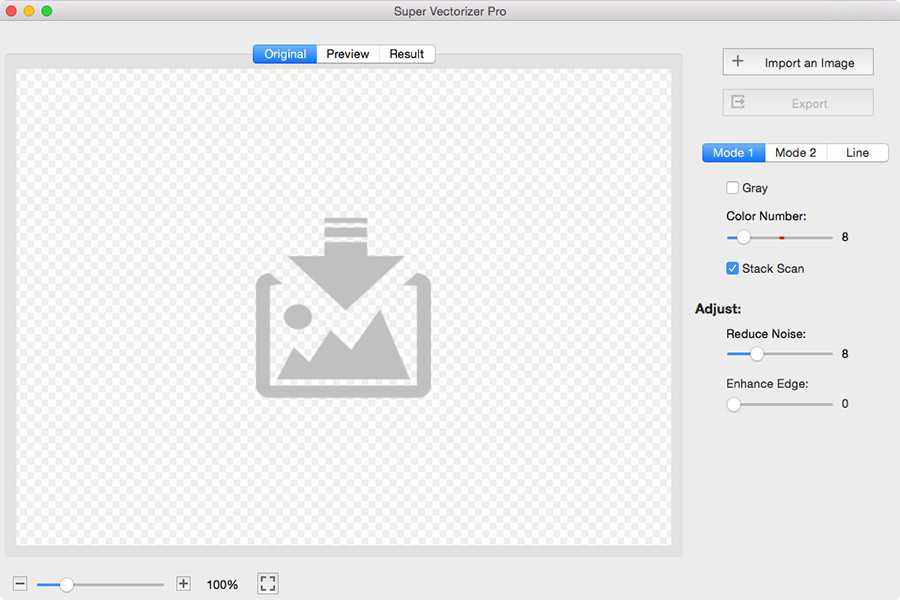
Super Vectorizer Pro is a Mac and Windows desktop app with AI-powered tracing, adjustable color count, corner threshold, and smoothing. The free trial previews results offline — no upload, no account. It does not export until licensed, but you get to judge real quality on your own files first.
3. Inkscape — Best Fully Free Option
Inkscape is open source and free forever. Its Trace Bitmap feature is traditional rather than AI, but with the right color-count and smoothing settings it produces excellent results, especially for line art and flat-color logos. The learning curve is steeper than a one-click AI tool.
4. Adobe Illustrator — Best If You Already Subscribe
Illustrator's Image Trace is powerful and deeply integrated with the Creative Cloud ecosystem. It is not free, but if you already pay for a subscription it is effectively "included." Quality is excellent, with fine control over paths and presets.
5. Canva — Best for Casual Users
Canva's free plan includes basic image-to-vector features inside its design suite. It is convenient for non-designers who already use Canva, but it offers less tracing control than dedicated vectorizers and processes images in the cloud.
Free AI Vectorizer Comparison Table (2026)
| Tool | Price | Platform | Offline | Batch | Output Quality | Best For |
|---|---|---|---|---|---|---|
| Super Vectorizer Pro | $29.99 one-time (free trial to preview) | Mac & Windows | Yes | No (one at a time) | Clean, tunable paths Best Privacy | Private offline tracing |
| Vectorizer.AI | Free credits, then paid | Web | No | No | Excellent AI quality | Quick online conversions |
| Adobe Illustrator | Subscription | Mac, Windows | Yes | Possible, but awkward | Excellent (Image Trace) | Creative Cloud subscribers |
| Inkscape | Free (open source) | Mac, Windows, Linux | Yes | No | Good with manual tuning | Fully free desktop workflow |
| Canva | Free plan + paid | Web, Mac, Windows, Mobile | No | No | Basic to moderate | Casual design-suite users |
Notice that none of the free or free-trial tools offer true batch mode — they trace one image at a time. That is actually a feature for careful work: it lets you adjust settings per asset instead of bulk-processing and fixing errors later.

Online AI Vectorizers vs Desktop (Super Vectorizer Pro)
The biggest decision is where the tracing happens:
- Online (Vectorizer.AI, Canva): zero install, works anywhere, but requires upload and has credit or feature limits.
- Desktop (Super Vectorizer Pro, Illustrator, Inkscape): offline, no file-size caps from a server, deeper settings, but needs installation.
For a quick browser test without installing anything, the online image vectorizer is a good place to start. For repeatable, private work, a desktop app wins.
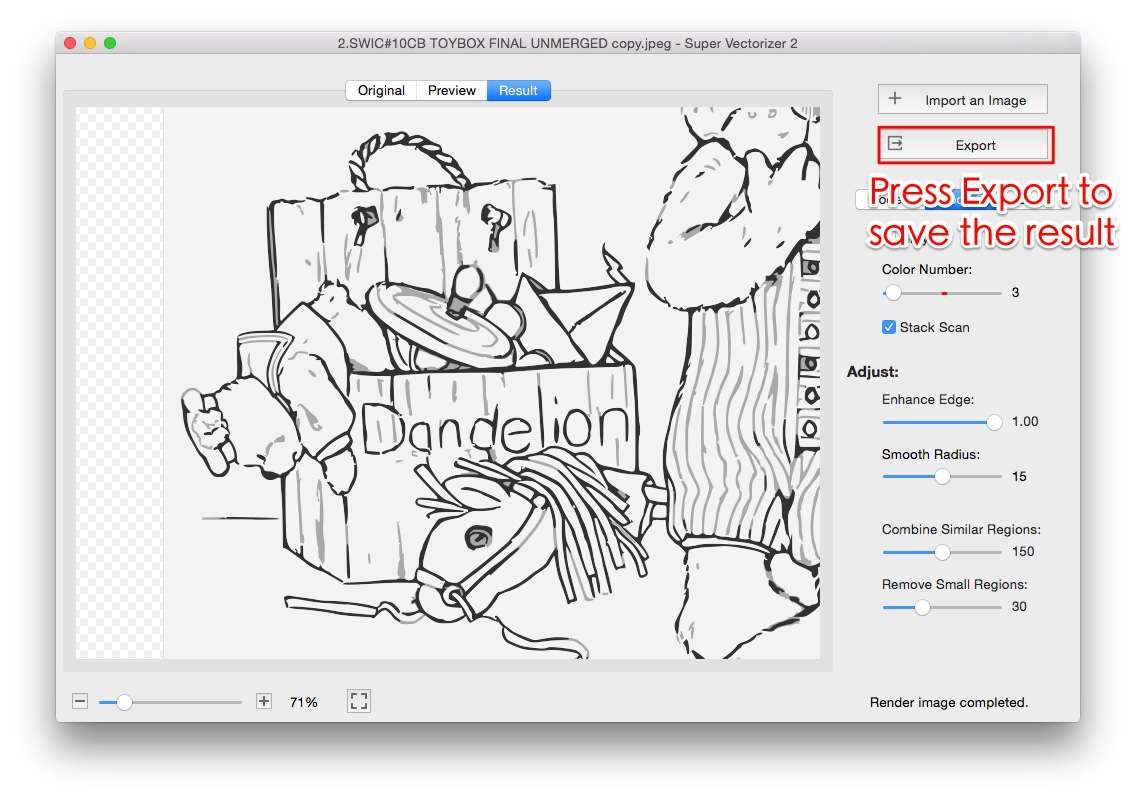
How to Vectorize an Image with AI for Free (Offline HowTo)
- Pick an AI vectorizer. For offline privacy, download Super Vectorizer Pro (free trial) or Inkscape (free). For a quick online test, use Vectorizer.AI's free credits.
- Load your image. Open a PNG, JPG, or BMP. Use the highest-resolution source with a clean background for the best paths.
- Tune the trace. Choose line-art, color, or skeletonization mode and set color count and smoothing. Super Vectorizer Pro processes one image at a time so each result gets your full attention.
- Preview and export. Review the vector preview. Free online tools let you download immediately; the Super Vectorizer Pro trial previews but needs a license to export.
Which Free AI Vectorizer Should You Choose?
Match the tool to the job:
- Occasional, non-sensitive images: Vectorizer.AI free credits or the online vectorizer.
- Client or sensitive artwork: Super Vectorizer Pro (offline, free trial) or Inkscape.
- No budget, willing to learn: Inkscape with tuned Trace Bitmap settings.
- Already in a suite: Illustrator Image Trace (subscription) or Canva (free plan).
Our broader best free image vectorizer roundup covers non-AI free options too, and the PNG to SVG AI converter guide focuses on the PNG workflow specifically.
The Bottom Line for 2026
There is no single "best free AI vectorizer" for everyone. Vectorizer.AI leads on free online quality, Inkscape is the best truly-free pick, and Super Vectorizer Pro is the best free-trial option when you need private, offline, tunable tracing on Mac or Windows.
Super Vectorizer Pro (Free Trial)
- Offline — no upload, full privacy
- AI tracing with tunable color and smoothing
- Preview real quality on your own files first
- One-time license, no subscription
- One-at-a-time workflow for precise control
Fully Free / Online Tools
- Inkscape: free forever, manual tuning
- Vectorizer.AI: best free online quality (credits)
- No installation for web tools
- Upload or credit limits apply
- Less per-image control than desktop apps
Frequently Asked Questions
What is the best free AI vectorizer in 2026?
For quick online conversions, Vectorizer.AI offers the strongest free AI quality with limited credits. For offline, private work with no upload, Super Vectorizer Pro provides a free trial to preview AI tracing on Mac and Windows, and Inkscape is fully free with a manual Trace Bitmap feature. The best pick depends on whether you prioritize convenience or privacy.
Is there a truly free AI vectorizer with no limits?
Inkscape is fully free and open source, but it uses traditional tracing rather than AI, so quality depends on your manual settings. Online AI tools like Vectorizer.AI are free only up to a credit limit, after which they charge. If you need unlimited offline tracing, a one-time purchase app such as Super Vectorizer Pro is the practical alternative to a subscription.
Does Super Vectorizer Pro support batch conversion?
No — Super Vectorizer Pro processes one image at a time. It does not have a batch mode. The one-at-a-time workflow lets you fine-tune tracing settings for each image, which often produces cleaner results than bulk processing.
Which free AI vectorizer keeps my image private?
Desktop tools keep files on your machine. Super Vectorizer Pro and Inkscape both run offline, so your image is never uploaded to a server. Online tools such as Vectorizer.AI and Canva process your image in the cloud, which is a privacy consideration for client or sensitive artwork.
Can a free AI vectorizer handle color and logos?
Yes. Modern AI vectorizers trace color logos and illustrations well, separating flat color regions into editable paths. For the cleanest brand assets, choose a tool with adjustable color count and corner smoothing, and export a path-based SVG rather than an embedded raster.
Try Private AI Vectorization on Your Own Machine
Download Super Vectorizer Pro and preview AI tracing quality on Mac and Windows — no upload, no account, no internet required.
Compatible with macOS 10.10+ (M1/M2/M3) & Windows 7/8/10/11
Related SVG Workflows
- Vectorizer.AI Alternative
- PNG to SVG AI Converter Guide
- Online Image Vectorizer
- Best Free Image Vectorizer Tools 2026
- Image to Vector AI Free Without Login
- AI Image to SVG Converter Guide
- Best SVG Converter Tools 2026 — Tested & Ranked
- Convert PDF to SVG Online 2026: Best Free Tools & Step-by-Step Guide
- JPG to Vector AI Free: Convert JPEG Photos to SVG with AI
- PNG to SVG with Color for Cricut
- PNG to SVG Online
- Best Image Vectorizer 2026: 6 Top Picks Tested and Compared — our full roundup of the best image vectorizers across free, AI, and offline tools.
- Vectorizer AI Free Download 2026: What You Can Actually Install for $0 — what you can actually install for free versus browser-only Vectorizer.AI.
- Convert SVG to React Component in 2026: 6 Ways Compared