
Artificial intelligence has transformed how we create vector graphics. In 2026, AI SVG generators can turn a simple text prompt or a rough sketch into a clean, scalable SVG file in seconds. Whether you need a logo, icon, illustration, or pattern, AI-powered tools are reshaping the workflow for designers, developers, and hobbyists alike.
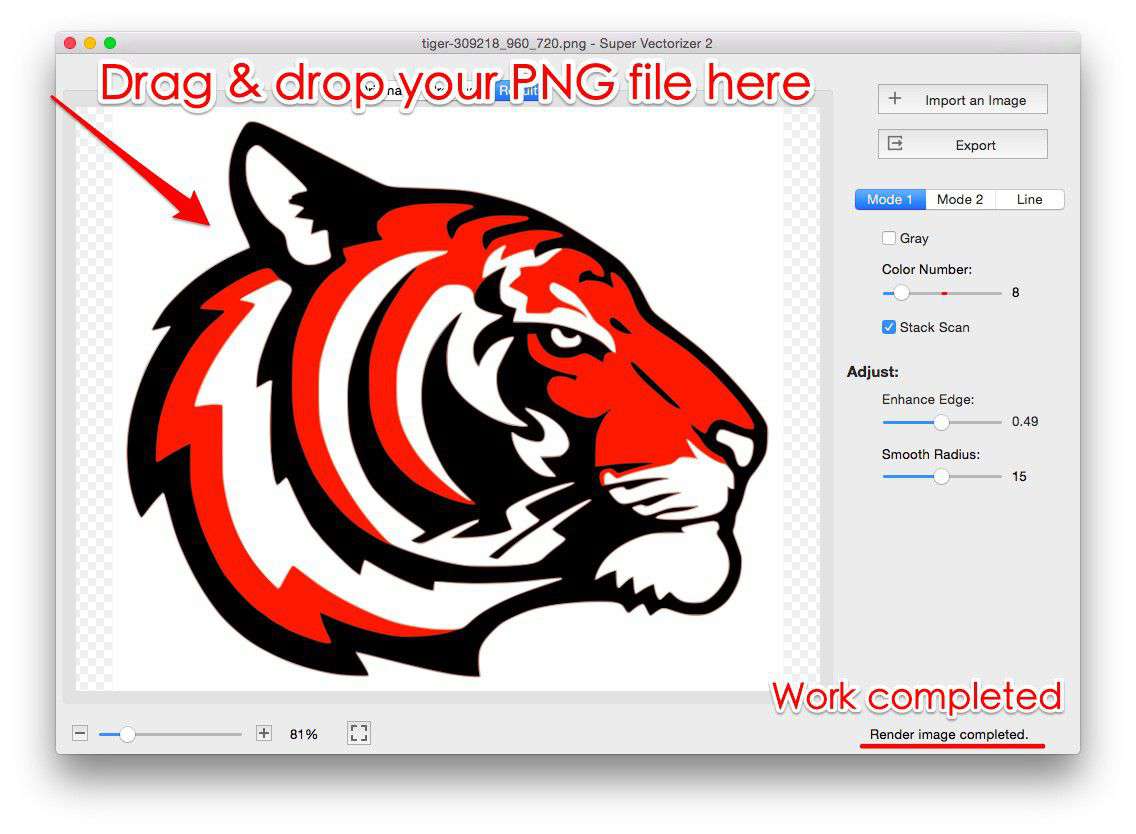
This guide compares the best free and paid AI SVG generators available in 2026. You'll learn how AI vectorization works, which tools produce genuine SVG code (not just embedded rasters), and how to choose the right tool for your project. We'll also cover when to use a traditional desktop vectorizer like Super Vectorizer Pro instead of an AI to SVG converter.
Need to convert existing images to SVG? Try Super Vectorizer Pro free trial to preview vectorization results.
Compatible with macOS 10.10+ (M1/M2/M3) & Windows 7/8/10/11
What Is an AI SVG Generator?
An AI SVG generator is a tool that uses artificial intelligence — typically diffusion models, neural networks, or large language models — to create scalable vector graphics (SVG) from text prompts or source images. Unlike traditional vectorization, which traces existing raster images, tools that convert DALL-E to vector can create entirely new vector artwork from scratch.
There are two main types of AI SVG generators:
- Text-to-SVG generators: You type a description (e.g., "a minimalist coffee shop logo with a green leaf"), and the AI generates an SVG matching your prompt.
- Image-to-SVG converters with AI enhancement: You upload a raster image (PNG, JPG, WebP), and the AI analyzes the shapes, simplifies paths, and outputs a clean SVG file.
The key advantage of Midjourney to SVG tools is their ability to understand context and intent. A traditional vector tracer blindly traces pixels, while an AI generator can interpret "a modern tech company logo" and produce a design that matches that concept.
How AI SVG Generation Works in 2026
Modern AI SVG generators use a multi-step pipeline to produce high-quality vector output:
- Prompt understanding: Large language models interpret your text description and generate a concept.
- Image synthesis: A diffusion model creates a raster image based on the concept.
- Vectorization: The AI traces the synthesized image into SVG paths, often using proprietary algorithms that optimize for fewer nodes and cleaner curves.
- Code generation: Some advanced tools skip the raster step entirely and generate SVG code directly from the language model.
The best tools in 2026 generate genuine SVG paths (beats, curves, paths) rather than embedding a raster image inside an SVG tag. This distinction matters — true SVG code scales infinitely and keeps file sizes small, while embedded rasters defeat the purpose of vector graphics.
Top 7 AI SVG Generators in 2026 (Ranked & Compared)
| Tool | Type | Free Tier | Output Quality | Best For |
|---|---|---|---|---|
| SVGGenie AI | Text-to-SVG | Yes (3/day) | Excellent | Logos, icons |
| Recraft AI | Text-to-Vector | Yes (limited) | Excellent | Illustrations |
| VectorWitch | Image-to-SVG | Yes (watermark) | Very Good | Photo tracing |
| SVGMaker AI | Text + Image | Yes (small files) | Good | Quick prototypes |
| VectoSolve AI | Image-to-SVG | Yes (preview only) | Very Good | Batch conversion |
| Adobe Firefly | Text-to-SVG | No (paid only) | Excellent | Professional design |
| Super Vectorizer Pro | Image-to-SVG (Traditional) | Trial (preview only) | Excellent | Precise tracing |
1. SVGGenie AI — Best Free AI SVG Generator
SVGGenie offers a free AI SVG generator that creates production-ready SVGs from text prompts. The free tier allows 3 generations per day, with options to download the SVG code directly. In our testing, SVGGenie produced the cleanest path data among free tools — curves were smooth, and node counts were reasonable for web use.
Pros: Clean SVG output, free tier available, no signup required for trials, commercial use allowed on paid plan.
Cons: Free tier limited to 3 generations/day, complex illustrations may need manual cleanup.
2. Recraft AI — Best for Professional Illustrations
Recraft uses a proprietary vector generation model that creates genuinely scalable vector illustrations. Unlike tools that generate a PNG and wrap it in SVG tags, Recraft produces real vector paths. The free tier includes a limited number of generations per month.
Pros: True vector output, excellent style control, vector editing built-in.
Cons: Free tier is limited, learning curve for prompt engineering.
3. VectorWitch — Best AI Image Tracer
VectorWitch specializes in converting existing images to SVG using AI enhancement. Upload a PNG or JPG, and the AI analyzes the image, separates foreground from background, and generates clean vector paths. The free tier adds a watermark; paid plans remove it.
Pros: Handles complex images well, AI-powered background removal, batch processing available.
Cons: Free tier has watermark, output quality varies with image complexity.
4. SVGMaker AI — Quick Prototypes
SVGMaker combines text-to-SVG and image-to-SVG in one platform. The AI is particularly good at generating simple icons and logos from text descriptions. The free tier supports files up to 1MB; larger files require a paid plan.
5. VectoSolve AI — Batch AI Conversion
VectoSolve's AI enhancement mode improves upon traditional tracing by using machine learning to identify shapes and simplify paths intelligently. It's particularly effective for logos and line art. The free tier allows previewing results; full export requires a subscription.
When to Use a Traditional Vectorizer (Like Super Vectorizer Pro)
While AI generators are powerful for creating new artwork, traditional vectorization tools remain superior for specific use cases:
- Converting existing logos: If you have a company logo as a PNG and need an SVG, a precision vector tracer like Super Vectorizer Pro produces more accurate results than AI reinterpretation.
- Technical drawings: Engineering diagrams, architectural plans, and CAD drawings require precise tracing that AI may "creative interpret" incorrectly.
- Photographs: AI generators struggle with photographs. Traditional vectorization (with careful settings) can produce stylized vector art from photos, but AI often adds hallucinations.
- Brand consistency: If you need an exact match to an existing design, traditional tracing preserves the original shapes. AI generators may introduce subtle (or not-so-subtle) changes.
Our Verdict: AI vs Traditional Vectorization
AI SVG generators excel at creating new artwork from prompts, while traditional vectorizers like Super Vectorizer Pro deliver precision when converting existing images. For professional workflows, use both: generate concepts with AI, then refine and convert with desktop tools.
AI SVG Generators — Best For
- Creating new logos from text prompts
- Rapid prototyping and ideation
- Illustrations and decorative elements
- Users with no design skills
- Generating variations quickly
Traditional Vectorizers — Best For
- Converting existing PNG/JPG logos to SVG
- Technical drawings and diagrams
- Precision-critical artwork
- Batch converting hundreds of images
- Offline work (no internet required)
How to Choose the Right AI SVG Generator
With dozens of AI SVG tools available in 2026, here's a practical framework for choosing:
- Define your input: Text prompt or existing image? Text-to-SVG tools (SVGGenie, Recraft) are best for new creations. Image-to-SVG tools (VectorWitch, VectoSolve) are better for converting existing assets.
- Check output format: Does the tool generate genuine SVG paths, or does it wrap a raster in SVG tags? Always inspect the output code — genuine SVG uses
<path>,<circle>,<rect>elements, not embedded<image>tags. - Evaluate free tiers: Most AI SVG generators offer free tiers with limitations (watermarks, daily limits, file size caps). Test the free tier before committing to a paid plan.
- Consider commercial use: If you're creating SVGs for clients, verify the tool's commercial license terms. Some free-tier outputs are for personal use only.
- Test with your use case: Generate 3-5 test SVGs with your typical requirements. Check file size, path complexity, and rendering consistency across browsers.
Frequently Asked Questions
Are AI SVG generators really free?
Most AI SVG generators offer a free tier with limitations. SVGGenie allows 3 free generations per day. Recraft and VectorWitch offer free tiers with watermarks or file size limits. For commercial projects, you'll typically need a paid plan ($10-30/month). Always check the current pricing, as AI tool pricing changes frequently in 2026.
Do AI SVG generators produce genuine SVG code?
Not always. Many tools marketed as "AI SVG generators" actually generate a PNG image and embed it in an SVG file — which defeats the purpose of vector graphics. The tools recommended in this guide (SVGGenie, Recraft, VectorWitch) produce genuine SVG path data. Always open the downloaded file in a text editor to verify it contains SVG elements rather than an embedded raster image.
Can I use AI-generated SVGs for commercial projects?
It depends on the tool's license. Most paid plans include commercial use rights, but free-tier outputs may be restricted to personal use. Always review the terms of service before using AI-generated SVGs in client work or products for sale. Some tools also require attribution for free-tier commercial use.
What's the best AI SVG generator for logos?
For logo design, SVGGenie AI and Recraft AI produce the best results in 2026. Both generate clean vector paths suitable for scaling to any size. However, for converting an existing logo from PNG to SVG, a traditional vectorizer like Super Vectorizer Pro delivers more precise results. Use AI for new concepts; use traditional tools for converting existing assets.
Convert Existing Images to SVG with Precision
While AI generators create new artwork, Super Vectorizer Pro delivers pixel-perfect vectorization of your existing images. Try the free trial to preview results.
Compatible with macOS 10.10+ (M1/M2/M3) & Windows 7/8/10/11
Related Articles
Try These Free Online Tools
No download required — convert, compress & optimize SVGs right in your browser
PNG to SVG Converter
Convert PNG, JPG, BMP images to scalable vector graphics instantly
PNG to SVG ConverterSVG Compressor (Mini)
Reduce SVG file size by up to 80% without losing quality
SVG Compressor OnlineSVG Optimizer
Clean up SVG code, remove redundant data and optimize for web
SVG Optimizer OnlineJPG to SVG Converter
Turn JPEG photos into crisp vector artwork in seconds
JPG to SVG ConverterEPS to SVG Converter
Convert EPS vector files to web-friendly SVG format
EPS to SVG ConverterAll Free Tools
Browse our complete collection of free online conversion tools
Browse All Free Tools