
Super Vectorizer Pro vs Vectorizer.AI comes down to one question in 2026: do you want to own your vectorizer or rent it? Super Vectorizer Pro is the better choice if you want a one-time $39.99 desktop app that traces images offline on Mac and Windows with manual control over colour count, smoothing and noise removal. Vectorizer.AI is the better choice if you want a browser-based service with nothing to install, or you are a developer who needs an API to vectorize images programmatically at $9.99/month and up. If you convert a handful of logos or cut files each month and dislike subscriptions, the desktop app wins on total cost; if you need automated raster-to-vector conversion inside your own software, the cloud API wins on workflow.
Below we compare both tools across the six things that actually change the outcome of a vectorization job: price model, platform coverage, offline access, batch support, output quality on different source material, and export formats. We also line them up against Adobe Illustrator, Inkscape and Canva so you can see where each lands in the wider market. If you are still at the research stage, our roundup of the best free image vectorizer tools in 2026 is a good companion read.
Want to test the desktop side of this comparison on your own artwork? Try Super Vectorizer Pro free trial to preview vectorization results.
Compatible with macOS 10.10+ (M1/M2/M3) & Windows 7/8/10/11. Prefer nothing to install? Use the free browser-based Image to SVG converter — it traces locally in the tab, with no signup.
The Short Verdict
Both tools convert bitmap images into clean SVG paths, and both let you judge quality before you pay. The split is architectural: one runs on your computer and is bought once, the other runs on someone else's servers and is billed monthly.
Super Vectorizer Pro Advantages
- One-time licence from $39.99 — no renewals
- Runs offline; images never leave your machine
- Five tracing modes including line and skeletonization
- Manual control over colour count, smoothing and corner threshold
- Native Mac and Windows builds, Apple Silicon supported
- Exports SVG, PDF, EPS, DXF and AI
Vectorizer.AI Advantages
- Nothing to install — works in any modern browser
- Documented API for automated, high-volume pipelines
- Shape detection that snaps geometric art to clean primitives
- Unlimited web conversions on the $9.99/month plan
- Platform-agnostic: Mac, Windows, Linux, Chromebook

Super Vectorizer Pro vs Vectorizer.AI: Head-to-Head Comparison
Here is the direct comparison across the factors that decide most purchases. Prices are the publicly listed rates as of August 2026.
| Factor | Super Vectorizer Pro | Vectorizer.AI | Better for most users |
|---|---|---|---|
| Price model | One-time: $39.99 Mac or Win lifetime, $49.99 Universal, $29.99 one-year | Subscription: $9.99/month Web App; API from $9.99/month for 50 credits | Super Vectorizer Pro One-time |
| 5-year cost (single user) | $39.99 total | ≈$599 on the Web App plan | Super Vectorizer Pro 15× cheaper |
| Platform | Native macOS 10.10+ (M1/M2/M3) and Windows 7/8/10/11 | Any browser; no native desktop app | Tie — depends on your OS |
| Offline / online | Fully offline after install | Online only; images uploaded to cloud | Super Vectorizer Pro Offline |
| Batch support | No (one at a time) | No in the web app; API supports automated pipelines | Vectorizer.AI API |
| Output quality — logos & flat art | Very good; adjustable colour count keeps paths lean | Very good; shape detection produces tidy primitives | Tie |
| Output quality — photos & scans | Strong; grayscale and skeletonization modes handle noise | Good; less manual tuning available | Super Vectorizer Pro Control |
| Export formats | SVG, PDF, EPS, DXF, AI | SVG, PDF, EPS, DXF, PNG | Tie |
| Privacy | Local processing, nothing uploaded | Cloud processing on third-party servers | Super Vectorizer Pro Local |
| Try before you buy | Free trial to preview results; saving needs a licence | Free browser preview; downloading needs a subscription | Tie |
| Best for | Designers, crafters and print shops who want to own their tool | Developers and teams automating vectorization at volume | — |
Pricing in 2026: One-Time Purchase vs Monthly Subscription
This is where the two tools diverge most sharply. Vectorizer.AI charges $9.99 per month for unlimited conversions through its web app, and sells API access on a credit model that starts at $9.99/month for 50 credits (about $0.20 per image) and scales down to roughly $0.05 per credit at very high volume. Unused API credits roll over up to five times your monthly allowance.
Super Vectorizer Pro is sold outright. A lifetime Mac licence or a lifetime Windows licence is $39.99; the Universal lifetime licence covering one Mac plus one Windows PC is $49.99; a one-year licence is $29.99. There is no renewal fee on the lifetime tiers and upgrades are included.
Run that over a realistic ownership period and the gap is stark. Five years of the Vectorizer.AI Web App plan costs roughly $599. Five years of Super Vectorizer Pro costs $39.99 — the price you paid on day one. Even the Universal licence covering two machines comes in at under a tenth of one year of subscription spend spread across five years.
The subscription still makes sense in two situations: you need vectorization only for a single short project, or your volume is high enough that an automated API saves more labour than it costs. Outside those cases, the arithmetic favours owning the software. Our dedicated Vectorizer.AI alternative page breaks the cost model down further.
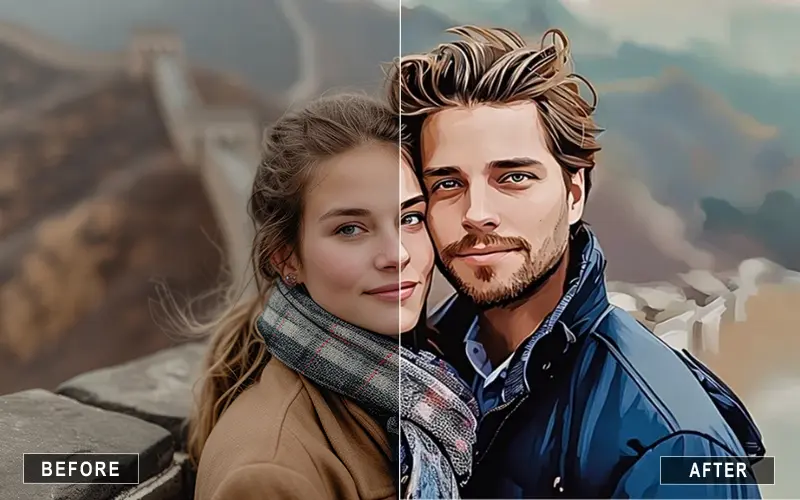
Output Quality: How Each Vectorization Engine Handles Raster to Vector
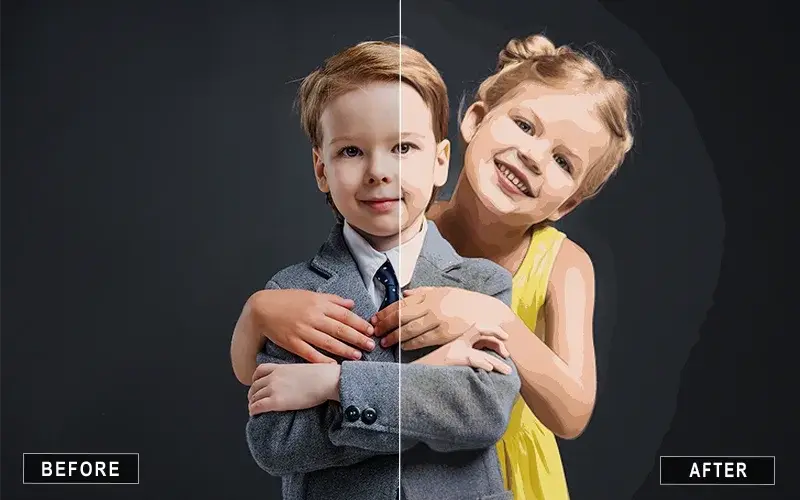
Both products do genuine vector tracing — they analyse the bitmap, find colour regions and edges, and rebuild them as Bézier curves in SVG format. The difference is in what they optimise for and how much of the process you can steer.
Where Vectorizer.AI is strong
Vectorizer.AI's engine includes shape detection that recognises circles, rectangles and other primitives and reconstructs them as true geometry rather than approximated curves. On corporate logos built from geometric forms, that produces very clean, editable output with few stray anchor points. It is also fully automatic, which is exactly what you want when a script is doing the conversion.
Where Super Vectorizer Pro is strong
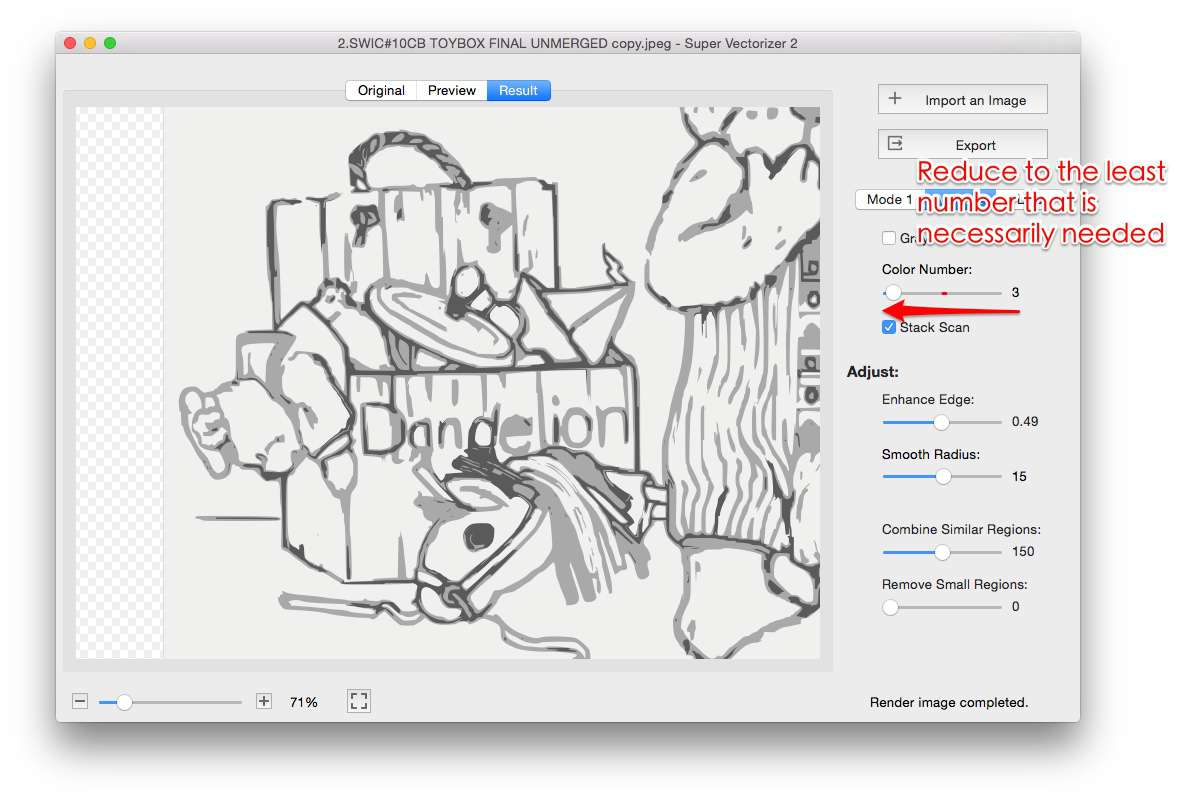
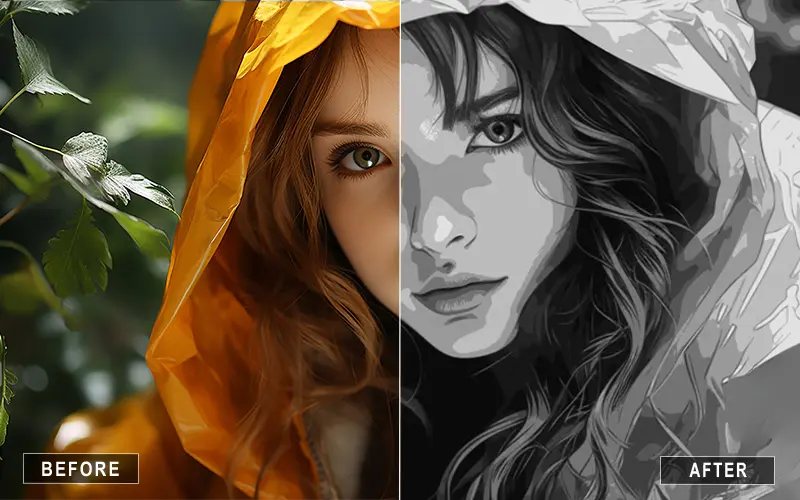
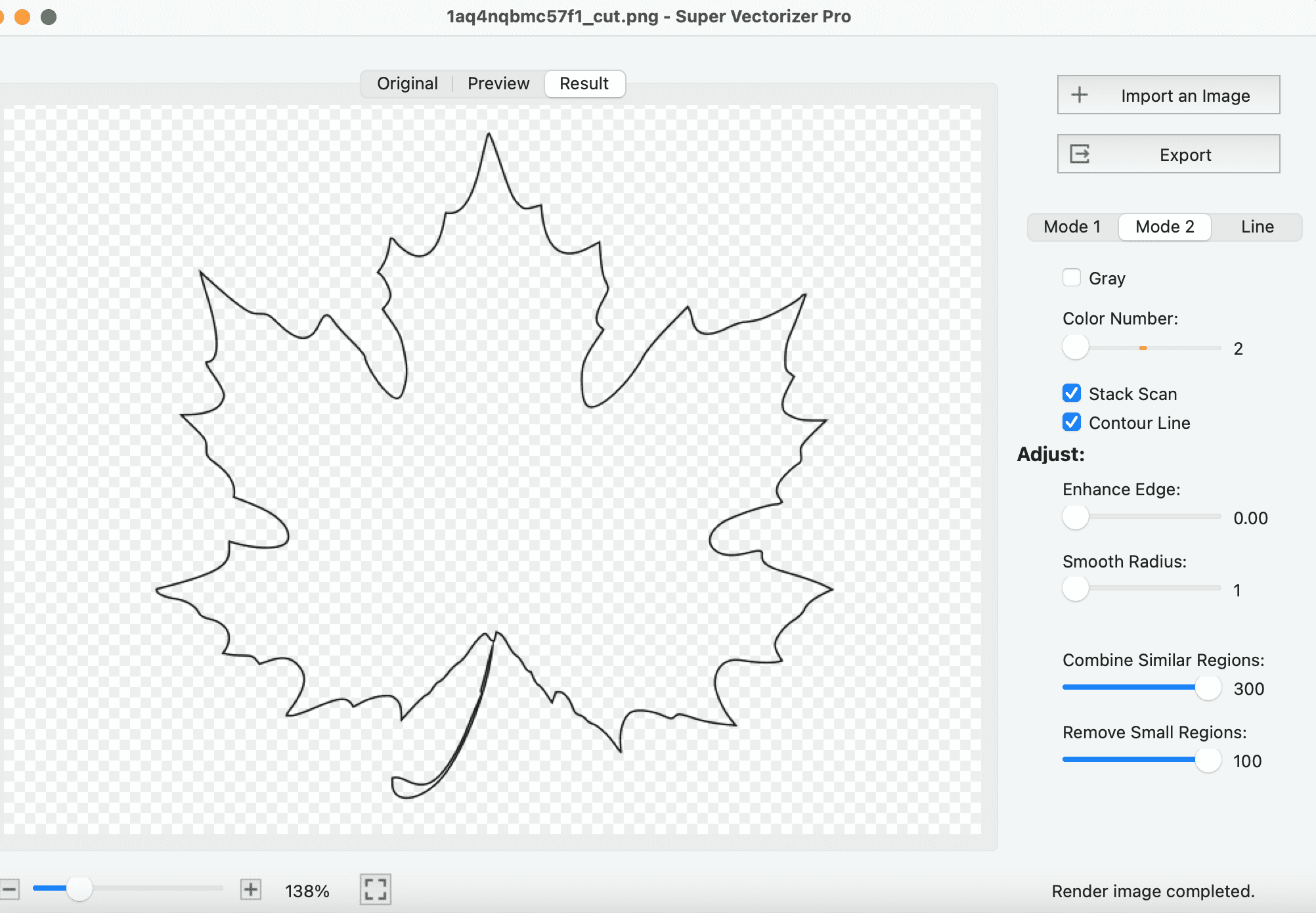
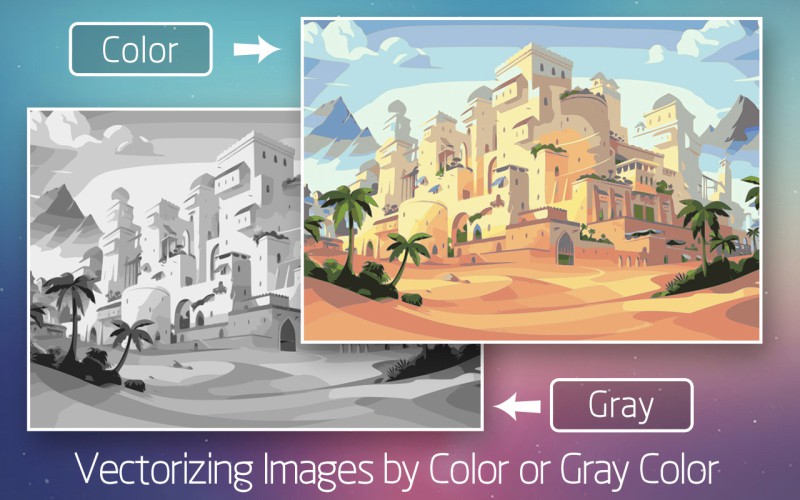
Super Vectorizer Pro gives you five distinct modes — colour, grayscale, black and white, line, and skeletonization — plus sliders for colour count, curve smoothing, noise suppression and corner threshold. On messy source material such as a scanned sketch, a photographed sign or a low-resolution PNG pulled off a website, that manual control is decisive. You can push noise removal up until speckles disappear, drop the colour count until the SVG is light enough for a website, or switch to skeletonization to reduce line art to single-stroke centrelines for a cutter or plotter.
For a typical flat logo, honestly, both tools produce SVGs you would be happy to hand a client. The practical difference appears on the hard inputs — and on hard inputs, being able to adjust the trace beats being handed one automatic answer. Our guide to high-quality PNG to SVG conversion walks through the specific settings that matter.
Platform, Offline Access and Privacy
Vectorizer.AI is a cloud service. That is a genuine advantage on a Chromebook, a locked-down work laptop or a Linux box where installing software is awkward — you open a tab and you are working. It is a genuine disadvantage the moment your artwork is confidential.
Every image you vectorize with a cloud tool is uploaded to a third party's servers. For public marketing assets that is usually fine. For an unreleased product logo, a client's brand mark under NDA, or medical or legal artwork, many organisations simply prohibit it. A desktop vectorizer sidesteps the question entirely: the tracing engine runs on your CPU and the file never leaves your disk.
Offline capability has a second, more mundane benefit — reliability. Desktop tracing does not slow down when your connection does, does not fail when the service has an outage, and works on a train or a plane. If you want the desktop route without leaving the browser first, our online image vectorizer page covers the browser-based options, and Super Vectorizer Pro for Mac and Windows covers the installed app.
Not every job justifies a licence or a subscription. If you need to convert a single JPG or PNG right now, our free online Image to SVG converter traces the image with WebAssembly inside the browser tab: no install, no account, no watermark, and the file is never uploaded to a server. It is the fastest way to find out whether a particular image traces well before you commit to any tool.
Batch Processing and Automation
Let us be precise here, because it is the one area where the cloud tool has a structural advantage.
Super Vectorizer Pro processes one image at a time. You open a file, tune the trace, check the preview, save the result, then move to the next file. That is a deliberate, inspection-first workflow and it suits the way most designers actually work — but it is not automation, and it will not convert a folder of 400 product photos while you make coffee.
Vectorizer.AI's web app is also a one-image-at-a-time interface, but its API is built for exactly that unattended scenario. If you are wiring vectorization into a print-on-demand pipeline, an e-commerce backend or a mobile app, the API is the right tool and the credit pricing is reasonable at scale.
So the honest split is: manual, quality-controlled work → desktop app. Programmatic, high-volume work → cloud API. Anyone telling you a single tool wins both categories is selling something.
How Both Compare to Illustrator, Inkscape and Canva in 2026
Neither tool exists in a vacuum. Here is where they sit against the other options most people evaluate — including our own free browser-based converter, which costs nothing and installs nothing.
| Tool | Price | Platform | Offline / Online | Batch support | Output quality | Best for |
|---|---|---|---|---|---|---|
| Super Vectorizer Pro | $39.99 one-time (lifetime) | macOS 10.10+, Windows 7–11 | Offline | No (one at a time) | Excellent, five tunable modes | Designers and crafters who want to own their vectorizer |
| Vectorizer.AI | $9.99/month (web); API from $9.99/month | Browser (any OS) | Online only | Via API only | Excellent on geometric art | Developers automating raster-to-vector conversion |
| Image to SVG Converter (SVGVector, free online) | Free — no signup, no watermark | Any modern browser | Online, but traced locally in the tab (no upload) | No | Good for logos, icons and simple photos | One-off conversions when you do not want to install or subscribe |
| Adobe Illustrator | $22.99/month | macOS, Windows | Offline (with online licence check) | Yes, via Actions scripting | Excellent, plus full vector editing | Studios already inside Creative Cloud |
| Inkscape | Free, open source | macOS, Windows, Linux | Offline | Yes, via command line | Good; Trace Bitmap needs tuning | Budget-conscious users comfortable with a learning curve |
| Canva | Free tier; Pro $15/month | Browser, iOS, Android | Online only | No | Basic tracing; SVG export is Pro-only | Social and marketing graphics, not production vectors |
Which Should You Choose? Four Common Scenarios
1. You vectorize a few logos or cut files each month
Choose Super Vectorizer Pro. A $39.99 one-time licence pays for itself against four months of subscription, and you keep the tool permanently. The one-at-a-time workflow is a non-issue at this volume because you would inspect each result anyway.
2. You are a developer wiring vectorization into a product
Choose Vectorizer.AI. You need an API, credit-based billing and no human in the loop. A desktop app cannot serve that architecture, and pretending otherwise would waste your time.
3. You handle client artwork under confidentiality terms
Choose Super Vectorizer Pro. Local processing removes the upload question entirely — nothing is transmitted, nothing is stored on a third-party server, and you can document that in a compliance review.
4. You need a vectorizer occasionally on a Chromebook or shared machine
Start with the free online Image to SVG converter. It runs entirely in the browser — nothing to install, no account to create, and nothing uploaded — which makes it the practical choice on a Chromebook, a locked-down work laptop or a borrowed machine. Vectorizer.AI is the stronger option once you need cloud processing at volume, and our guide to image to vector AI free without login rounds up the other no-signup options.
How to Vectorize an Image Offline with Super Vectorizer Pro
If you land on the desktop side of this comparison, the workflow takes about three minutes:
- Open your raster image. Drag a PNG, JPG, BMP, GIF or TIFF into the window. The app handles one image at a time.
- Choose a vectorization mode. Colour for logos and illustrations, grayscale for photos, black and white for stamps and stencils, line or skeletonization for sketches and cutter-ready line art.
- Tune the tracing parameters. Adjust colour count, curve smoothing, noise removal and corner threshold. The preview updates locally as you drag.
- Compare against the original. Toggle between the bitmap and the traced result to confirm that edges, gradients and small text survived vectorization.
- Save the vector file. Export as SVG, PDF, EPS, DXF or AI. Saving requires a licence — the trial is limited to previewing results.
Frequently Asked Questions
Is Super Vectorizer Pro better than Vectorizer.AI?
It depends on how you work. Super Vectorizer Pro is better if you want a one-time purchase, offline tracing on Mac or Windows, and manual control over colour count, curve smoothing and noise removal. Vectorizer.AI is better if you want a browser-based service that requires no installation, or if you are a developer who needs an API to vectorize images programmatically. Neither tool is universally superior — the deciding factors are usually budget model, privacy requirements, and whether you need automation.
How much does Super Vectorizer Pro cost compared to Vectorizer.AI?
Super Vectorizer Pro is a one-time purchase: $39.99 for a lifetime Mac or Windows licence, $49.99 for a Universal lifetime licence covering one Mac plus one Windows PC, or $29.99 for a one-year licence. Vectorizer.AI's Web App plan is $9.99 per month for unlimited web conversions, and its API plans start at $9.99 per month for 50 credits. Over five years, the Vectorizer.AI Web App subscription totals roughly $599, while a Super Vectorizer Pro lifetime licence stays at its original price.
Does Super Vectorizer Pro support batch conversion like Vectorizer.AI's API?
No. Super Vectorizer Pro processes one image at a time — there is no batch mode and no folder-level queue. If you need to vectorize hundreds of files without a human in the loop, Vectorizer.AI's API is designed for that scenario and bills per credit. For typical logo, icon, sticker and cut-file work where you inspect each result anyway, the one-at-a-time workflow is rarely a bottleneck.
Can I try both tools before paying?
Both let you evaluate results before buying, but neither gives away finished files. Super Vectorizer Pro offers a free trial to preview vectorization results on your own images; saving the traced file requires a licence. Vectorizer.AI lets you upload and preview conversions in the browser at no cost, but downloading a production result requires an active subscription. In both cases you can judge tracing quality on your own artwork first.
Which tool is better for offline or confidential artwork?
Super Vectorizer Pro. Because it is a desktop application, every image stays on your own machine and the tracing engine runs locally — useful for client logos under NDA, unreleased product art, or working somewhere with no connection. Vectorizer.AI is a cloud service, so images are uploaded to its servers for processing. If your organisation restricts uploading customer assets to third-party services, a local vectorizer is the safer default.
Does Vectorizer.AI produce better SVG quality than Super Vectorizer Pro?
Vectorizer.AI is strong on geometric artwork, where its shape detection can snap traced paths back to clean primitives such as circles and rectangles. Super Vectorizer Pro is strong on photographic and hand-drawn source images, where its colour, grayscale, black-and-white, line and skeletonization modes let you tune the trade-off between detail and path count manually. For a typical flat logo the two produce comparable SVGs; the difference shows up on noisy scans, where manual control usually wins.
The Bottom Line for 2026
Super Vectorizer Pro vs Vectorizer.AI is not really a quality contest — both engines turn a bitmap into usable SVG paths, and on a clean logo you would struggle to pick a winner from the output alone. It is a contest between two business models and two workflows.
Buy Super Vectorizer Pro if you want to own a vectorizer outright, work offline, keep client artwork on your own hardware, and steer the trace by hand. At $39.99 once, it is the cheaper option for anyone whose usage outlasts four months. Subscribe to Vectorizer.AI if you need browser access from any device, or if you are building automated raster-to-vector conversion into software and want an API rather than a GUI.
If you are leaning desktop, download the trial and run three of your own hardest images through it — a scanned sketch, a photographed logo, and a low-resolution PNG. Preview quality on your real source files tells you more than any comparison table, including this one.
Test the Desktop Side of This Comparison
Run your own images through Super Vectorizer Pro and preview the trace before you decide. One-time licence from $39.99 — Mac and Windows.
Compatible with macOS 10.10+ (M1/M2/M3) & Windows 7/8/10/11. Or convert a JPG or PNG free in your browser with our free online Image to SVG converter.
Try These Free Online Tools
No download required — convert, compress & optimize SVGs right in your browser
PNG to SVG Converter
Convert PNG, JPG, BMP images to scalable vector graphics instantly
PNG to SVG ConverterSVG Compressor (Mini)
Reduce SVG file size by up to 80% without losing quality
SVG Compressor OnlineSVG Optimizer
Clean up SVG code, remove redundant data and optimize for web
SVG Optimizer OnlineJPG to SVG Converter
Turn JPEG photos into crisp vector artwork in seconds
JPG to SVG ConverterEPS to SVG Converter
Convert EPS vector files to web-friendly SVG format
EPS to SVG ConverterAll Free Tools
Browse our complete collection of free online conversion tools
Browse All Free Tools